9-3 Install the Software Anritsu Tool Box and Line Sweep Tools
9-2 PN: 10580-00252 Rev. J Site Master User Guide
9-3 Install the Software
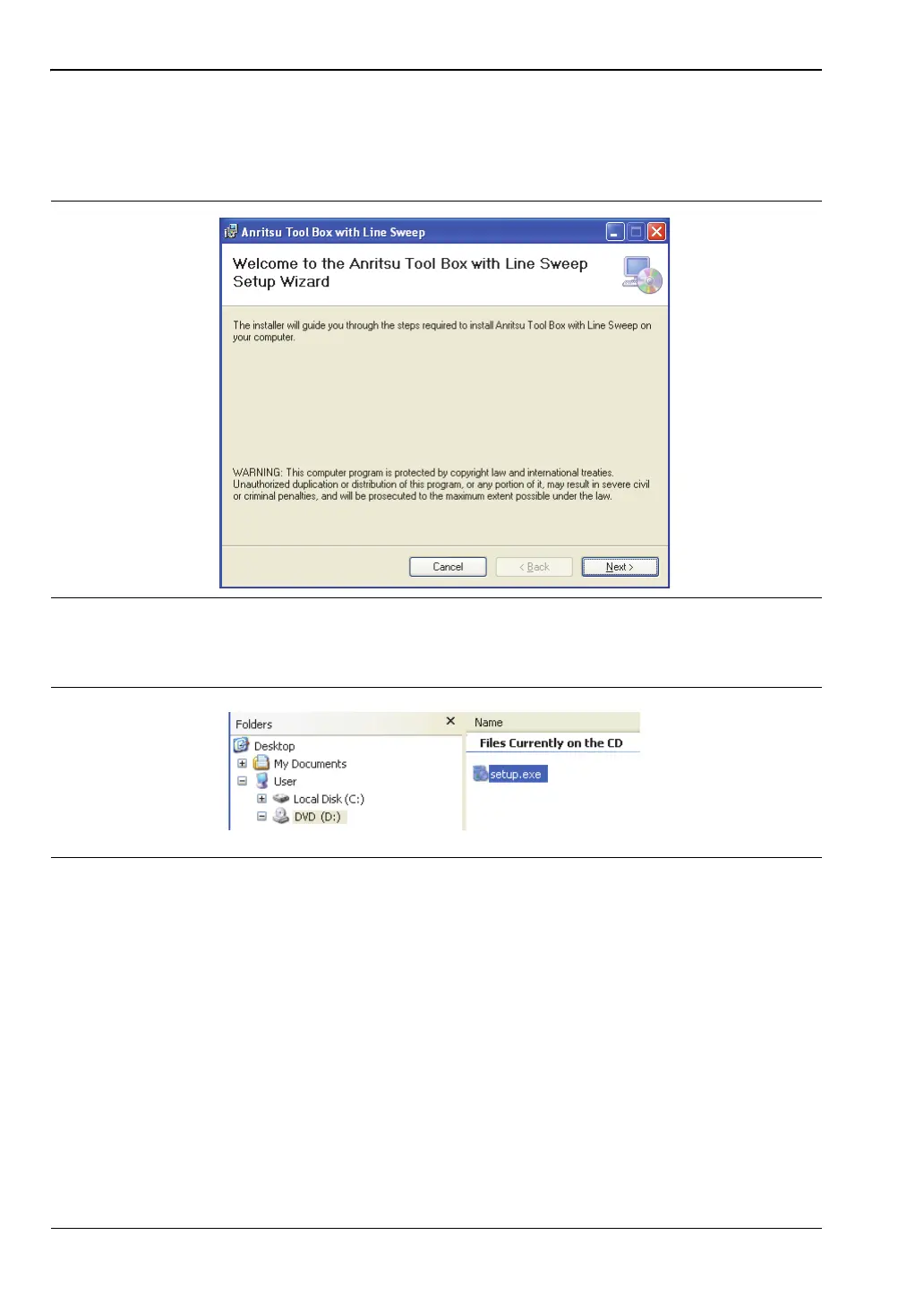
Place the Installation DVD in your computer and follow the on-screen instructions
(Figure 9-2).
If the installer does not autostart, navigate to the DVD and run setup.exe (Figure 9-3).
The installation will start. Follow the on-screen instructions. The software is also available
free of charge from the Anritsu web site (http://www.anritsu.com).
9-4 Other Software
The Anritsu Tool Box may also contain the Anritsu Master Software Tools software and the
Anritsu Map Master software. If this software had already been installed on your computer,
the Tool Box will link to it. If not, clicking on the icons will bring you to the Anritsu web site,
where you will be able to download the software free of charge.
Figure 9-2. Installing Anritsu Tool Box with Line Sweep Tools
Figure 9-3. setup.exe on the Anritsu Tool Box DVD













 To Next Page