Page 34
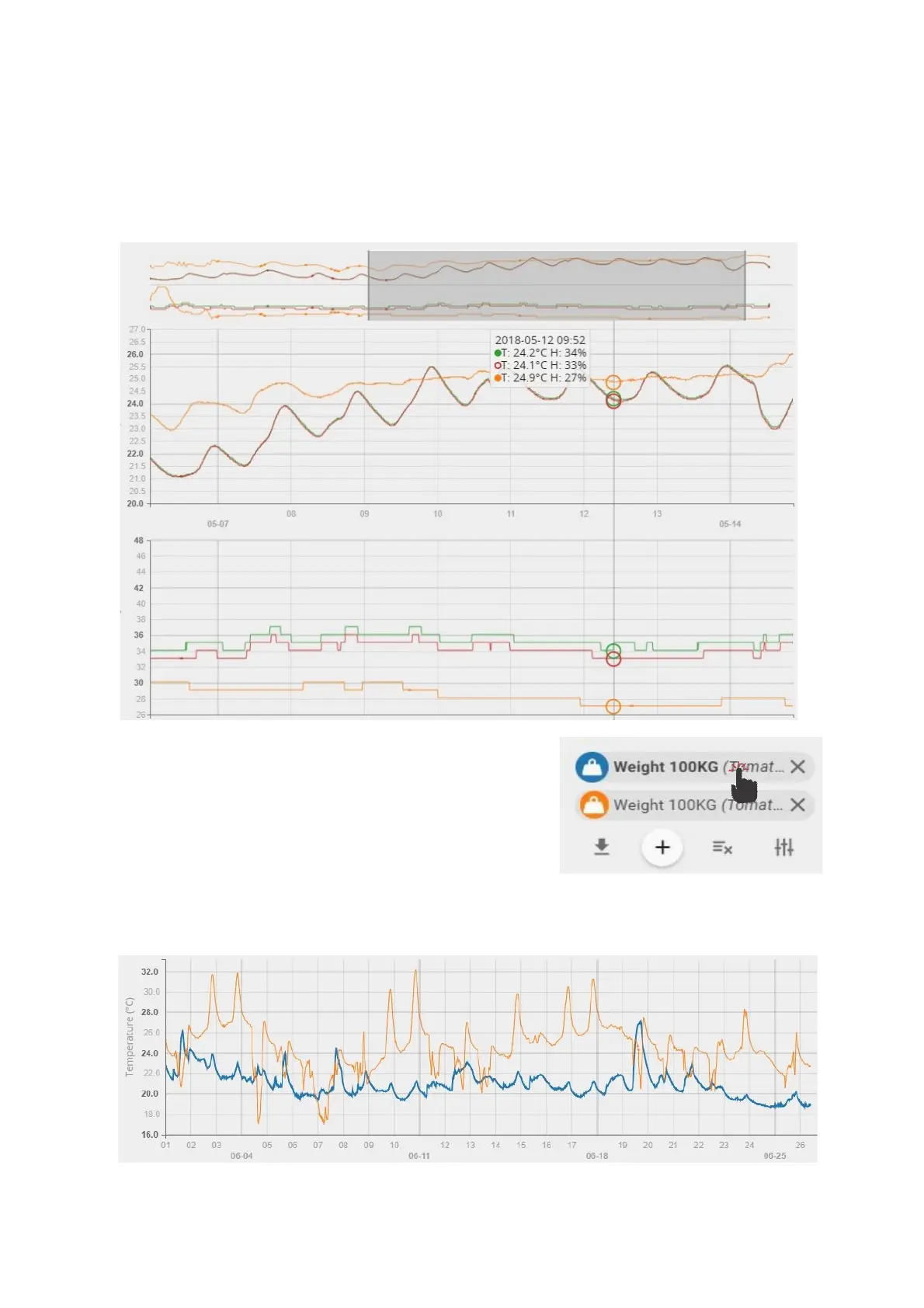
On a computer the timeline zoom-in and zoom-out can be done using mouse scroll wheel while mouse
pointer is positioned in the graph area (some application requires holding down the Control button (ctrl)
while scrolling the mouse wheel).
On a smartphone device it is possible to use multi touch and panning function with two fingers for
navigation.
Positioning the cursor on specific point on the graph, detailed information about measurement reading will
be displayed.
If you wish to highlight some sensor’s data in the graph, click on
the sensors name.
The graph line of the selected sensor will be highlighted in bold.



 To Next Page