LS-200 User Manual
17www.arec.com
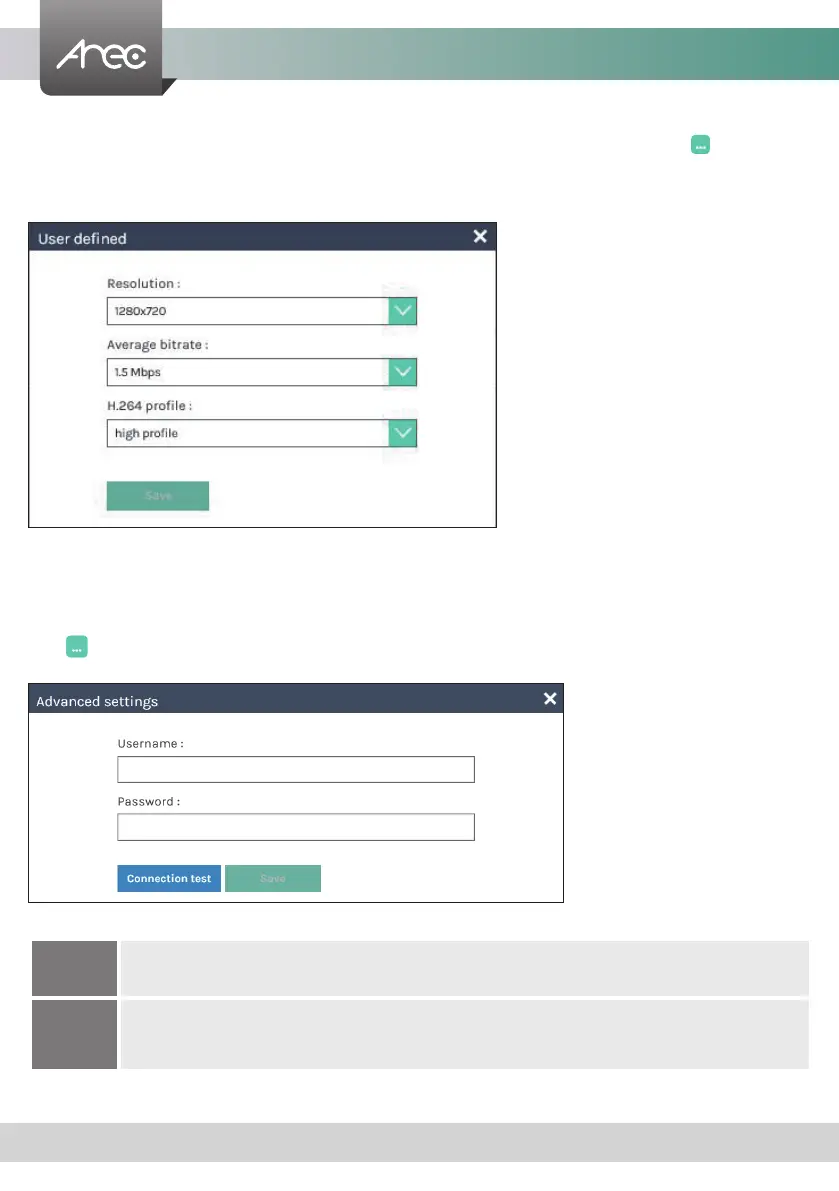
Video compression prole — There are 7 streaming video compression proles for different resolution and bitrate. Select
one to see the option details on the right side. You may customize your own user dened option. Click button to open
customization window as shown below, and click Save button to make the option changed.
Click Apply button at the bottom corner when nished to apply the settings.
Note: The resolution for streaming cannot be larger than that for recording.
RTMP
In the protocol setting eld, copy and paste the Server or Stream URL and Stream name provided by you CDN
or server administrator in the format rtmp://serverurl/streamname.
RTP
Enter the destination IP address and the port number where the streaming is played in the format
rtp://@:1234.
For example, rtp://226.10.24.32:7000
Live streaming : Select OFF/ Together with recording/ Streaming always/ Enable streaming button to setting live streaming
ability.
Together with recording : Streaming and recording simultaneously
Streaming always : LS-200 always streaming
Enable streaming button : Enable streaming On/Off button on GUI and Online Director
Click button to open customization window as shown below, RTMP username/password and test for Wowza. Click Save
button to make the option change.
URL — The available protocol on the LS-200 are RTP and RTMP, the URL format is as follows
:



 To Next Page