LS-200 User Manual
23www.arec.com
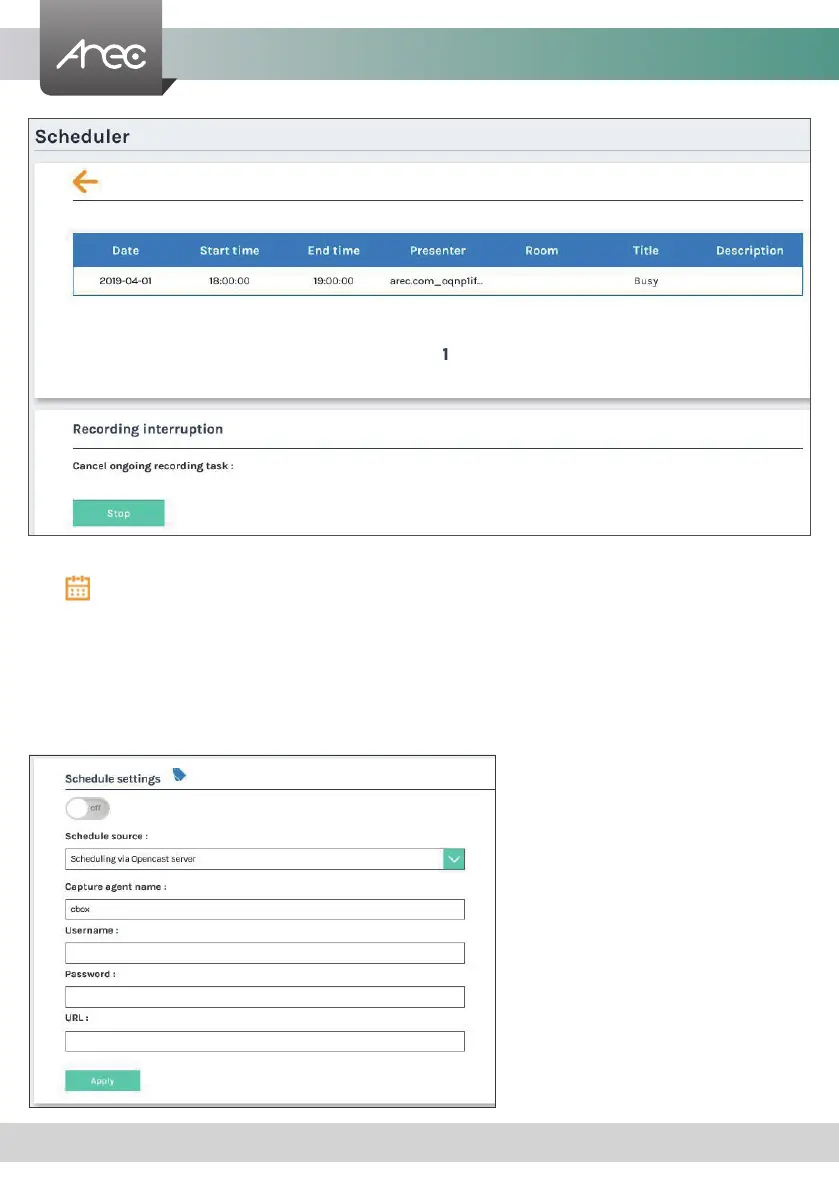
Click Open Scheduled Events page.
Recording interruption : Manually stop current schedule
Scheduling via Opencast server
1. Enter the Capture agent name, Username, Password and iCalendar URL in these elds.
a. Capture agent name: the ID to recognize LS-200 on Opencast platform
b. Username: Opencast user account
c. Password: Opencast user password
2. Click Apply. The event schedule is added and appears in the calendar on the Scheduled Events page.
3. Go to Opencast admin, and check if the LS-200 is correctly registered on Opencast.



 To Next Page