LS-200 User Manual
24www.arec.com
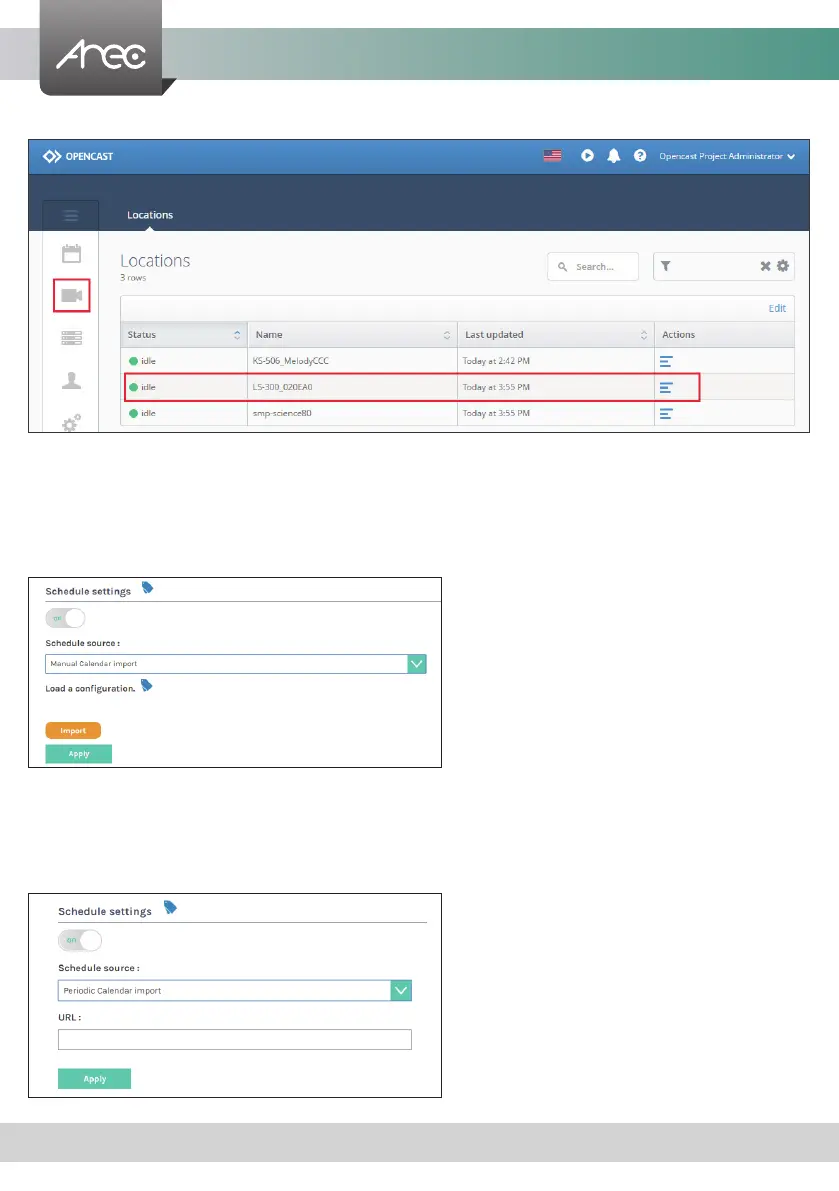
“Opencast Admin” -> “Capture” -> “Locations”
Manual Calendar import
1. Click Import. An Open window opens.
2. Locate and select the iCalendar le for import. The le must have a .ics le extension.
3. Click Open. The Open window closes and the le name is displayed within the Manual Calendar Import panel area. The
Import button is active.
4. Click Apply. The event schedule is added and appears in the calendar on the Scheduled Events page.
Periodic Calendar import
1. Enter the iCalendar URL in this eld.
2. Click Apply. The event schedule is added and appears in the calendar on the Scheduled Events page.
Note: iCalendar Schedule can not be set to cycle, only accept single. Cannot set more than 2 pens to start at the same time.
When setting the time overlap, the start time whichever is earlier.



 To Next Page