001-15698-EN rev.12
14
Preparation
Verifying the Package Contents
Upon receipt of the equipment, verify the lift and
accessories against the packing list to ensure it is
complete. Inspect them for possible damage due
to shipping. If this is the case, do not use the
damaged equipment, and contact your local Arjo
agent.
Initial Start-up
Push the Power On Switch button in.
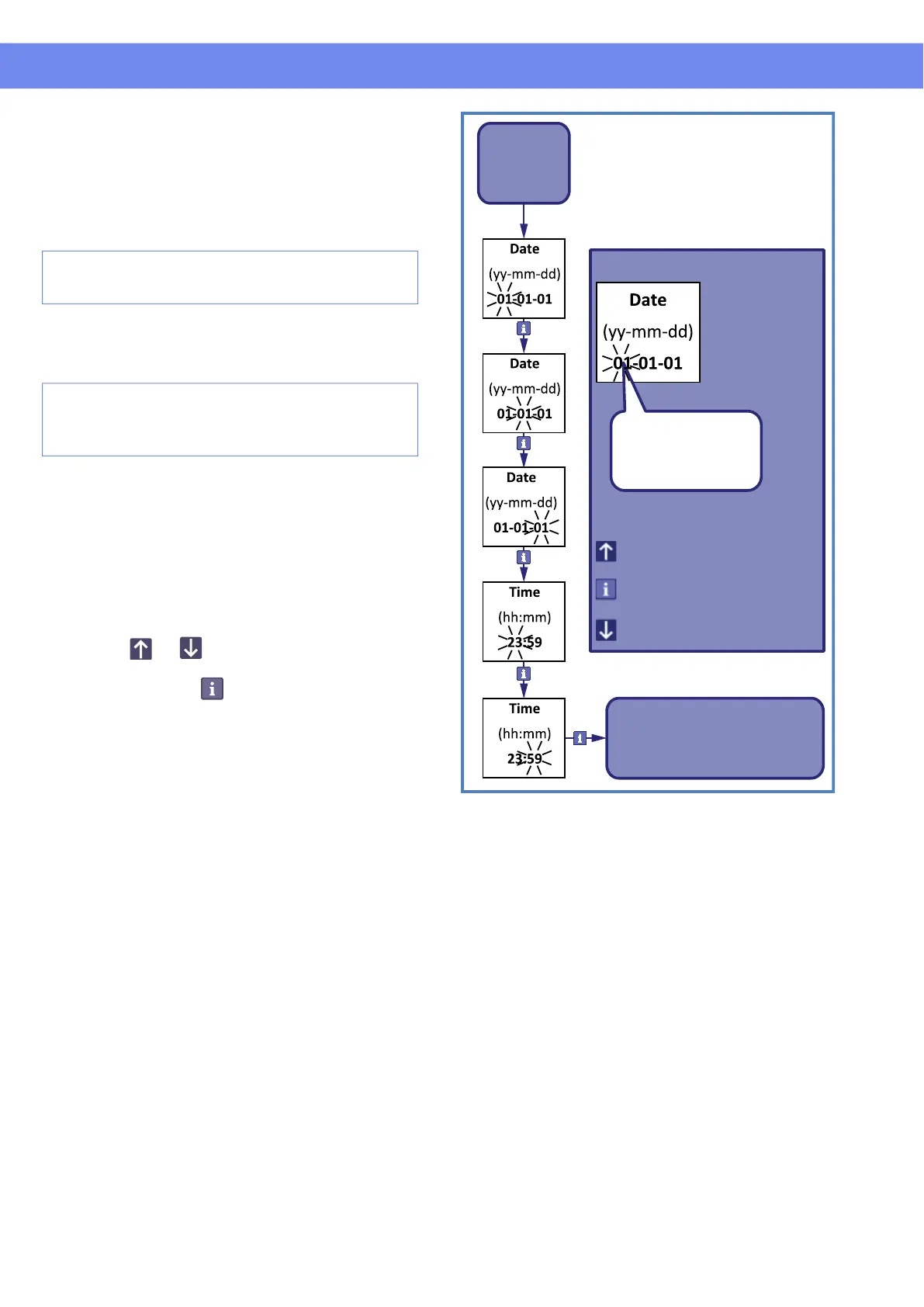
Setting Date / Time
When the lift is started-up for the first time, it will
go into a mode requesting to set the date and the
time. It is important to correctly set the date as the
lift will inform the users that maintenance is due
based on the recorded date. Refer to
"Customizing" section if you need to change
these settings.
Press the or button on the hand control
to change the value. Once the parameter is set
correctly, press the button to acknowledge
selection and to pass to the next parameter. After
the last parameter is set the lift will get into normal
mode.
Figure 5
Refer to "Customizing" section on page 16 for
settings of other parameters.
NOTE: Batteries need to be charged for a
minimum of 8 hours prior to the initial lift use.
NOTE: If the Maxi Sky 2 is used in its transportable
version, please refer to MS2 Transportable
Installation Manual #001-31430-XX
Start
Increase value
showing
selected
parameter
Enter value /
Blinking digits
Decrease value
Exit to
Normal
mode
Go to next parameter
Legend



 To Next Page