001-15698-EN rev.12
16
Customizing
With the Maxi Sky 2 series of ceiling lifts, a
trained user can customize certain parameters to
optimize its interaction with the environment in
which it is installed.
Entering Customizing Mode
To enter customizing mode, press and hold the
button for three seconds.
When the display shows the programming menu,
press the button to select customizing then
press the button to enter customizing mode.
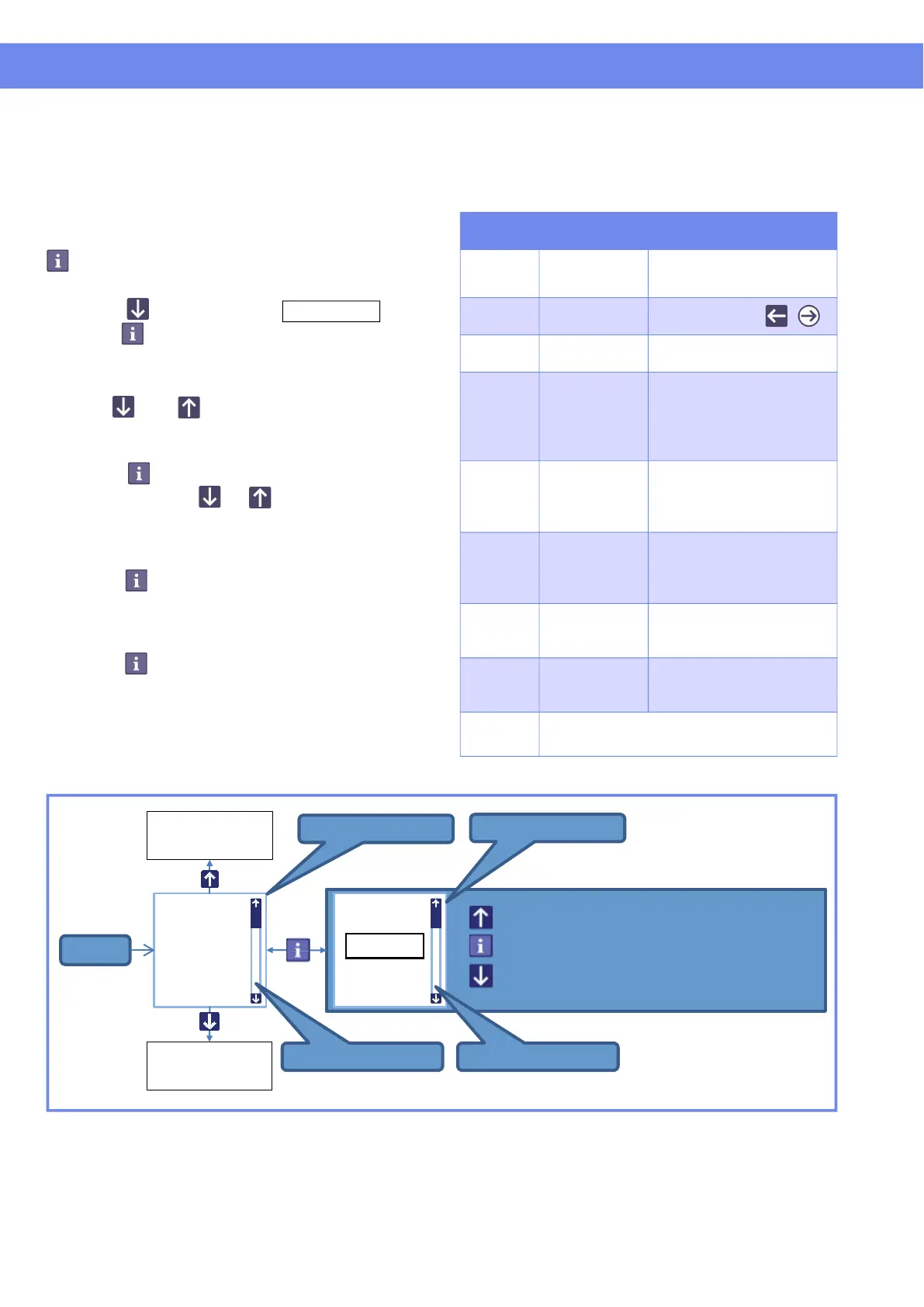
The display will show the first parameter with its
actual setting (refer to ).
Use the and buttons to navigate through
the menu.
When a parameter option needs to be changed,
press the button to enter parameter setting
mode, then use the or button to select an
option (next/previous) or to set (increase/
decrease) numeric values.
Once the parameter is set to desired option,
press the button to accept selection. A short
beep is heard and the lift returns to customizing
menu.
To exit customizing mode, select "back" and
press the button or wait for 60 sec. without
pressing any button.
Figure 7
Programmable Parameters
The following table lists parameters that can be
set to fit your needs.
Table 1
Parameter Description
Settings
(default in bold character)
motor
speed
Displacement
speed along
the rail
10 cm/s (4 in/s)
15 cm/s (6 in/s)
20 cm/s (8 in/s)
rtc/rth
function
RTC/RTH
options
(disable), auto, ,
ppp
function
Enabling /
Disabling PPP
disable, enable
strap
length
RTC/RTH mode
strap unwinding
duration
13 cm - 152 cm
(5 in - 60 in)
Has no effect when both
RTC/RTH and PPP
functions are disabled
detection
time
Maximum time
allowed finding
Charger or PPP
station
0.5 to 5 min. (1.5 min.)
Has no effect when both
RTC/RTH and PPP
functions are disabled
ready
state
Lift resting
duration before
entering sleep
mode
1 to 20 min. (10.5 min.)
hoist led
Enabling /
Disabling
*
green LED
* Red signals always remain enabled.
disable, enable
date/time
Actual
date/time
Depends on value
set at initial start-up
(11-01-01 00:00)
back Exit Customizing Mode
motor
speed
15 cm/s
10 cm/s
15 cm/s
20 cm/s
Start
Parameter menu
Option menu
Progress bar
Progress bar
Select previousSelect previous
Accept actuel / Return to parameter menu
Select next
Previous
parameter
Next
parameter



 To Next Page