18
001-15698-EN rev.12
The Maxi Sky 2 series of ceiling lifts are equipped
with a load sensor that will stop any motion if a
load variation is detected when lifting. Make sure
there are no obstacles in the path.
Usage Monitoring
The Maxi Sky 2 series of ceiling lifts are equipped
with a maintenance monitor informing the user
that maintenance is necessary based on the
number of transfers, usage history, a regular
schedule or malfunctions (refer to “Display
Symbol” section).
Required maintenance
The beeper and red LED are used to draw the
user’s attention indicating that a maintenance or
malfunction related message is being presented
on the display.
Displaying Usage Data
The Maxi Sky 2 series of ceiling lifts also record
the number of times it has been used to assist the
technician servicing the lift.
Accessing the usage history data is achieved in
2 different ways depending on the PPP function
enabling state.
Accessing Usage Data when PPP is
Disabled
Momentary pressing the button will bring the
display into usage history screens.
Scroll through the screens using the button.
The lift will exit the data screens when pressing
the button while the “Average Lifts/Day” is
displayed. It is also possible to exit the usage
history at any time using the or button.
Following is a list of the information available in
this mode.
Accessing Usage Data when PPP is
enabled
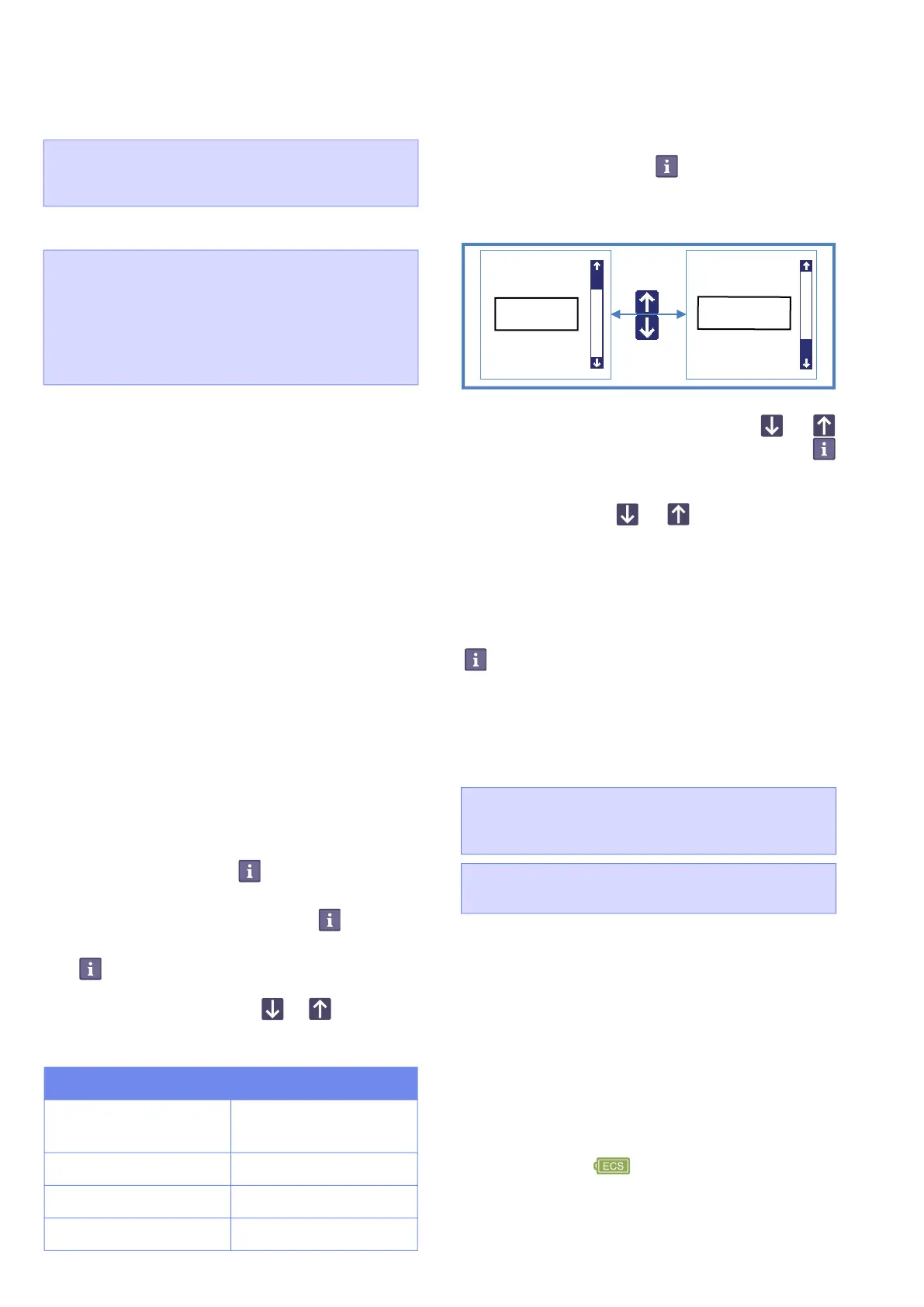
Pressing and holding the button for 3 seconds
will bring the user into a menu screen which
requires a confirmation to view the data info (see
Figure 8).
Figure 8
Navigate through the menu using the or
button and select "monitoring", press the
button to accept selection.
Following is a list of the information available in
this mode. Use the or button to navigate
into the menu.
To exit any data screens, select “back” then press
to accept.
Emergency Stop (Red cord)
This device is an easily and rapidly accessible
feature allowing the user to disable the lift
completely in the event that an uncontrolled
situation would happen.
When pulling the cord:
• The lift stops all activities, the display and
all indicators shut off.
• A small red plastic insert comes out of the
casing.
Note that a patient weighing more than 55 kg
(120 lb) might descend slowly when the
emergency stop is activated.
To Reactivate the Lift
Push up on the red plastic insert.
• The lift is ready to use when the battery
symbol or icon appears on the
display.
WARNING: DO NOT use the RTC/RTH
function when a patient is attached to the lift as
this could cause injuries to the patient.
WARNING: The weight detector, within the lift,
that prevents the RTC/RTH from functioning
when a patient is attached to the lift, can only
detect a minimum load of 20 kg (45 lb). Extra
care should be exercised when manipulating
the hand control to transfer a patient weighing
20 kg (45 lb) or less.
Label Detail
Total Lifts
Cumulate lifts since
initial start-up
Lifts Last Day Updates at 00:00
Lifts Last Week Sunday to Saturday
Average Lifts/Day Based on last 7 days
• Total Lifts
• Lifts Last Day
• Lifts Last Week
• Average Lifts/Day
• Hours of Use
• Overweight Lifts
• Over Duty Cycles
• Version / Serial №
CAUTION: Do not move the lift by pulling the
red emergency stop cord. This could cause
malfunction or damage.
CAUTION: Damage to the lift may occur if the
cord is pulled with excessive force.
back
monitoring
monitoring
customizing
back



 To Next Page