51
001-15698-EN rev.12
How to Use the X-Y Rail System
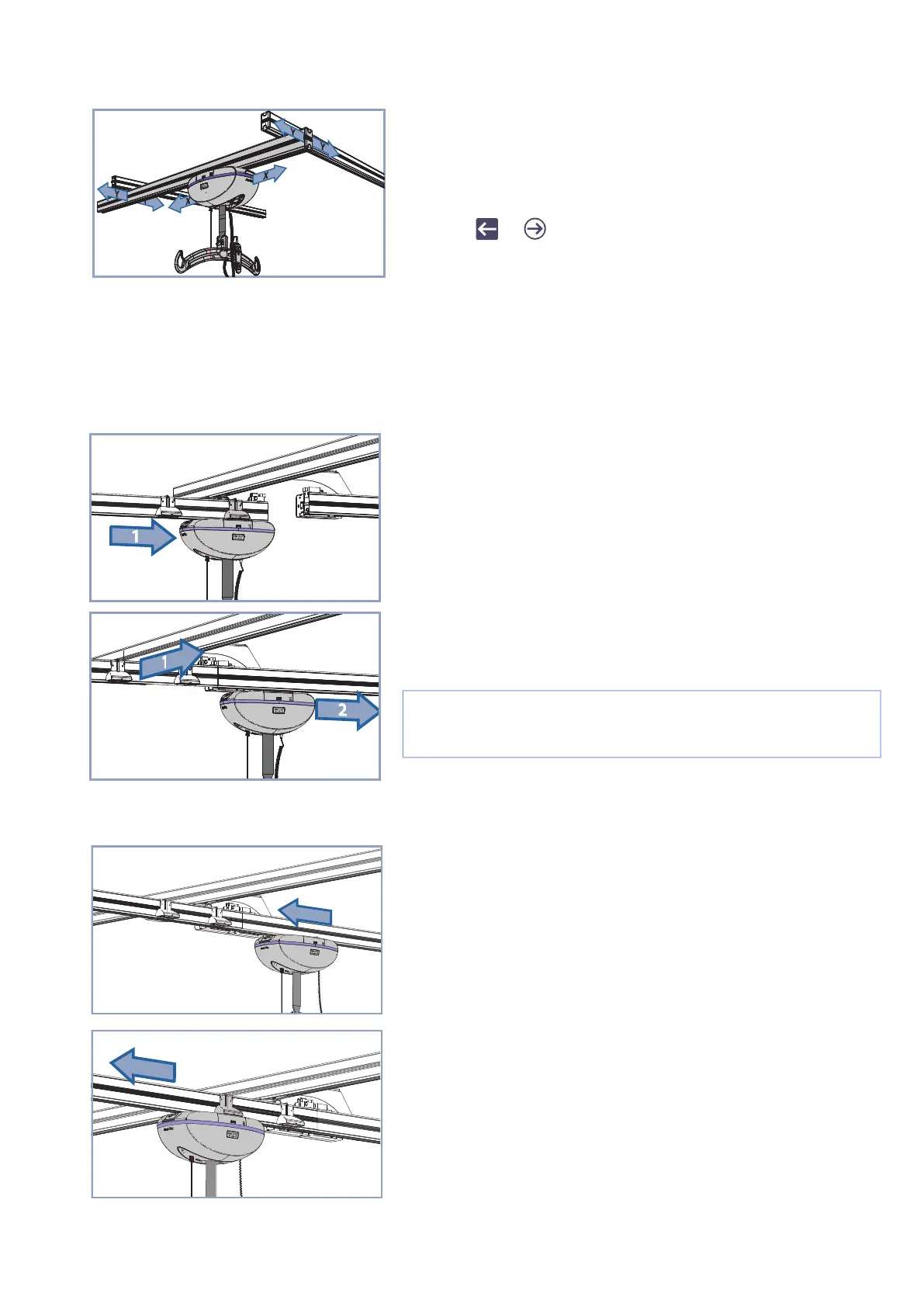
Moving the Lift in the Lateral Direction
Moving the Lift in the Facing Direction
Moving the lift in Y-axis direction requires moving the lift and the traversing rail simultaneously. To achieve
this, push or pull on the spreader bar in the Y-axis direction and the traversing rail will follow.
How to Use the Gate
Exiting the X-Y System
Entering the X-Y System
2-function models:
Moving the lift in the lateral direction (X axis) is achieved by
pushing or pulling on the spreader bar.
4-function models:
Moving the lift in the lateral direction (X axis) is achieved by
using the or button on the hand control.
Move the lift in the X-axis to the extremity of the traversing rail in
which the Gate is installed on the side of the traversing rail. The
lift will be automatically in contact with the activation station.
Move both, the lift and the traversing rail in the Y-axis, to align
the traversing rail with the oncoming rail. This action will be
detected by the Gate, locking the two rails together, permitting
the lift to pass through.
When entering the X-Y system from the oncoming rail, the
traversing rail will be in place. Pass the lift through the Gate.
When the lift has passed the deactivation station, the Gate will
release, permitting the traversing rail to move in the Y-axis.
NOTE: The traversing rail will remain in the locked position,
in order to release the traversing rail refer to the “Entering
the X-Y System” section.



 To Next Page