Chapter 2: Hardware Information
2-12
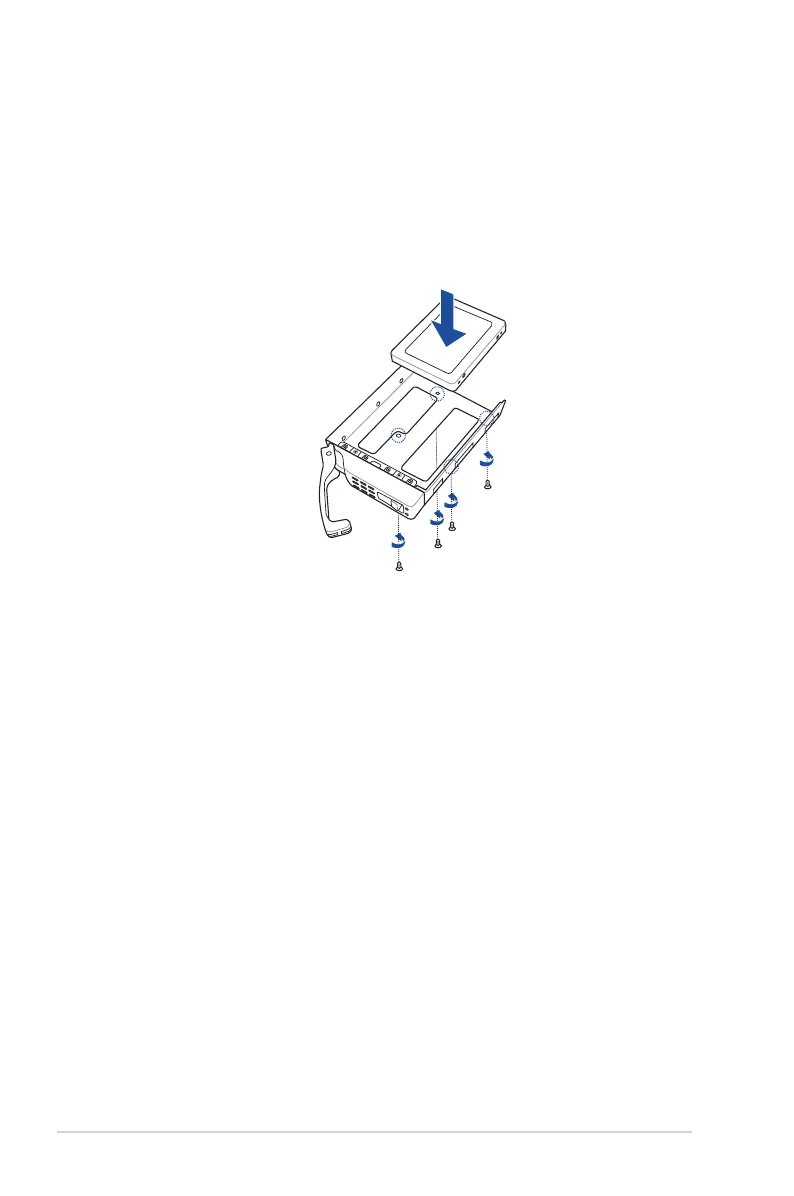
To install a 2.5” storage device to the front panel:
1. Please follow steps 1 - 2 from the
To install a 3.5” storage device to the front panel
section to remove the tray from the chassis.
2. Prepare the 2.5” storage device and the bundled set of screws.
3. Place the 2.5” storage device into the tray then secure it with four screws.
4. Please follow step 5 from the
To install a 3.5” storage device to the front panel
section to replace the tray.
5. Repeat steps 1 - 4 to install the other 2.5” storage devices.













 To Next Page