Model X High Speed Sublimation printer
42
shown below appears.
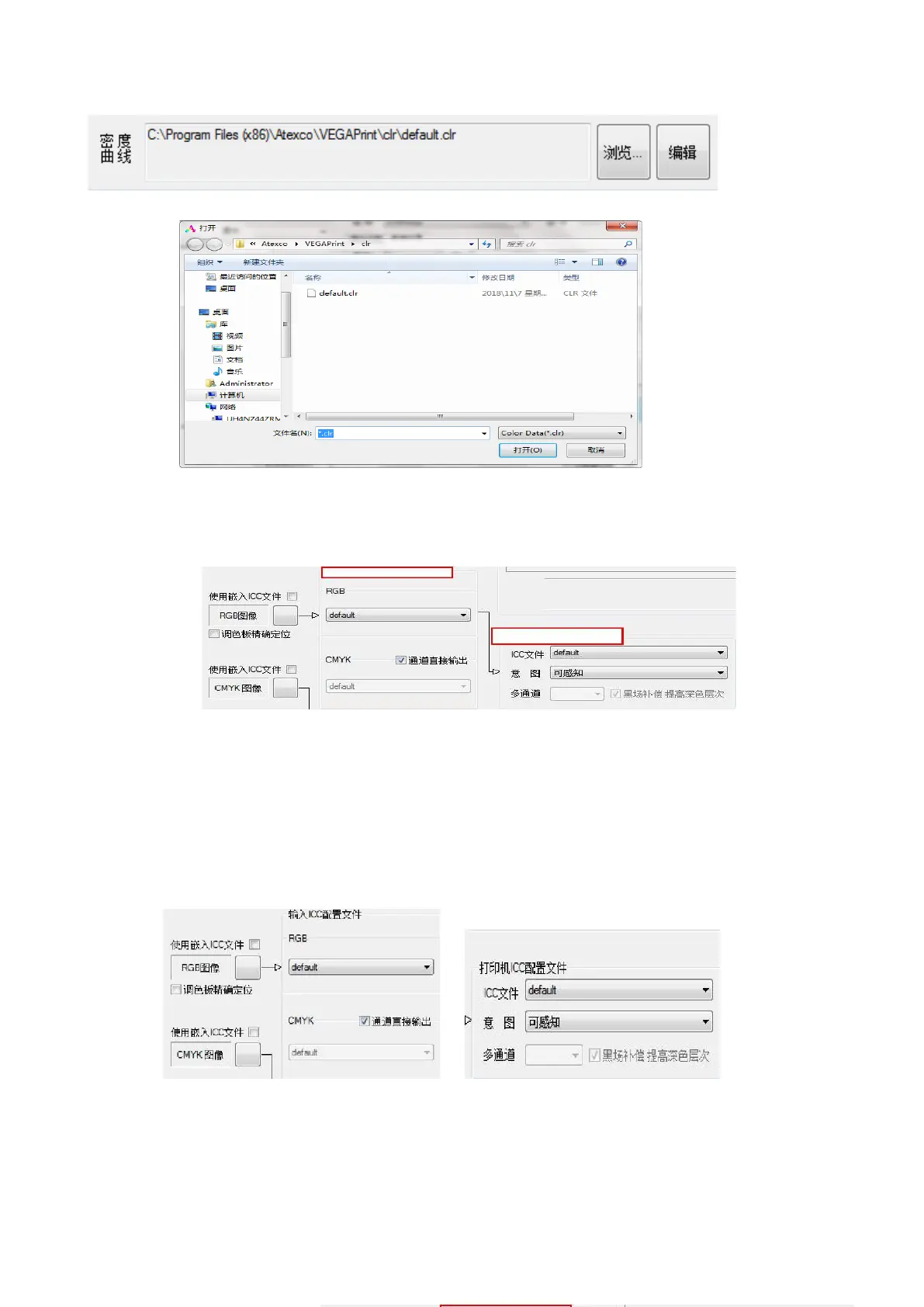
Tip: Select the appropriate density curve according to different fabrics and pass numbers.
B:ICC Profile:The ICC curve settings are divided into input ICC settings and printer ICC settings.
Figure 4-15 Color Management
%
%
①When there is no ICC curve, no need to check the embedded ICC file, enter RGB in the ICC
configuration file to select default.
CMYK selects default and the channel outputs directly; the printer ICC configuration file selects default, as
shown below:
Figure 4-16 ICC Selection
②When there is an ICC curve (for example, in North American standards), use the embedded ICC file to
check, RGB in the input select Adobe RGB (1998), CMYK select Japan Color 2001 Coated; printer ICC
profile selects the ICC curve of the corresponding density curve ( The ICC curve is produced by the
engineer).



 To Next Page