<10V : if provided voltage is lower than 10V, AT400 will shut off
If voltage goes back more than 10V, AT400 will re-power on.
When voltage is more than 14.3V, AT400 firmware will send message to
inform this “voltage high” status, then ALARM LED indictor also will be
blinking..
When voltage is down lower 11.3V, AT400 firmware will send message to
inform this “voltage low” status, then ALARM LED indictor also will be
blinking.
3.2 Picking Tag
3.2.1 5-digit picking tag (AT505 & AT705)
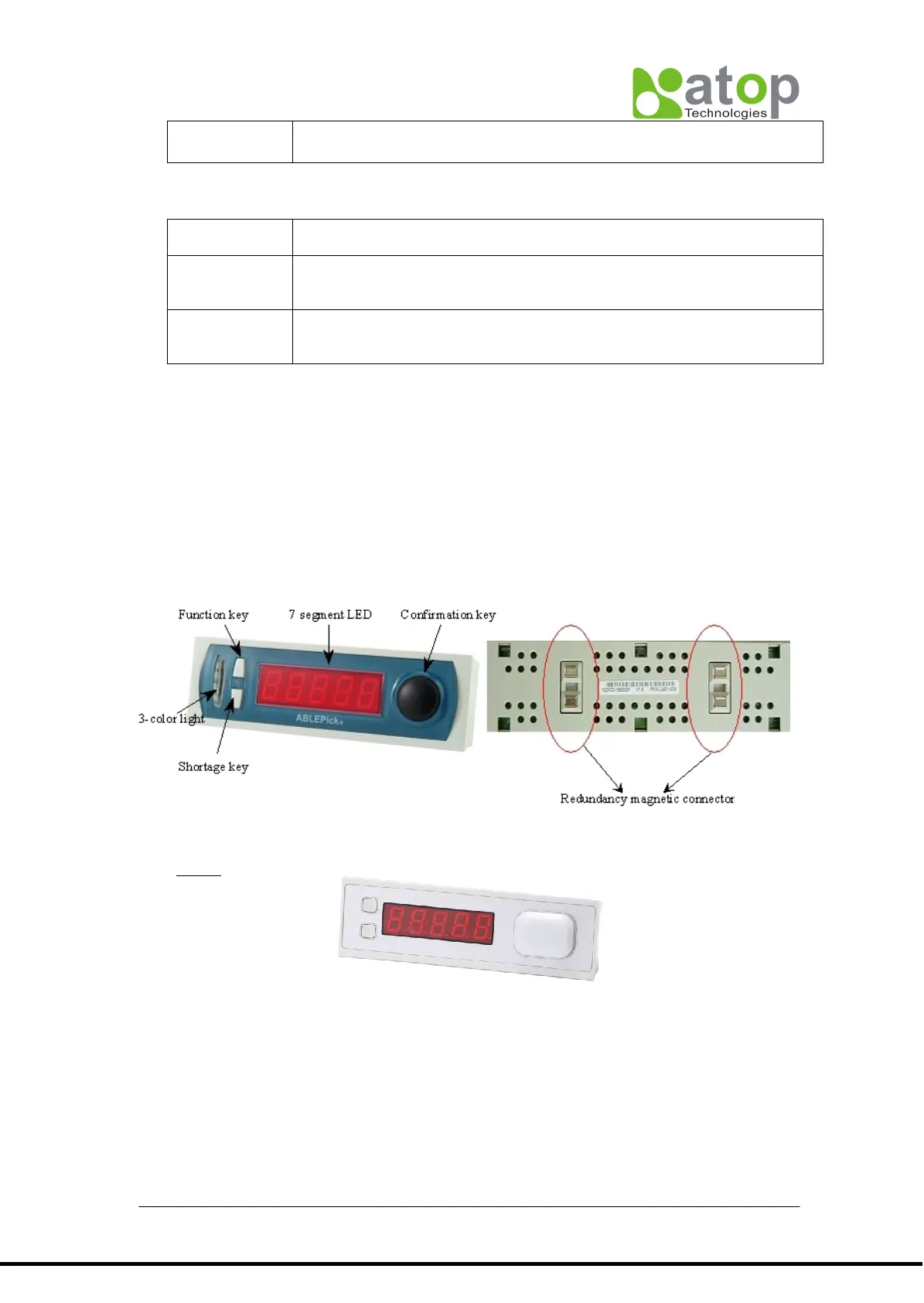
AT505 has 5-digit 7-segment LED display, 3 buttons and 3-color LED light.
AT705 has 5-digit 7-segment LED display, one large illuminated button with 6-color LED
light.
AT705
3.2.1.1 LED light.
Among ABLEPick all picking devices, AT5XX series have 3-color LED light design, AT7XX
series has 6-color LED light design. The light’s color could be configured via the software
control. AT5XX’s 3 colors are RED, GREEN, and AMBER individually, AT7XX’s 6 colors are
RED, GREEN,ORANGE, BLUE, PINK and CYAN individually. The default one is RED. The
configured light color can’t be stored in the EEPROM for AT5XX series, so the color will be
back to default when re-power on. But it can be stored in EEPROM for AT7XX series..



 To Next Page