2. PICK-TO-LIGHT OPERATION
2.1 Work flow of pick-to-light system: Below simply describe the basic operation
2.1.1 Data entry
Picking list files can be downloaded to the LAN server or PC from WMS/MIS host. These
files will be read and merged into pick-to-light picking list database.
2.1.2 Control and communication
Pick-to-light software will monitor picking flow and offer real-time information on the screen.
2.1.3 Light up
Different models of picking tags light up to indicate what order, which location and how
many pieces to be picked.
2.1.4 Pick and confirm
The picker picks the quantity as tag shows or modifies the quantity directly from tag, then
push the button to confirm this action.
2.1.5 Complete
Completion indicator will light up and buzz after all jobs in a zone are done. Push the
button to confirm this action and move this order to the next available zone.
3. ABLEPick Hardware Introduction
3.1 TCP/IP controller
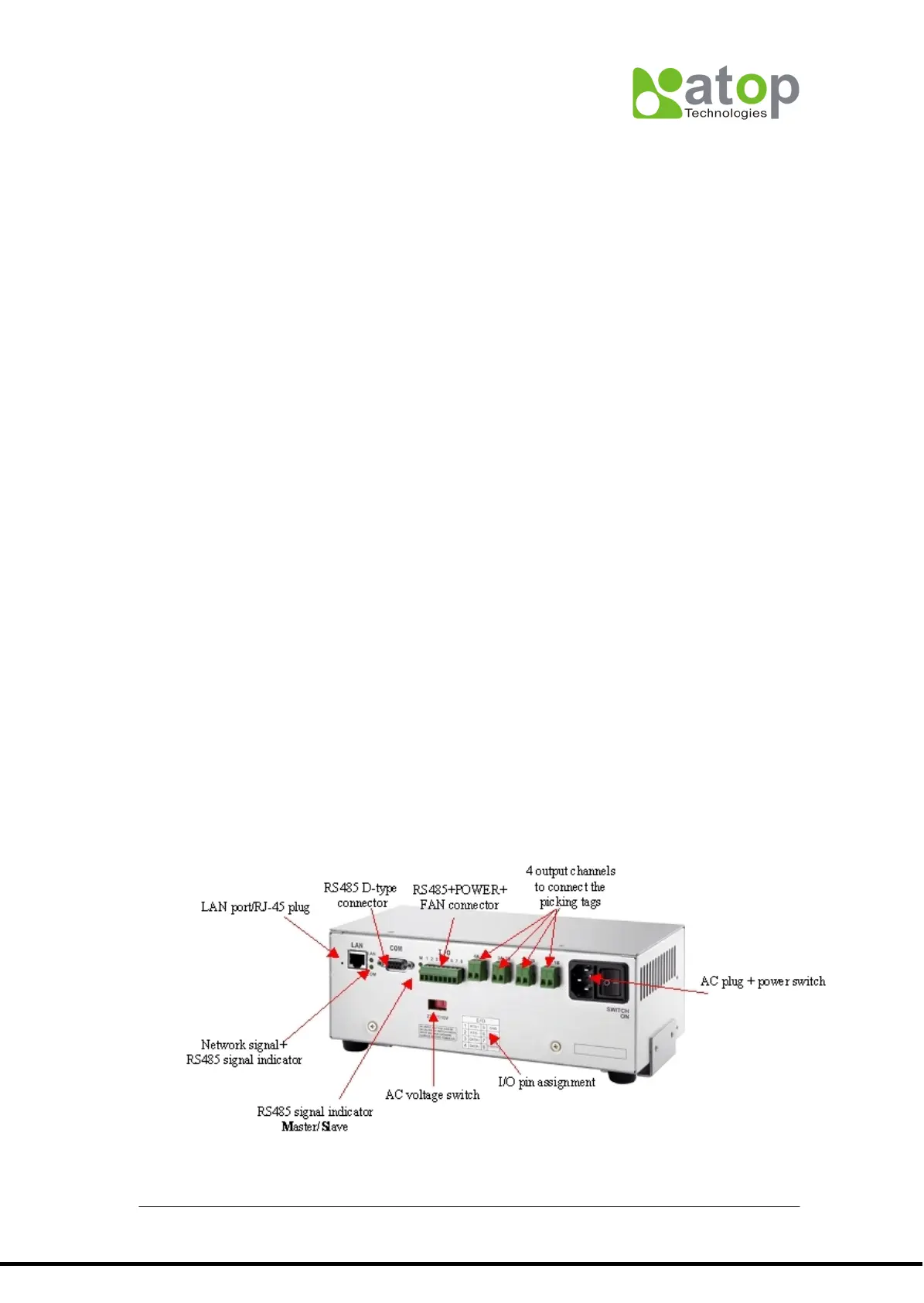
3.1.1 AT500-Standard TCP/IP controller.
TCP/IP controller is a data transmission medium between picking control PC and all the
picking devices. Which is Ethernet architecture product, following up the standard TCP/IP
communication protocol to communicate with the host PC. AT500 has only PORT #1
(MESSAGE_TYPE = 60H) with 4 output channels to connect to the picking devices, each
channel can connect to maximum 30 devices. So one TCP/IP controller can connect to
maximum 120 pcs of picking devices.



 To Next Page