28
How to connect the receiver
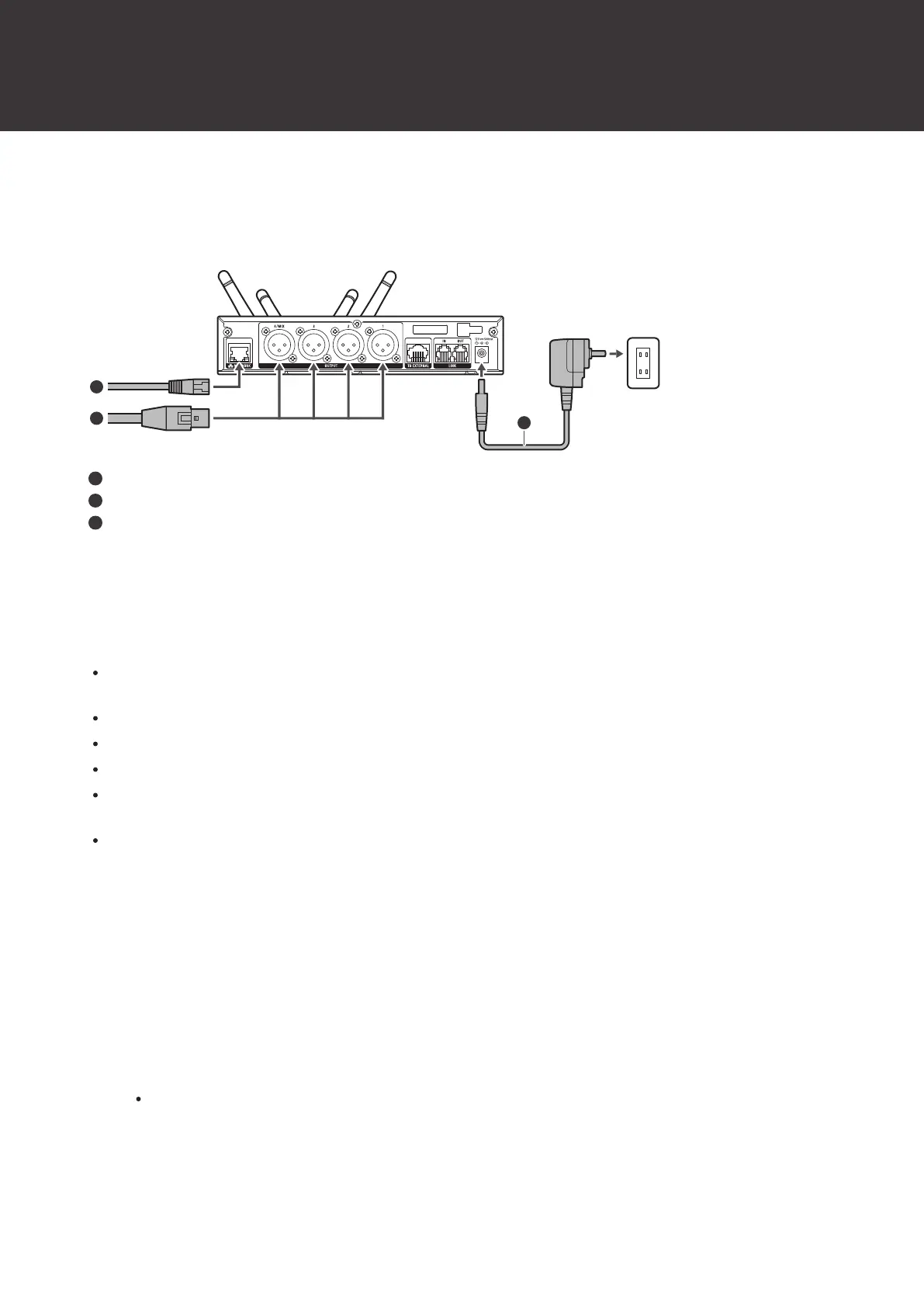
Basic connection
This is an example of connections made when using one receiver.
LAN cable
XLR cable
AC adapter
Linking (RX linking)
When using multiple receivers, link (RX link) them with the included link cable.
RX linking the receivers allows you to set and monitor all the connected receivers and transmitters from a single PC
on which Wireless Manager is installed.
The reliability of communication increases, and it is more difficult for sound dropouts to occur.
There is less radio wave interference with other devices that use the 2.4GHz frequency band.
Up to five receivers can be connected.
When receivers are RX linked, the reception mode of the expansion unit is changed to the setting on the base unit.
Changing this setting deletes the pairing information.
To use multiple receivers without RX linking them, position the receivers at a distance of at least 1m (3.3') from each
other.
1
Turn off all the receivers to connect.
2
Use a link cable to connect the LINK OUT port of the receiver that is the base unit to the LINK IN port
of the expansion unit.
3
Use link cables to connect the LINK OUT ports to the LINK IN ports of the second and later pairs of
units.
A mark appears in the link status part of the display when the connection is established.













 To Next Page