45
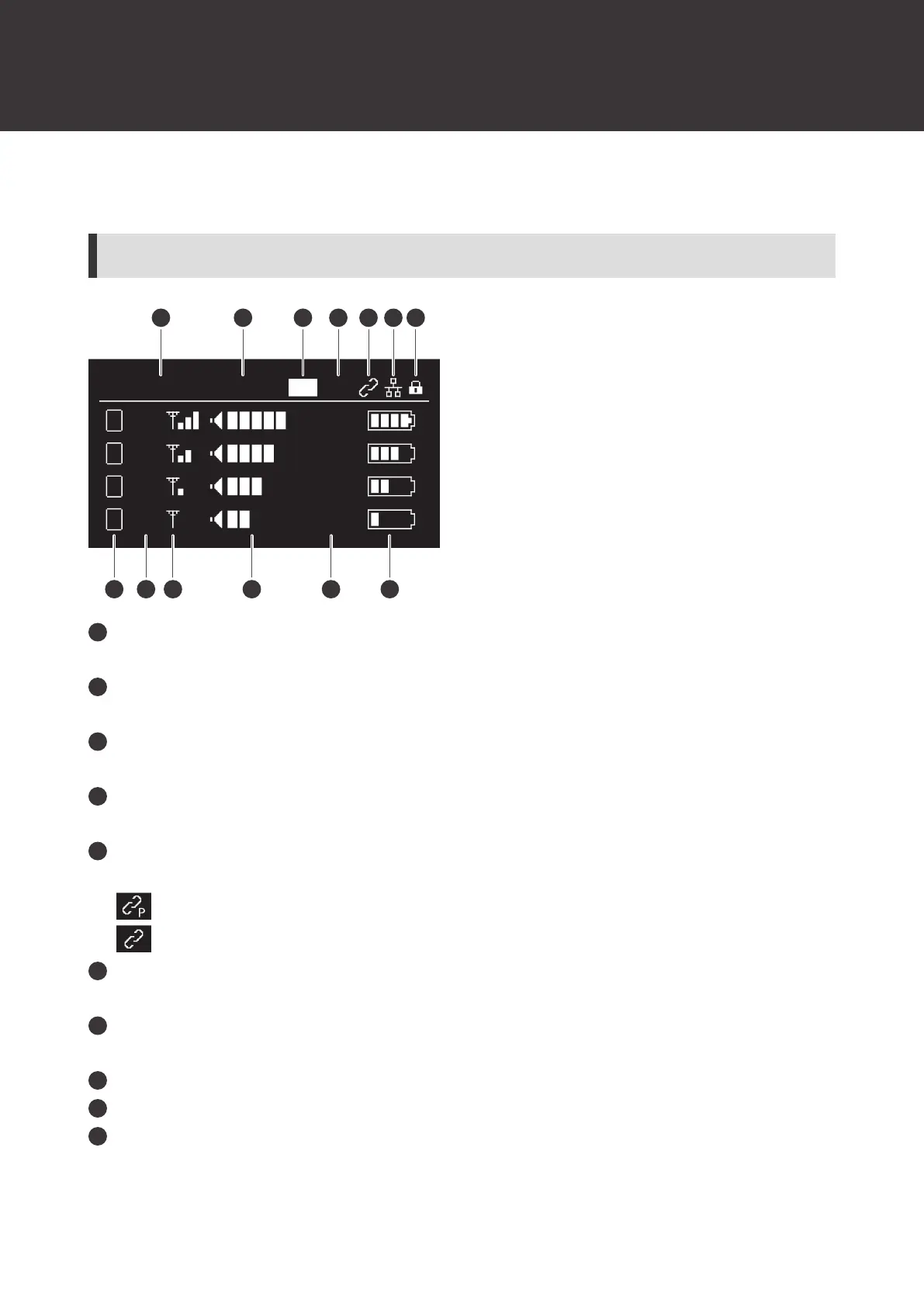
How to read the display
ATW-R1440
Main screen
ROOMABAB ID:244 MXHD
+20dBA11
+20dBA3
3
+20dBA2
2
+20dBA4
4
1
8 9 10 11 12 13
2 3 4 5 6 7
Name
Displays the set name.
Device ID
Displays the device ID of the receiver.
HD mode
Displayed during HD mode.
Mix output
Displayed during mix output.
Link status
Displayed during RX linking.
: Displayed on the base unit.
: Displayed on the expansion unit.
Network status
Displayed when the device is connected to a network.
Locked status
Displayed when the device is locked.
Channel
Transmitter ID
RF status
Displays the status of communication with the connected transmitter.













 To Next Page