Document No.: E4.08.09 E4.08.09 : AE_xx_000
Revision: 13 9 : 00
Page: 70 of 89
Copyright © 2019, Austro Engine GmbH
Dept.: Electric/Electronic
9.1.3 Saving IQA Codes
For documentation purposes or to be able to reuse the IQA codes (e.g. in case of EECU re-
placement) it is recommended to save the IQA codes read from an EECU into a file.
Since AE300-Wizard version 1.2.0.xxx the IQA data files are compressed and encrypted with
a name of the form “IQA_eng-serial_YYYYMMDDhhmmss.ae3” while prior to version
1.2.0.xxx the files where saved in XML format and a name of the form
“IQA_eng-serial_YYYYMMDDhhmmss.xml”.
Steps:
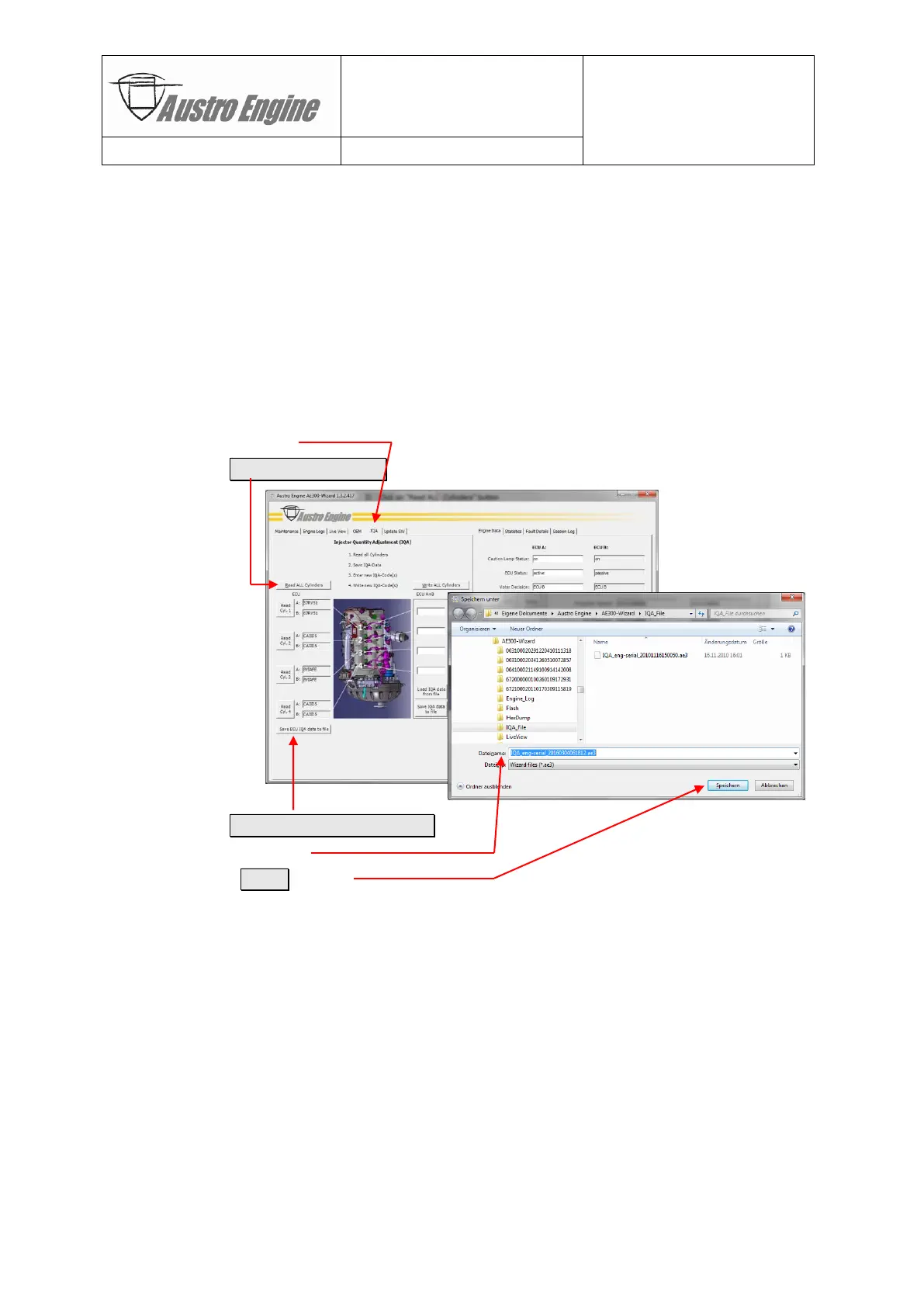
1) Enter “Qualified Maintenance” mode
2) Select «IQA» tab
3) Click on Read ALL Cylinders button
4) Click on Save ECU IQA data to file button
5) Select a file name
6) Press the Save button
The resulting IQA data file contains in addition to the IQA data the ID information (engine
and ECU serial numbers, revisions etc.) as well. It can be found on the PC system in the
folder:
“My Documents\Austro Engine\AE300-Wizard\IQA_File”
e.g. under the name “IQA_eng-serial_YYYYMMDDhhmmss.ae3” as selected in Step 5).


 To Next Page