Document No.: E4.08.09 E4.08.09 : AE_xx_000
Revision: 13 9 : 00
Page: 83 of 89
Copyright © 2019, Austro Engine GmbH
Dept.: Electric/Electronic
10.5 Error Handling during Software Updates
The AE300-Wizard uses several methods to ensure successful completion of the update pro-
cess or to guide the maintenance technician through situations of unsuccessful attempts or
aborts.
10.5.1 Pre-Flash Conditions
As indicated in chapter “10.2 Overview of the Software Update Process” on page 76, a set of
parameters (“pre-flash conditions”) will be checked by the AE300-Wizard to match the load-
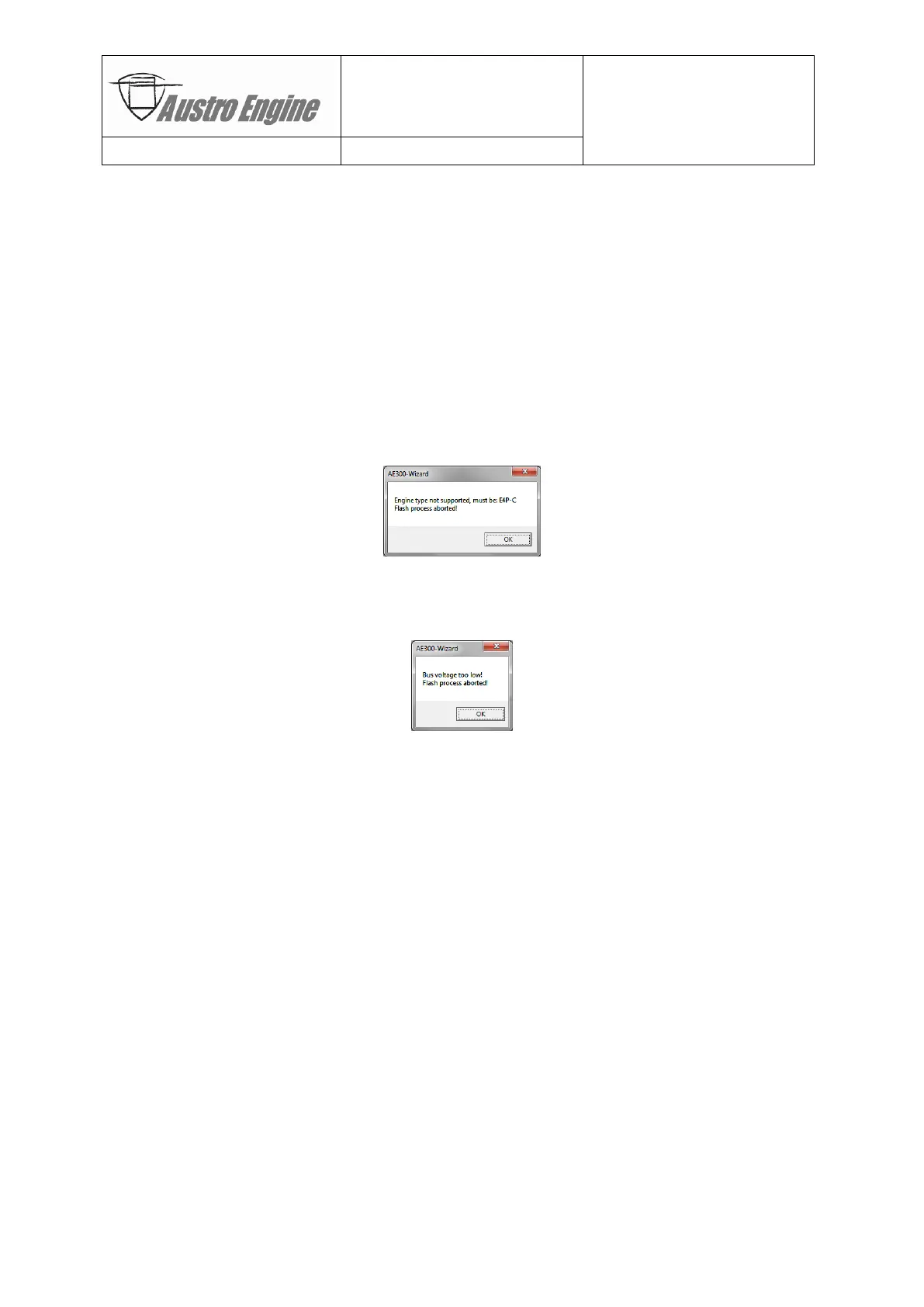
ed flash container with the engine it is connected to. If a mismatch is detected, the AE300-
Wizard will report the type of mismatch (e.g. wrong engine type or revision incompatibilities)
and will abort the attempted update session. For example, trying to flash E4-B software onto
E4-A engine:
Another set of conditions is used to check the general situation of the engine (e.g. engine
stopped, aircraft on ground, battery voltage high enough, etc.) before commencing or abort-
ing the update session. For example, battery voltage is too low:
10.5.2 Automatic Retries
A hierarchy of retries has been implemented to ensure robustness for the connection to the
EECU, the data transfers and the programming of the ECU flash memory. If the retries re-
main unsuccessful, the update process will be aborted, the maintenance technician informed
about the reason of the abort and a restart of the update process will be suggested.
- In case of loss or disruption of the CAN connection, automatic retries attempt to re-
establish the physical and/or logical connection (“Connect ECU”) to the EECU.
- If the loss of connection lasts too long and a time-out occurs, manual reconnection by
the maintenance technician is required. After a manual reconnect, the AE300-Wizard will
then continue or restart the update process depending on the given situation.
- In case of data transfer failures (e.g. due to electrical interference, cabling or connector
problems) up to 3 attempts to resend the data will be performed before an abort.
- For flash memory erasure or programming problems, up to 3 retries will be attempted.


 To Next Page