47
Charging Procedure
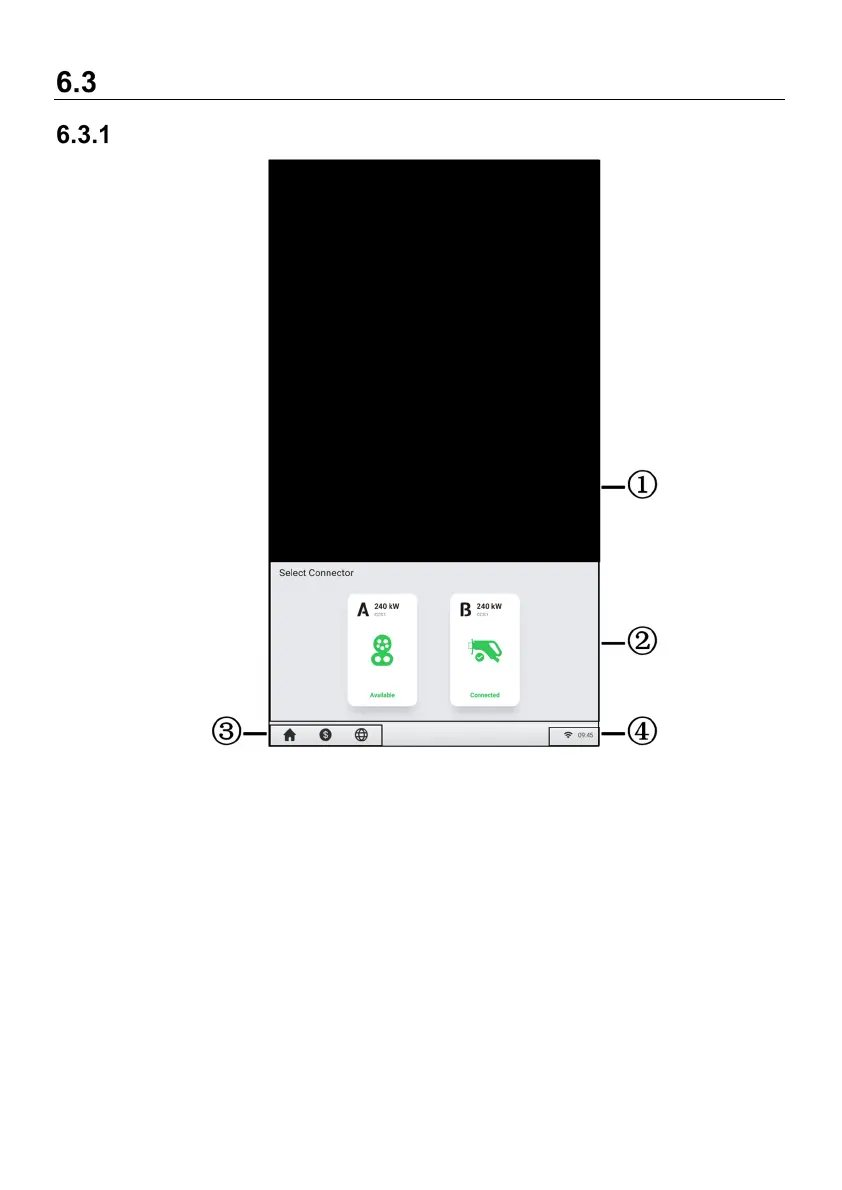
Screen Layout
Figure 6-2 Standby Screen
① Advertisement page — can be displayed on a full screen and is omitted in the
following sample figures
② Connector options — tap to view connector information
③ Home button, cost information, and language options
④ Internet icon — an x appearing at the lower corner of the Internet icon indicates the
MaxiCharger is not connected to the Internet
After a connector is successfully connected to your EV, the MaxiCharger can
automatically recognize the connector, then the corresponding connector’s Authorization
Screen will appear.



 To Next Page