48
If no operation is performed for a long time on the Authorization Screen, the Standby
Screen will appear. Manually select the appropriate connector on the touchscreen.
Authorization
IMPORTANT
Observe the screen for any abnormalities, such as an error messages, before
starting a charge session. Check the surroundings and the MaxiCharger for any
abnormalities or damage as well.
If the screen displays an error message, DO NOT use the MaxiCharger. Contact
Autel Technical Support.
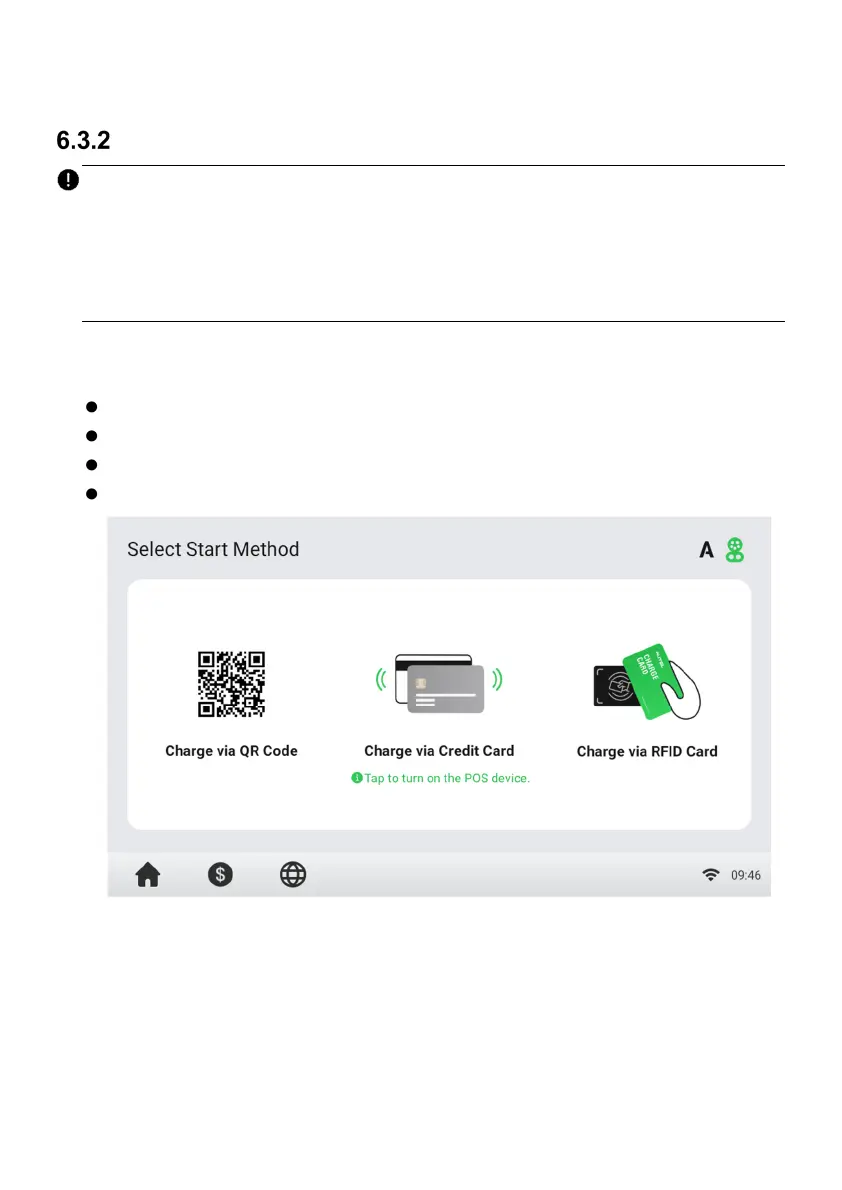
When the Authorization Screen appears, you can use any of the following methods to
start a charge session.
Scan the QR code on the screen
RFID card
Plug & charge (supports the ISO 15118 PnC function)
Credit card (optional)
Figure 6-3 Authorization Screen



 To Next Page