50
Charging
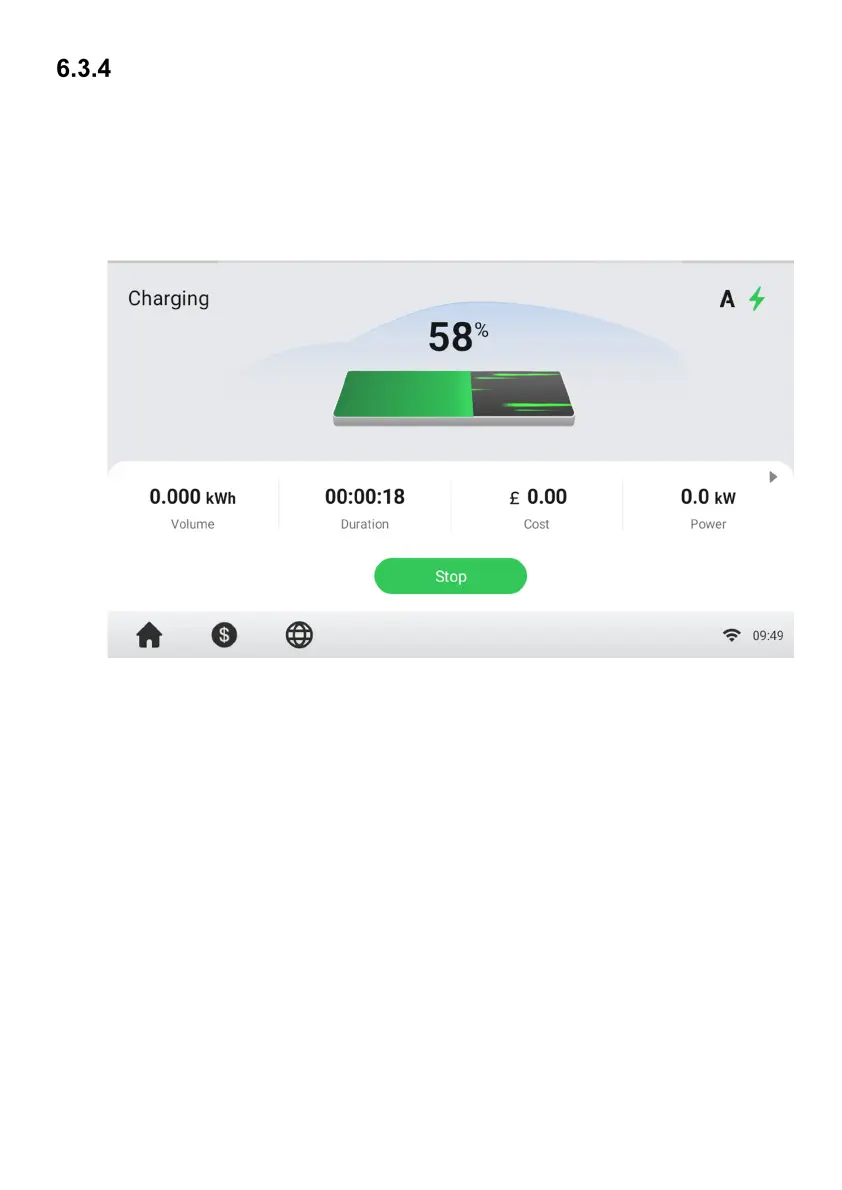
You will be informed of the progress during charging. Information about the charging
duration, volume, cost, and power will appear on the Charging Screen. Tap the right
arrow button on the right to view more information about the charging status, including
SoC (State of Charge), current, and voltage.
Wait until your EV is fully charged or terminate the charge session by tapping the Stop
button on screen.
Figure 6-5 Charging Screen



 To Next Page