26
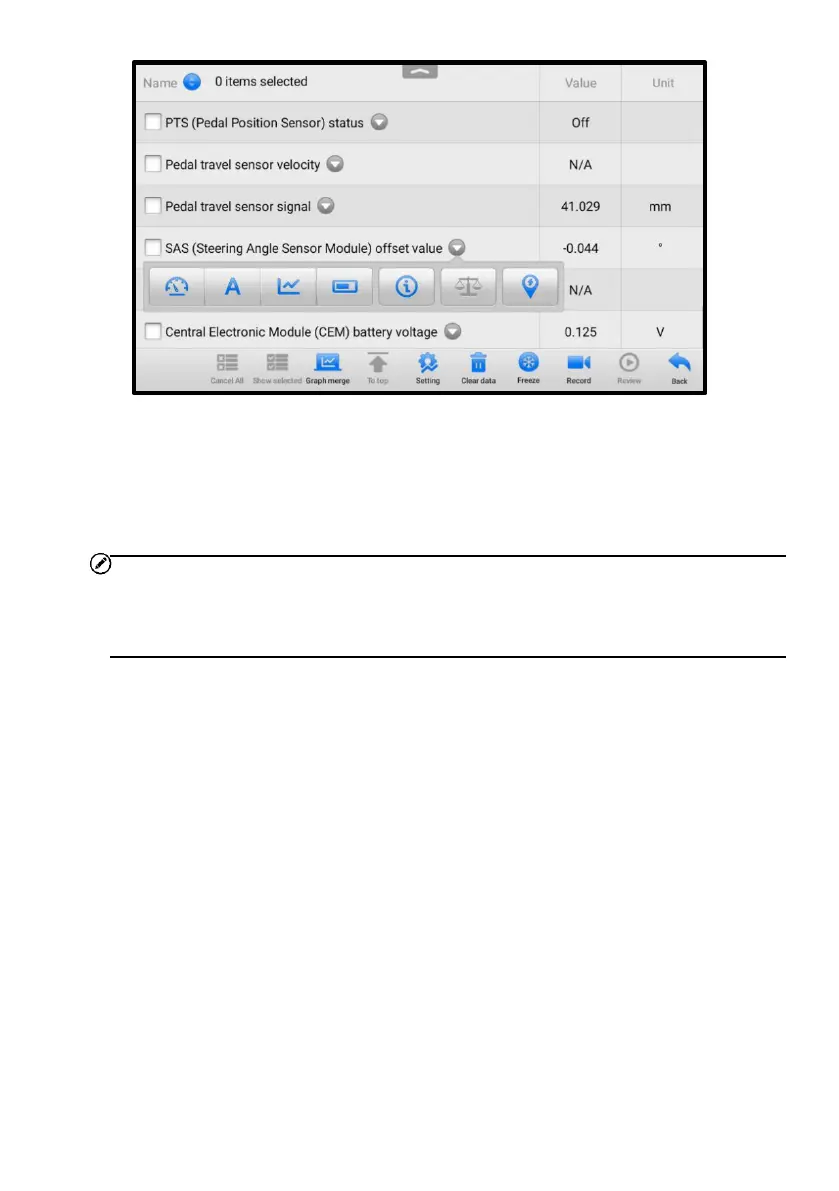
Figure 4-10 Display Mode Screen
Each parameter item displays its selected mode independently.
◆ Analog Gauge Mode — displays the parameters in gauge charts.
◆ Text Mode — the default mode that displays the parameters as a text list.
NOTE
Status parameters, such as a switch reading like ON, OFF, ACTIVE, and ABORT, can
only be displayed in Text Mode. Value parameters, such as a sensor reading, can be
displayed in both text and graph modes.
◆ Waveform Graph Mode — displays the parameters in waveform graphs.
In this mode, five control buttons will display on the right side of the parameter item,
allowing you to manipulate the display status.















 To Next Page