27
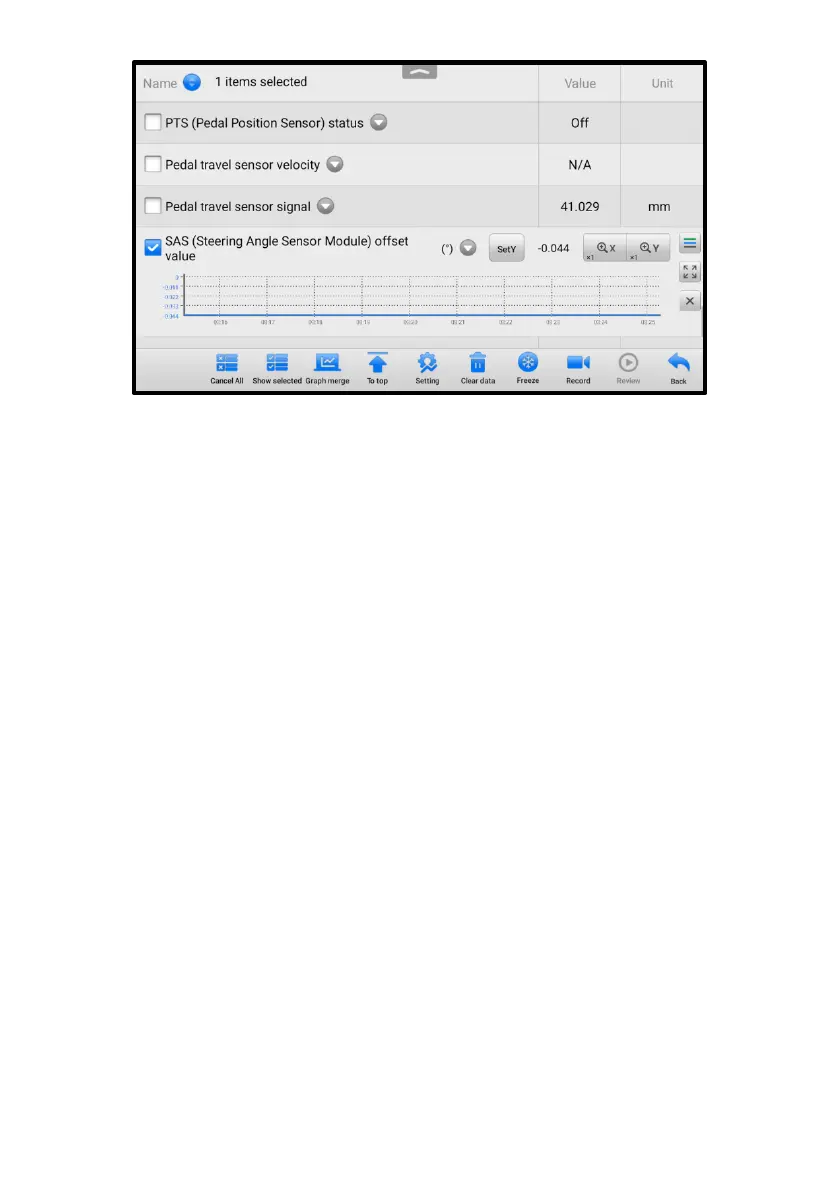
Figure 4-11 Waveform Graph Mode Screen
⚫ Settings Button (SetY) — sets the minimum and maximum values of the
Y axis.
⚫ Scale Button — changes the scale values.
There are two scale buttons, displayed above the waveform graph to the right
side, which can be used to change the scale values of the X axis and Y axis of
the graph. There are four scales available for the X axis: x1, x2, x4 and x8.
There are three scales available for the Y axis: x1, x2, and x4.
⚫ Edit Button — edit the waveform color and the line thickness.
⚫ Zoom-in Button — tap once to display the selected data graph in full screen.
⚫ Exit Button — tap to exit the waveform graph mode.
Full Screen Display — this option is only available in the waveform graph mode,
and primarily used in Graph Merge status for data comparison. There are four
control buttons available on the top right side of the screen under this mode.
⚫ Scale Button — tap to change the scale values below the waveform graph.
There are four scales available for the X axis: x1, x2, x4 and x8, and three
scales available for the Y axis: x1, x2, and x4.
⚫ Edit Button — tap to open an edit window, in which you can set the
waveform color and the line thickness displayed for the selected parameter
item.
⚫ Zoom-out Button — tap to exit full screen mode.
⚫ Exit Button — tap to exit the waveform graph mode.















 To Next Page