Result
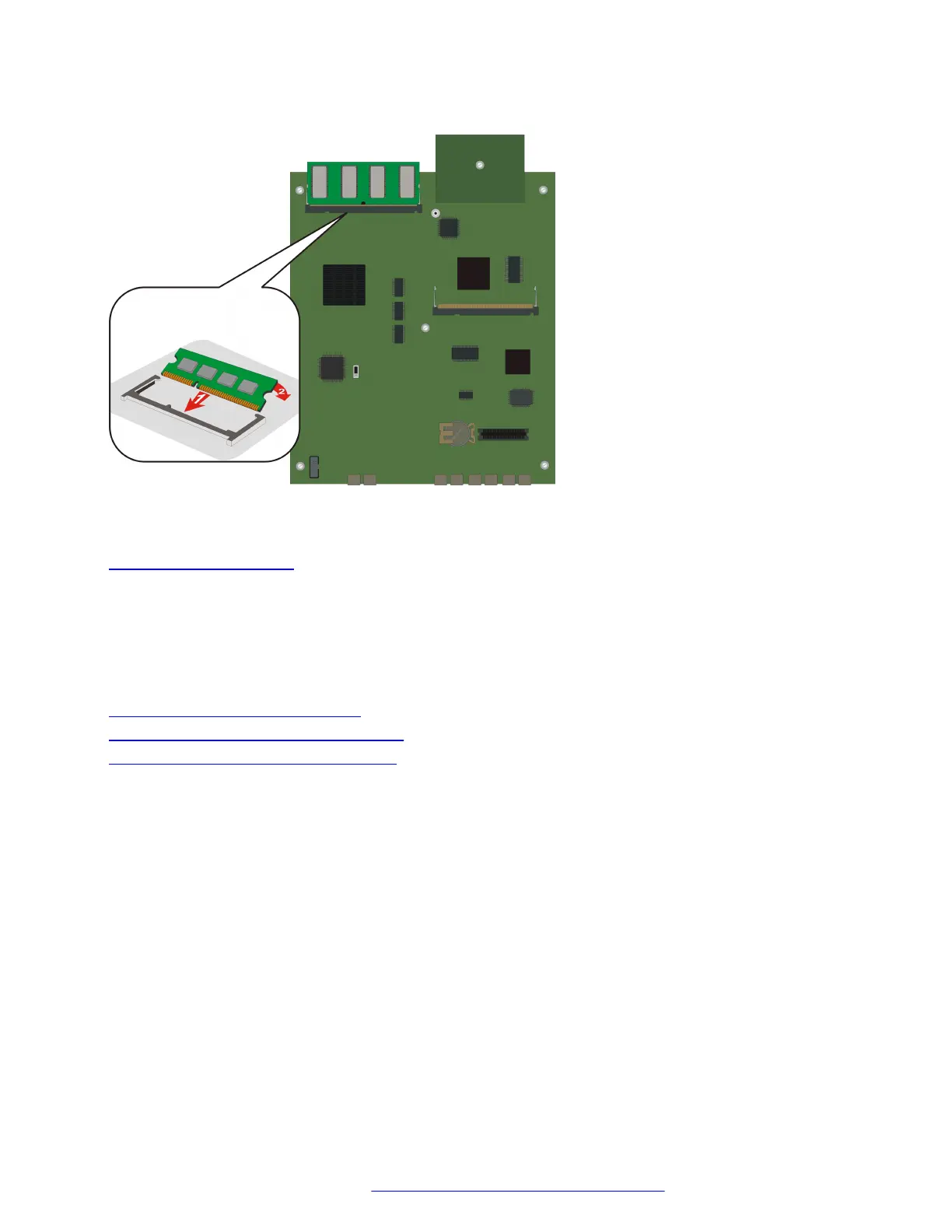
Figure 29: Replacing the RAM card
Related links
The upgrade memory kit on page 80
Compact flash memory cards
The Branch Gateway supports hot insertion and removal of a compact flash memory card without
power drop, provided the compact flash is not in use when it is removed.
Related links
Installing the upgrade memory kit on page 80
Inserting a compact flash memory card on page 82
Compact flash memory card removals on page 83
Inserting a compact flash memory card
Procedure
1. Remove the blank plate covering the compact flash memory card slot, located in the center
of the main board.
2. Position the compact flash memory card so that the vendor name is facing up and the
connector is pointing toward the Branch Gateway, and gently insert it into the compact flash
slot.
3. After installing the compact flash memory card and the additional 256 MB RAM card, the
announcement files are not automatically moved from the internal flash to the compact flash.
To move them:
a. Make sure the Branch Gateway is registered to Communication Manager.
Upgrading and replacing Field Replaceable Units
February 2017 Installation and Upgrades for the Avaya Branch Gateway G430 82
Comments on this document? infodev@avaya.com



 To Next Page