Procedure
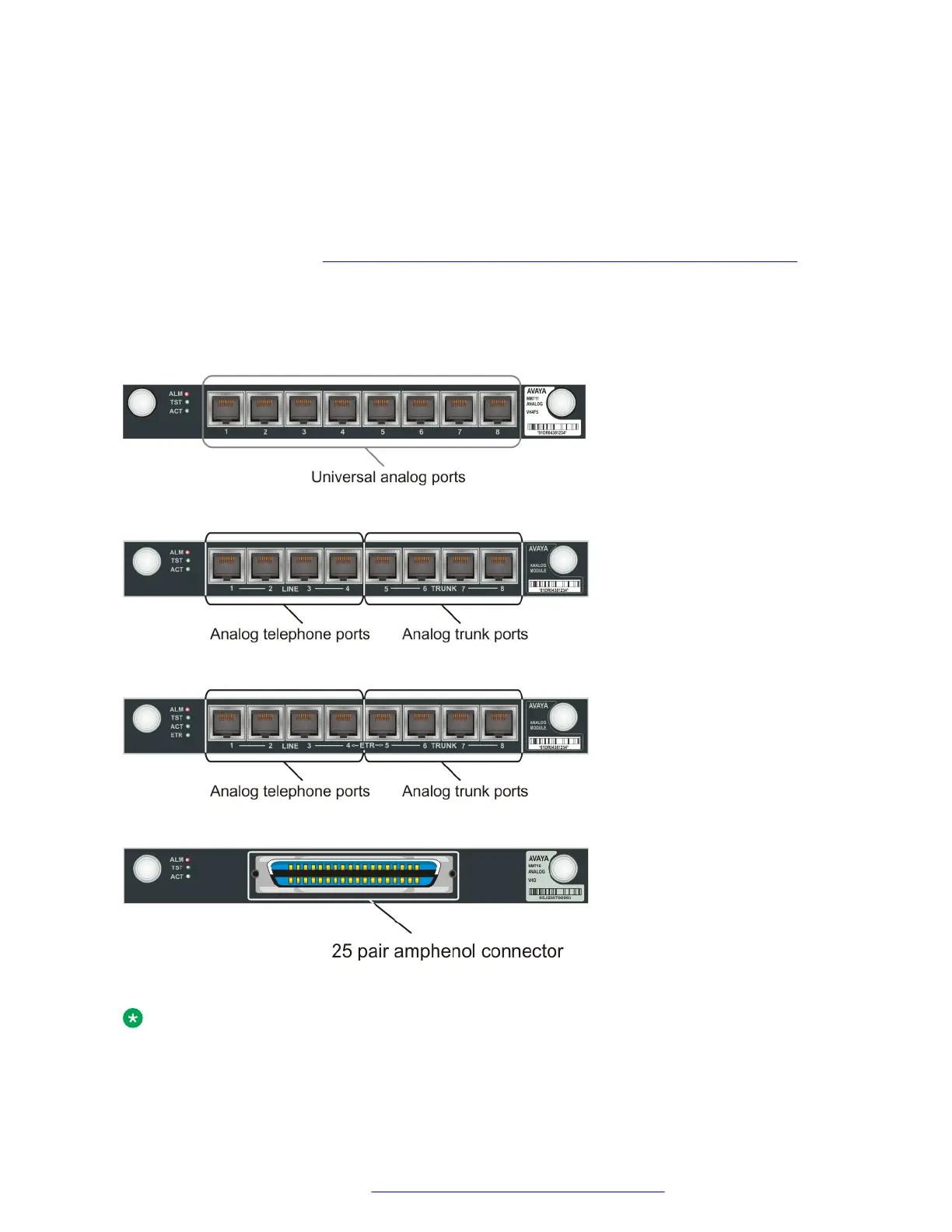
1. Wire a telephone port to one of the following analog ports:
• A universal analog port on an MM711 media module
• Any analog line port on a punch down block connected to an MM716 media module. To
connect the MM716 media module to a punch down block to enable telephone
connection, see
Connecting devices to the MM717 and MM716 media modules on
page 50.
• A LINE port on an MM714 or MM714B media module
2. Plug the analog telephone into the telephone port.
Result
Figure 12: The MM711 media module
Figure 13: The MM714 media module
Figure 14: The MM714B media module
Figure 15: The MM716 media module
Note:
Analog line ports support the following maximum distances:
Connecting devices
July 2018 Deploying and Upgrading Avaya G430 Branch Gateway 47
Comments on this document? infodev@avaya.com



 To Next Page