For phone equipment with a ringer load below 3 REN: up to 2,000 feet (609.6 m).
Connecting a DCP telephone to an MM712 or MM717 media module
About this task
Note:
For a full list of supported phones, see Appendix B, Supported Avaya telephones in Overview
for the Avaya Branch Gateway G430..
Warning:
Avaya MM712 and MM717 DCP Lines. DCP lines require the 146E IROB (In-range, Out of
Building) protectors, or the 4C3S-75 solid-state 5-pin protectors, when they are used for any
connection routed out-of-building. These protection devices provide both overvoltage and
overcurrent protection.
Procedure
Wire a telephone port to a DCP port on the Branch Gateway.
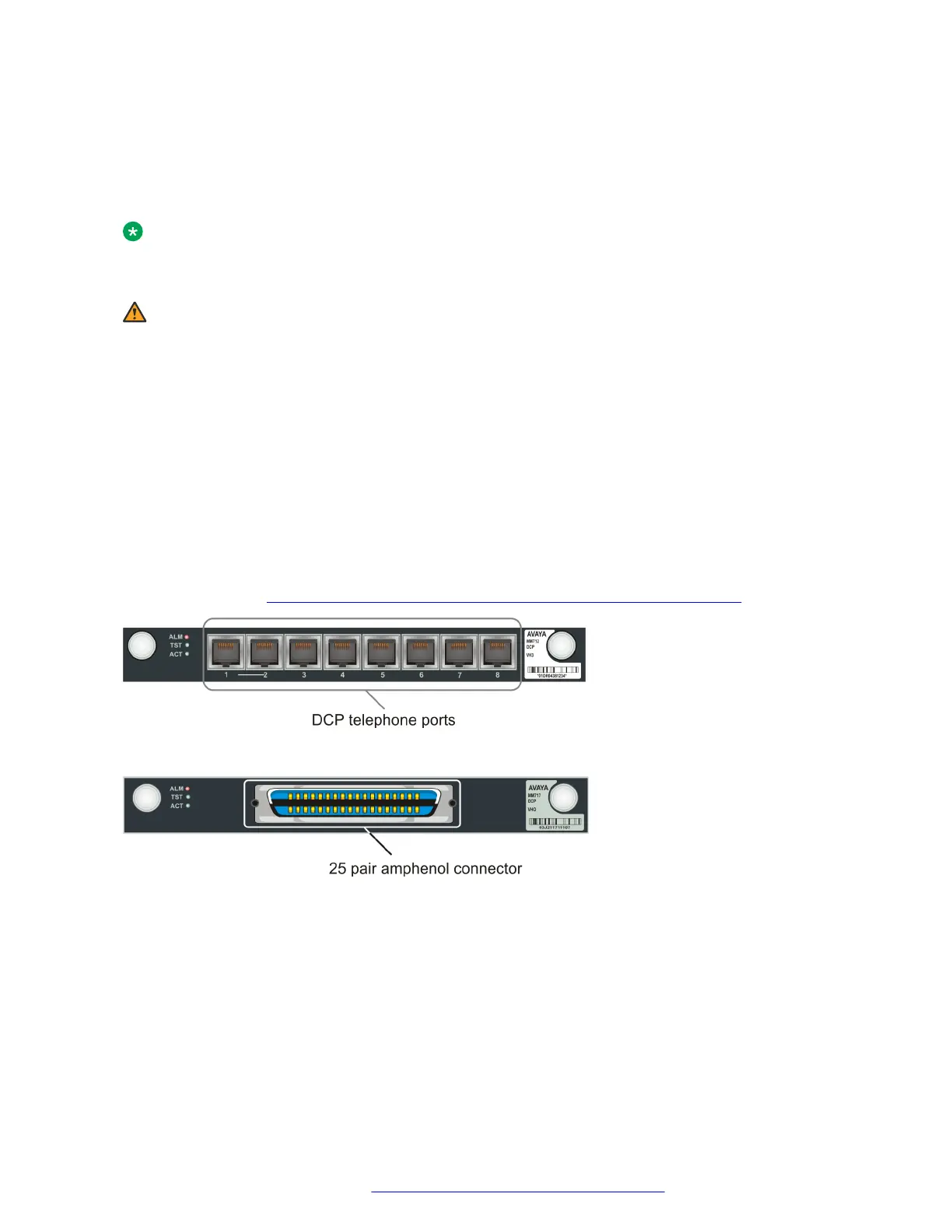
The following media modules provide DCP telephone ports:
• MM712. Eight DCP ports
• MM717. Twenty four DCP ports, provided via a single 25-pair amphenol socket on the front
panel. To connect the MM717 media module to a punch down block to enable telephone
connection, see Connecting devices to the MM717 and MM716 media modules on page 50.
Figure 16: .The MM712 media module
Figure 17: .The MM717 media module
Connecting an analog trunk
Procedure
Connect the trunk to one of the following ports:
• Any universal analog port on an MM711 media module
• One of the ports marked TRUNK on an MM714 or MM714B media module
Connecting devices
July 2018 Deploying and Upgrading Avaya G430 Branch Gateway 48
Comments on this document? infodev@avaya.com



 To Next Page