Connecting an analog DID trunk
Procedure
Connect the trunk to one of the following ports
• Any universal analog port on an MM711 media module
• Any analog line port on a punch down block connected to an MM716 media module.
To connect the MM716 media module to a punch down block to enable trunk connection,
Connecting devices to the MM717 and MM716 media modules on page 50.
• One of the ports marked Line on an MM714 or MM714B media module
• The TRUNK port on the Branch Gateway front panel.
Note:
The TRUNK analog telephone port on the Branch Gateway front panel forms a mechanical
analog relay with the LINE port next to it. This relay can be configured to provide
emergency transferred telephone service in the case of a power outage or disconnection
from an external server. During an emergency situation, all incoming calls on the trunk are
directed to the telephone plugged into the LINE port. Conversely, the telephone plugged
into the LINE port can use the trunk during an emergency situation to make outgoing calls.
Connecting an E1/T1 trunk
About this task
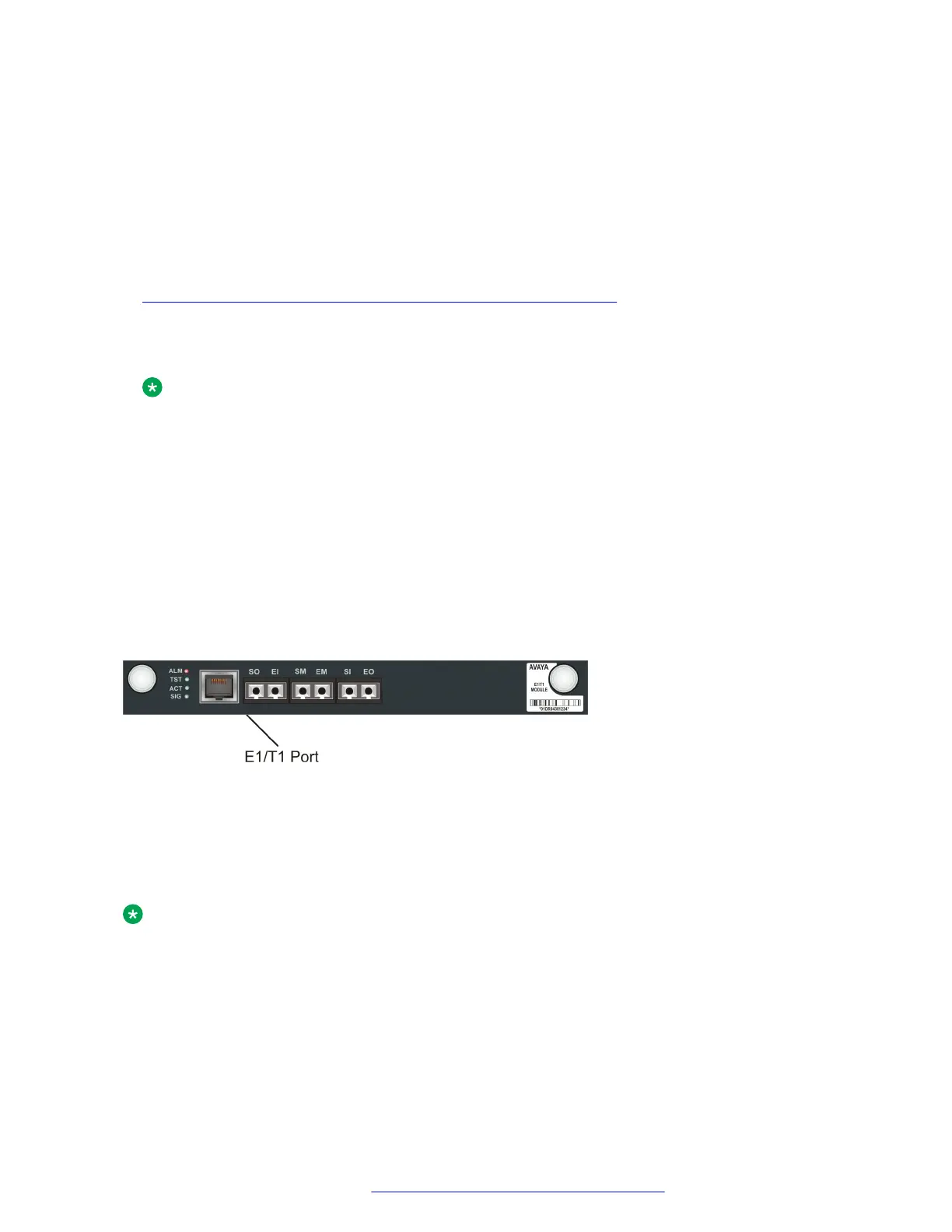
Connect the trunk cable to the E1/T1 port on an MM710 or MM710B media module. The SIG LED
lights.
Figure 18: The MM710B media module
Connecting an ISDN BRI trunk
About this task
Connect the trunk to any ISDN port on an MM720, MM721 or MM722 media module.
Note:
In the US, you need to connect a separately purchased NT1 device to each ISDN port you
use to connect an ISDN BRI trunk.
Connecting devices
July 2018 Deploying and Upgrading Avaya G430 Branch Gateway 49
Comments on this document? infodev@avaya.com



 To Next Page