Ping: Sends an ICMP echo message to a target IP address, and reports whether or not a
response was returned.
Transmission Control Protocol (TCP) Connect: Attempts to establish a TCP connection to
a specified port at a target IP address, and reports whether the attempt succeeded or failed
and the time taken by the TCP packet to reach its destination.
Merge: Chatter test that is used, transparently to the user, to identify a single device with
multiple IP addresses and to merge its multiple appearances into one in the network topology
map.
When the test plug receives a request to run an RTP test, the test plug uses a UDP port called
the RTP test port to send an RTP stream to another test plug. The test plug listens on the RTP
echo port for RTP streams sent by other test plugs running RTP tests. All the UDP ports have
default values, which can be overridden using CLI commands. The defaults are:
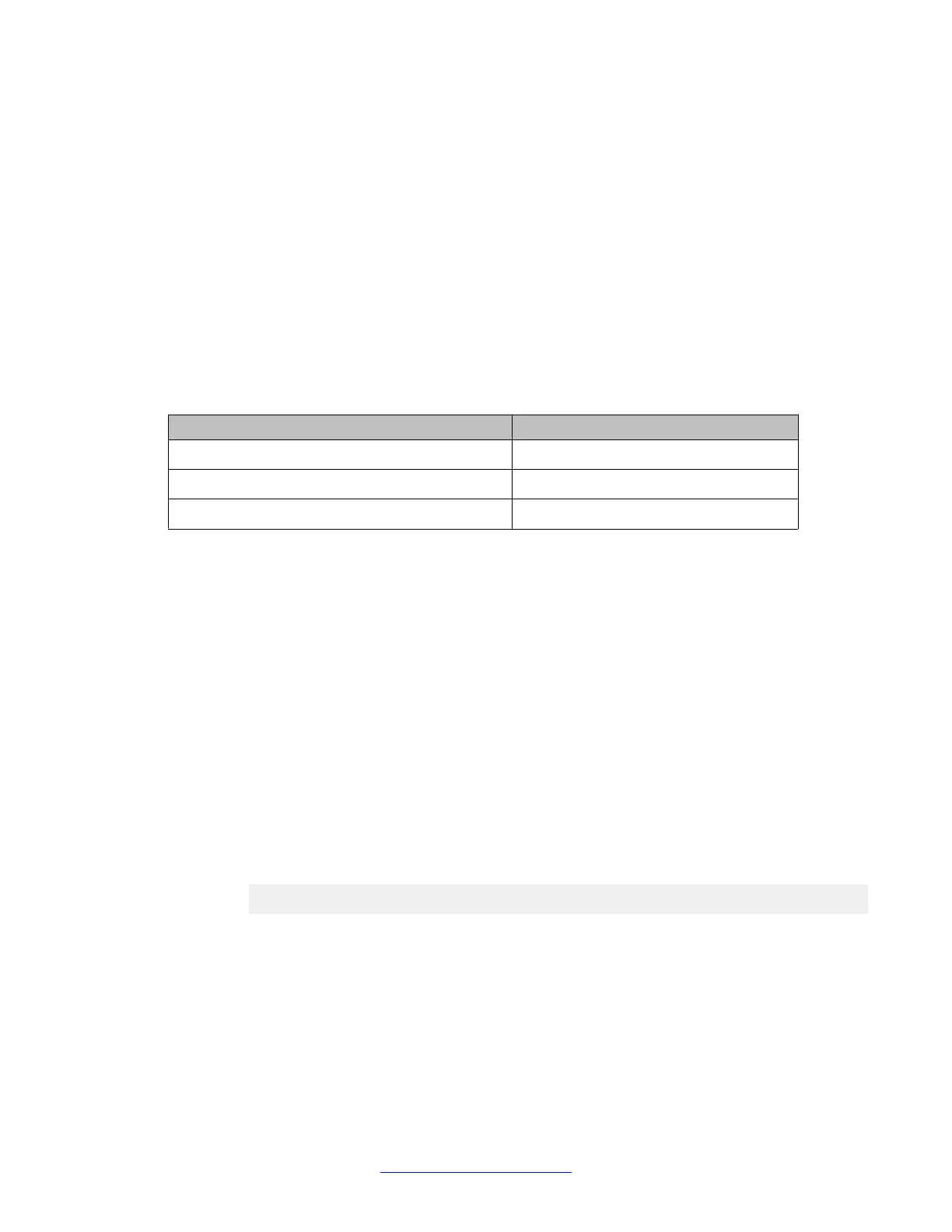
UDP Port Default value
Control port 8889
RTP echo port 8888
RTP test port 8887
Any changes you make to the test plug configuration, such as changing scheduler addresses
or port numbers, only take effect when you cause the test plug to disconnect from the scheduler
and register again.
Configuring the Branch Gateway test plug for registration
About this task
From the Branch Gateway CLI, you can configure the Branch Gateway test plug to register
with a CNA scheduler.
Procedure
1. Use the cna-testplug command to enter the testplug context.
For example:
Gxxx-001# cna-testplug 1
Gxxx-001(cna-testplug 1)#
2. Use the scheduler command to configure one or more CNA scheduler IP
addresses.
You can configure up to five scheduler addresses. The test plug attempts to register
with a scheduler according to its place on the list. By default, no schedulers are
configured. At least one scheduler must be configured for registration to be
possible.
Monitoring applications
406 Administering Avaya G430 Branch Gateway October 2013
Comments? infodev@avaya.com



 To Next Page