Note:
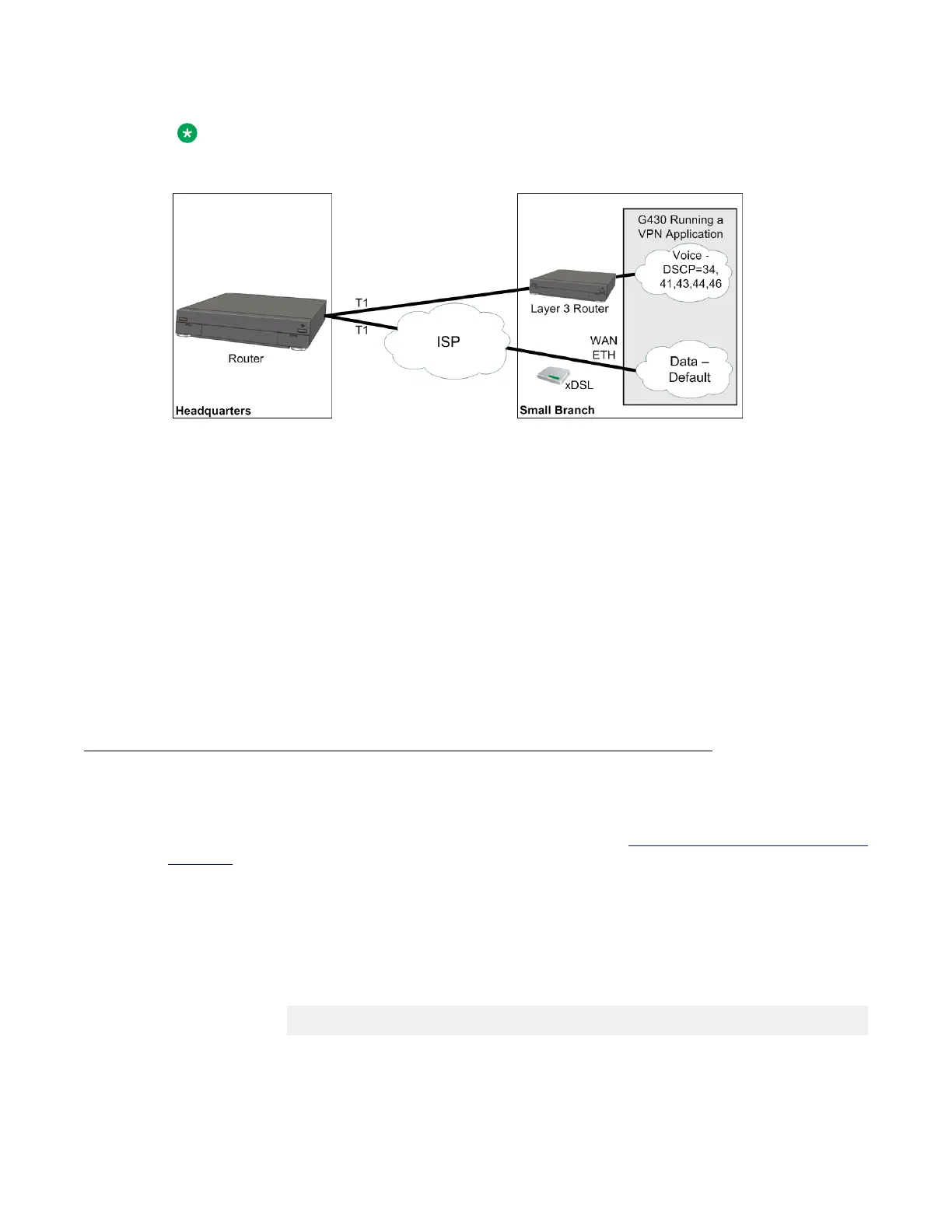
When using a broadband modem (either xDSL or cable), run the VPN application.
Figure 15: Policy-based routing – Voice/Data division by DSCP
Backup interface definition
You can utilize policy-based routing to define backup routes for defined classes of traffic. If the
first route on the next hop list fails, the packets are routed to a subsequent hop. When
necessary, you can use the NULL interface to drop packets when the primary next hop fails.
Example
Voice packets are usually sent over a WAN line, and not the Internet. You can configure a PBR
list to drop voice packets when the WAN line is down.
Setting up policy-based routing
About this task
For a full example of a policy-based routing configuration, see Policy-based routing application
example on page 598.
Procedure
1. Define PBR lists.
• In general context, enter ip pbr-list followed by a list number in the range
800 to 899. For example:
Gxxx-001(super)# ip pbr-list 802
Gxxx-001(super-PBR 802)#
Policy-based routing
Administering Avaya G430 Branch Gateway October 2013 589



 To Next Page