Telephones and adjunct systems
428 Installing and Upgrading the Avaya G700 Media Gateway and Avaya S8300 Media Server
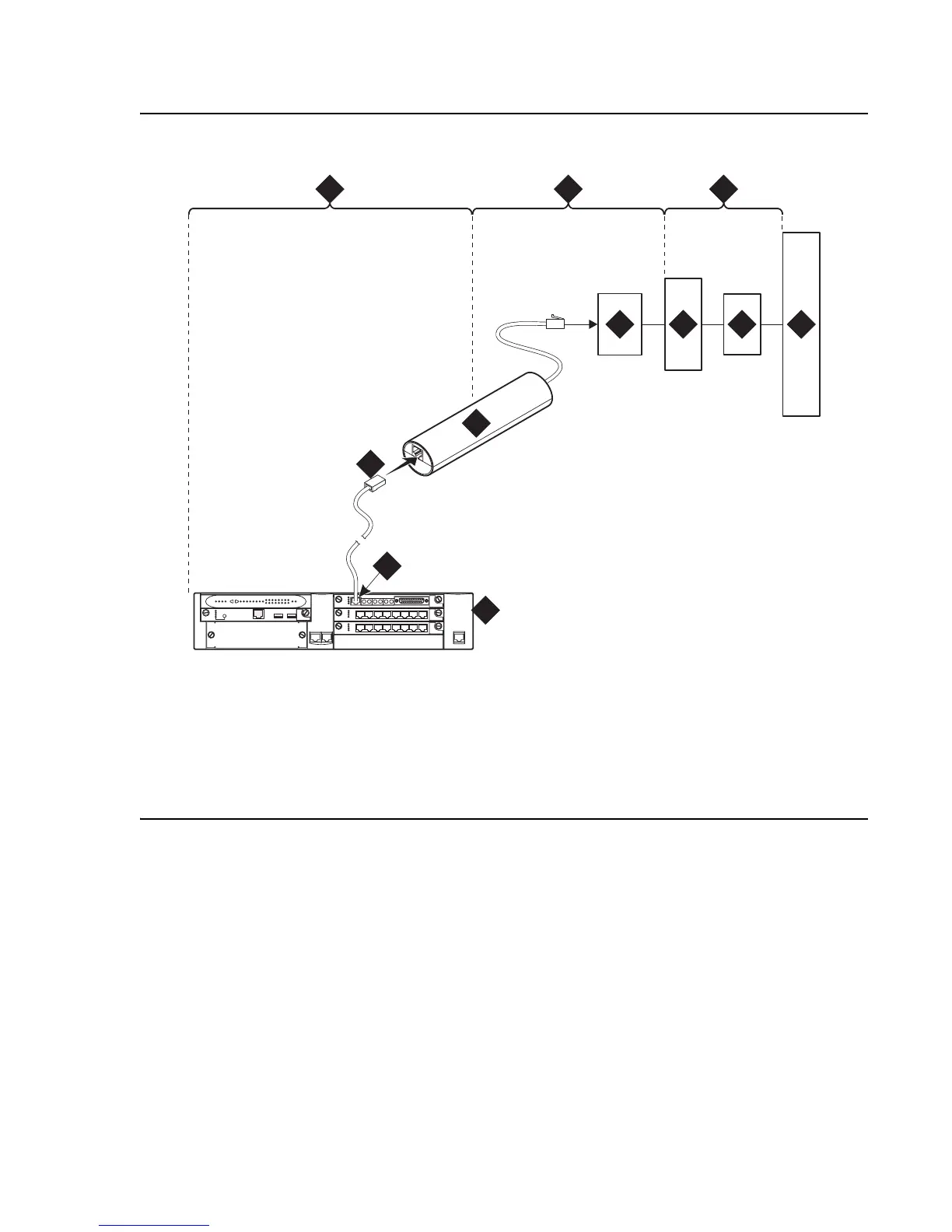
Figure 40: Network interface at extended demarcation point (smart jack inaccessible) for
an MM710 multi-media module
Figure notes:
1. Span section 1
2. Span section 2
3. Span section 3
4. G700 or G350 Media Gateway
5. E1/T1 port on an MM710
multi-media module
6. RJ-48 to network interface (up to 1000 ft. [305 m])
7. Loopback jack
8. Dumb block (extended demarcation)
9. Network interface smart jack
10. Interface termination or fiber multiplexer (MUX)
11. Central office
prdfcs4a KLC 080602
ALM
TST
ACT
123456 87
ALM
TST
ACT
123456 87
REMOVE
ALM
TST
ACT
OKTO
SHUTDOWN
SERVICES USB 1 USB2
E1/T1 EIA 530A DCE
ALM
TST
ACT
SIG
EISO EMSM EOSI
1 2 3
4
5
6
7
8
9
10
11





 To Next Page