EasyManua.ls Logo

Avermedia AVerTV 3D - Page 55

Avermedia AVerTV 3D
101 pages
Print Icon
To Next Page IconTo Next Page
To Previous Page IconTo Previous Page
Loading...
AVerMedia Technologies Inc.
55
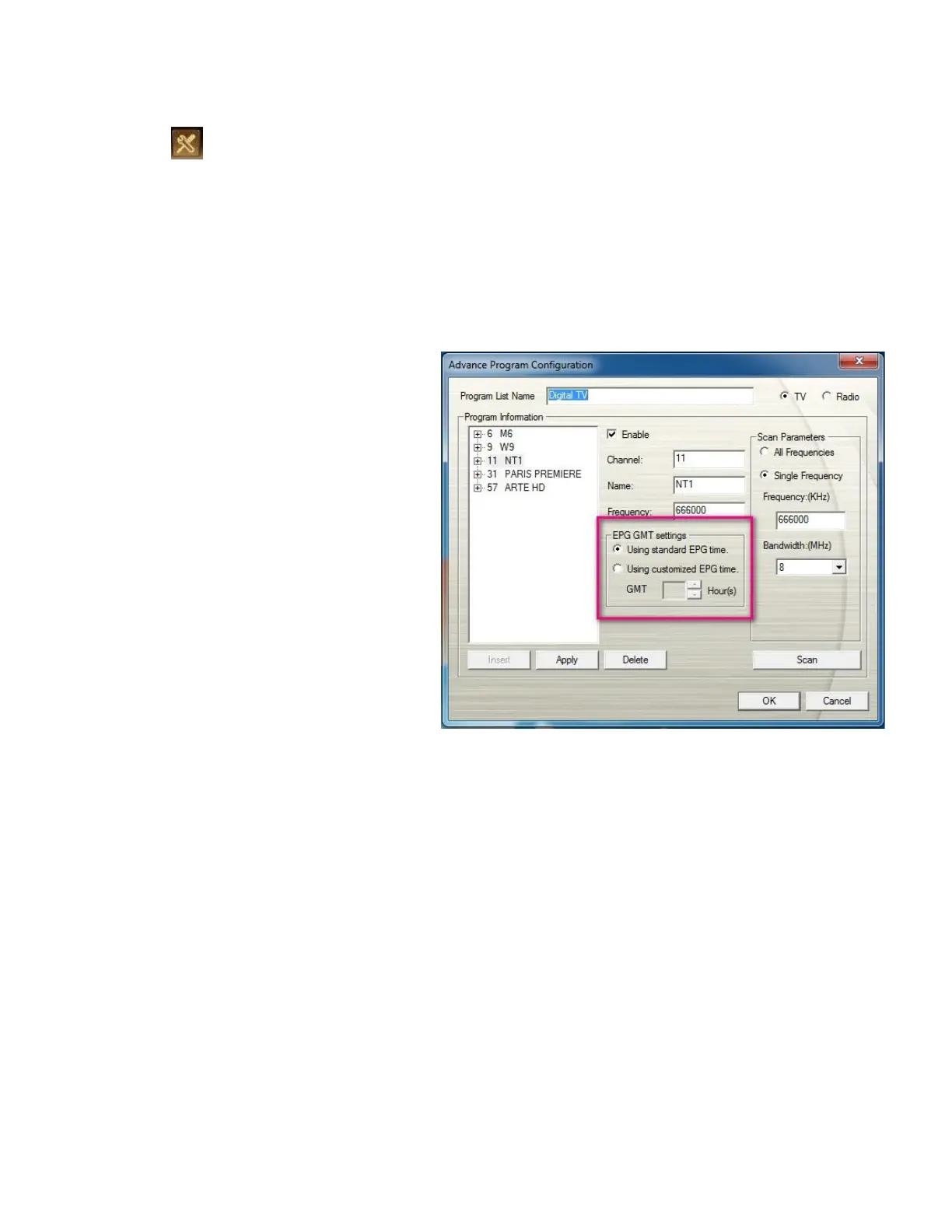
To use EPG function, please make sure that the EPG GMT settings is correct.
1. Click on the control panel and select Setup.
2. Click Digital TV on the left pane.
3. Click Advance.
4. In the Advance Program
Configuration window, click the
desired channel.
5. In the EPG GMT settings section,
select Using customized EPG
time to adjust the EPG time
according to local time.
or
Select Using standard EPG time to
adjust the EPG time according to the
time zone on your computer operating
system.


Table of Contents