IFD400 Series Pilot Guide
Aux Subsystem 4-13
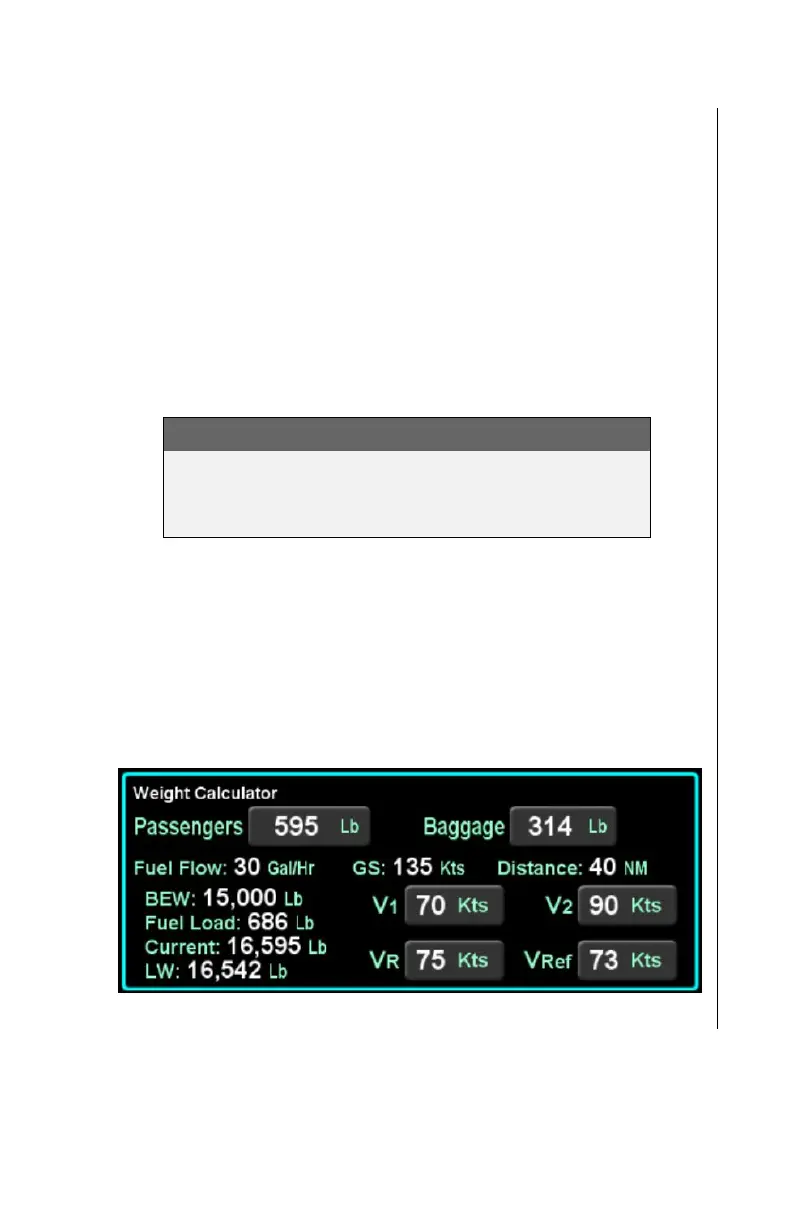
The weight calculator computes the current aircraft weight using
the basic empty weight of the aircraft, the entered weight of all
passengers and baggage, and the computed weight of fuel on
board from the fuel planning calculator. If the computed current
aircraft weight exceeds the maximum takeoff weight, then the
value will be displayed in a yellow color.
The weight calculator also computes a predicted aircraft landing
weight using the current weight and fuel at the destination
calculated by the fuel planning calculator. If the predicted landing
weight exceeds the maximum landing weight, then the value will
be displayed in a yellow color.
NOTE
The basic empty weight, maximum takeoff weight,
and maximum landing weight, are all entered using
Maintenance Mode, typically at time of installation.
If the IFD has been configured for a multi-engine aircraft, the
weight calculator will show additional buttons V
1
, V
2
, V
R
, and V
REF
in the bottom right corner of the calculator tile. While values can
be entered into these fields, the IFD does not use those values
for any other calculations or displays. They are only used for pilot
reference.
Weight Calculator
Trip Planner
The trip planner includes fields for type, destination, ground
speed, departure time (departure time will track current time until



 To Next Page