IFD400 Series Pilot Guide
FMS Subsystem 2-17
to", respectively. Whether a direct-to is onpath or offpath is
determined by the FMS. However, it is important for the pilot to
recognize the difference because the effect on the flight plan
differs.
Selecting the direct-to waypoint
In either case, the process is started by pressing the dedicated
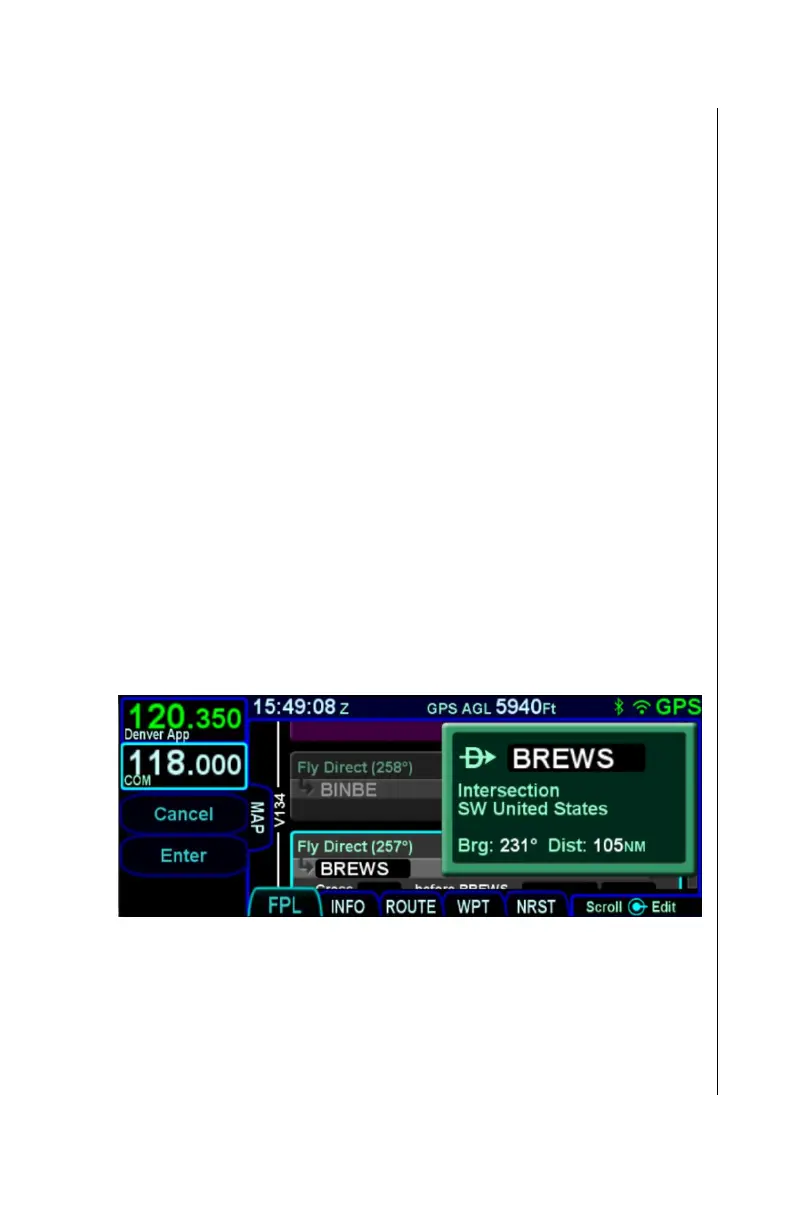
Direct-To key on the IFD bezel. At that point, a green dialog box
appears and is populated with a waypoint identifier, determined
as follows:
If the currently displayed page is an FMS page
specifically denoting an eligible fix, the identifier of the fix
If the currently displayed page is not an FMS page or it
does not specifically denote an eligible fix, and the flight
plan has at least one leg, the identifier associated with
the leg surrounded by the cursor on the FPL page
The identifier of the closest airport
* an eligible fix is an Airport, VOR, NDB, Intersection, or
User Waypoint.
Direct-To Dialog Box
At this point, if desired, the waypoint identifier can be changed
using several methods:
Manual touch - Touch the identifier field in the dialog box
to manually change the identifier. Use the virtual
keyboard to directly enter the identifier.



 To Next Page