R5912128 /03 SP4K-B112
10.1 Opening the sealed compartment
This procedure assumes that the side and top cover have been removed.
CAUTION: This procedure may only be done by a qualified and trained service technician.
Required tools
Torx screwdriver T20
How to open the sealed compartment
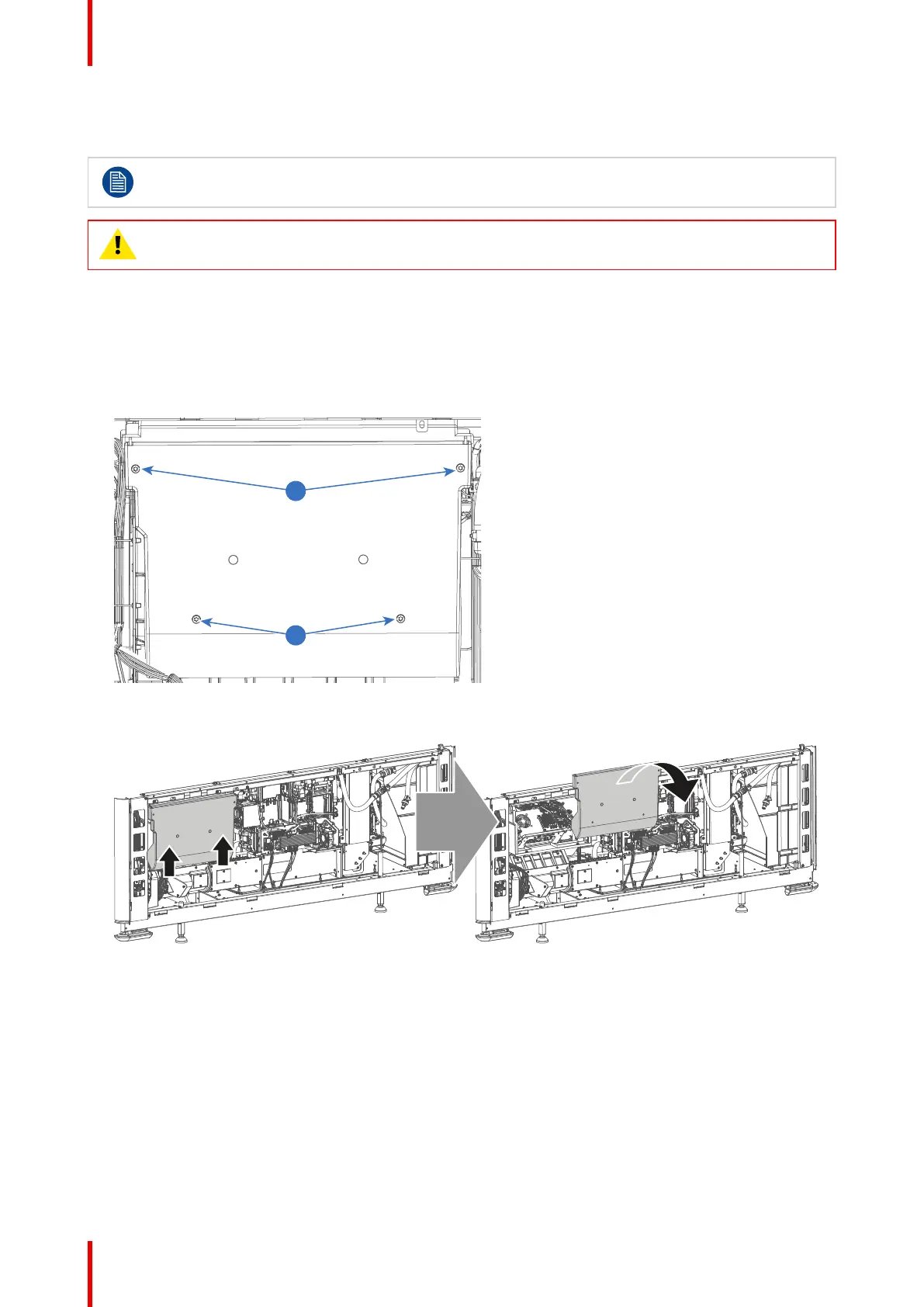
1. Remove the four screws holding the side cover (reference 1). Use a T20 Torx screwdriver.
Image 10–1 Sealed cover fixation
2. Lift the cover up slightly using both lips. Then remove the cover by taking it away from the projector.
Image 10–2 Sealed compartment side cover, remove
3. Slightly slide the top cover a bit outwards. Then lift it up and remove it.
Convergence



 To Next Page