R5912128 /03 SP4K-B34
2.6 Air flow
Air flow projector
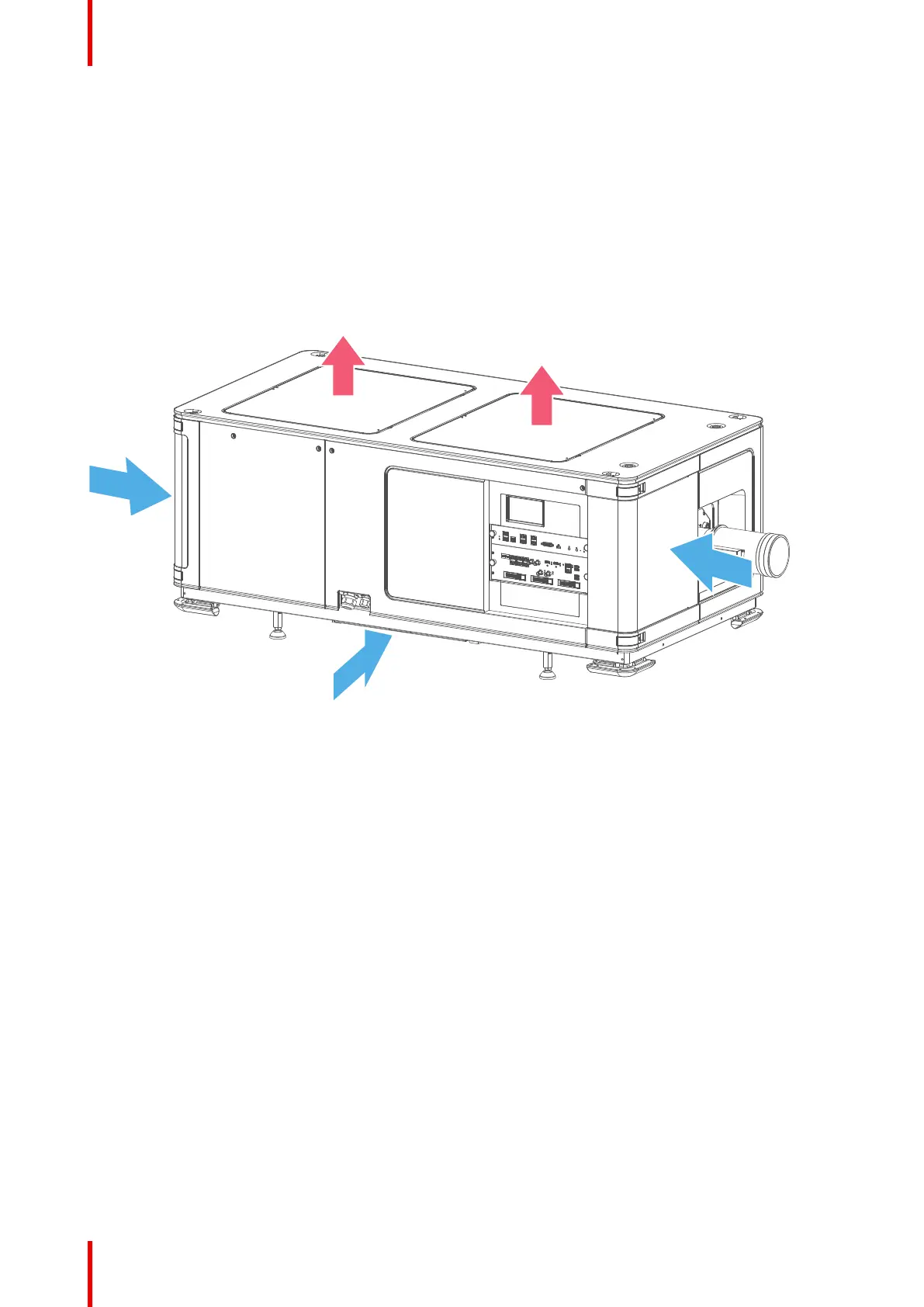
The SP4K-B projector has two air outlets and three air inlets. The air inlets are located on the front side and
bottom side of the projector. The air outlets are located on the top and on the back side of the projector.
Take into account the location of the air inlets and outlets when determining a suitable location to install the
projector. Make sure that when installed, the hot air coming from the air outlets is not automatically sucked
back in via the air inlets.
The projector must be installed with sufficient space around the projector head, minimum 20 cm (8 inch) to
ensure sufficient air flow.
Image 2–11
1 Air inlet front of the projector
2 Air inlet bottom side of the projector (at the user input side)
3 Air inlets back of the projector
4 Air outlets top of the projector
Air flow external cooler for SP4K-55B
The external cooler for SP4K-55B has 2 air inlets and one 1 air outlet.
Take into account the location of the air inlets and air outlet when determining a suitable location for the
external cooler.
Getting started



 To Next Page