137R5912128 /03 SP4K-B
12.10 Mounting the light source side cover
Required tools
Torx screwdriver T20
How to mount
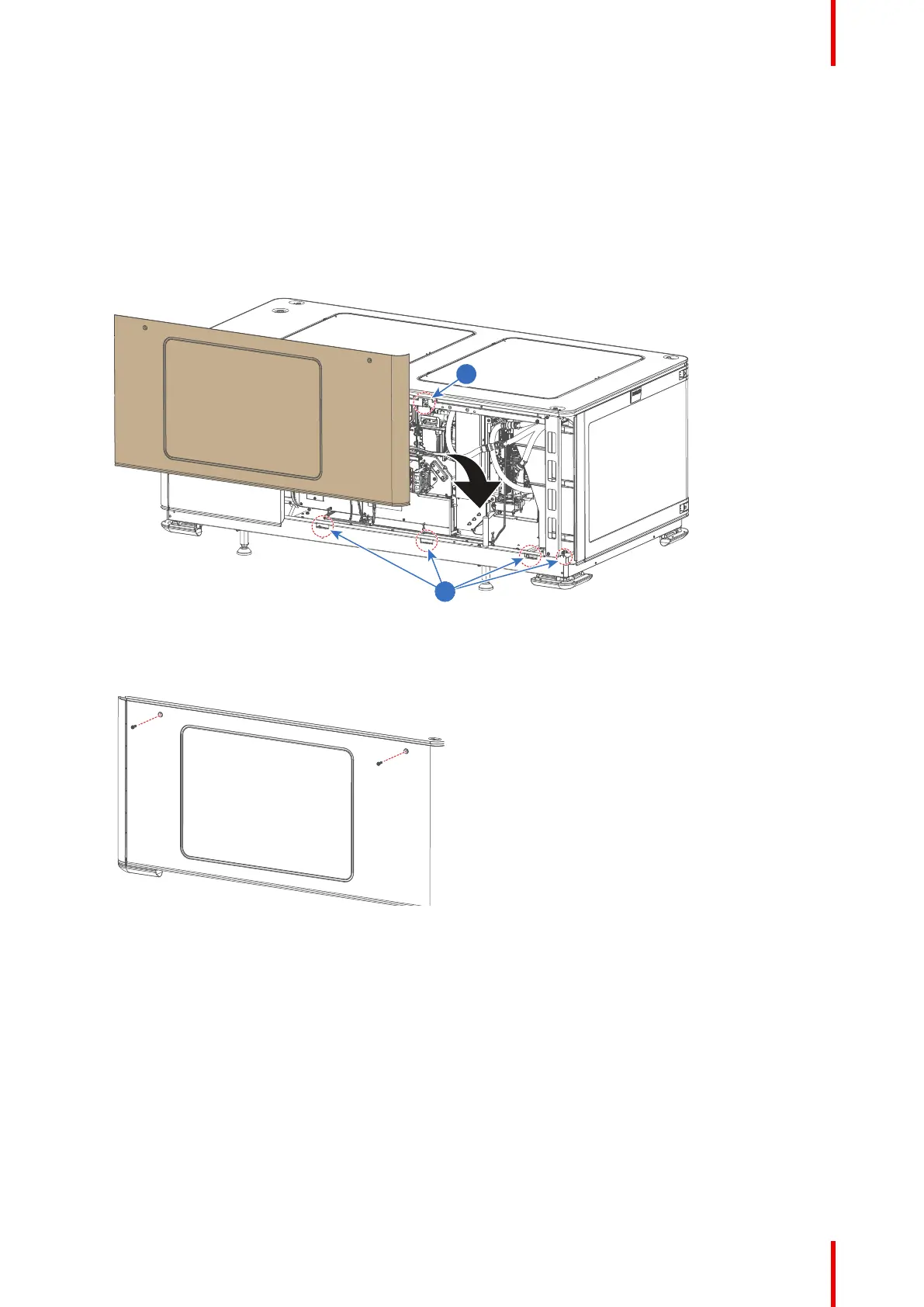
1. Carefully place the side cover onto the four cover hooks (reference 1, Image 12–12), located on the
bottom frame of the projector.
Image 12–12 Mounting the side cover
2. Click the cover onto the cover receiver of the top frame (reference 2).
3. Fasten the side cover with the two top screws. Use a T20 Torx screwdriver.
Image 12–13 Tightening the screws of the side cover
Projector Covers



 To Next Page