R5912128 /03 SP4K-B26
2.2 Unpacking the projector
What you need to do?
Upon delivery, the projector is packed in a cardboard box upon a wooden pallet and secured with strapping
bands and buckle clips. Furthermore, to provide protection during transportation the projector is surrounded
with foam. Once the projector has arrived at the installation site it needs to be removed from the cardboard
box and wooden pallet in a safe manner, without damaging the projector.
Also, do take into account the weight of the projector. Make sure to provide a hoisting or lifting tool capable of
lifting and moving the projector to its designated position.
After unpacking let the projector acclimatize to a room temperature between 10°C (50°F) and 35°C
(95°F). It is suggested to only start using the projector after having it stored for a minimum of 16
hours in its final location. Neglecting this may result in a failure in the start-up of the Light Processor
Unit.
Required tools
• Side cutter
• Knife
• Hoisting or lifting tool
Required parts
Eye bolts M10 x 4
How to unpack the SP4K-B projector
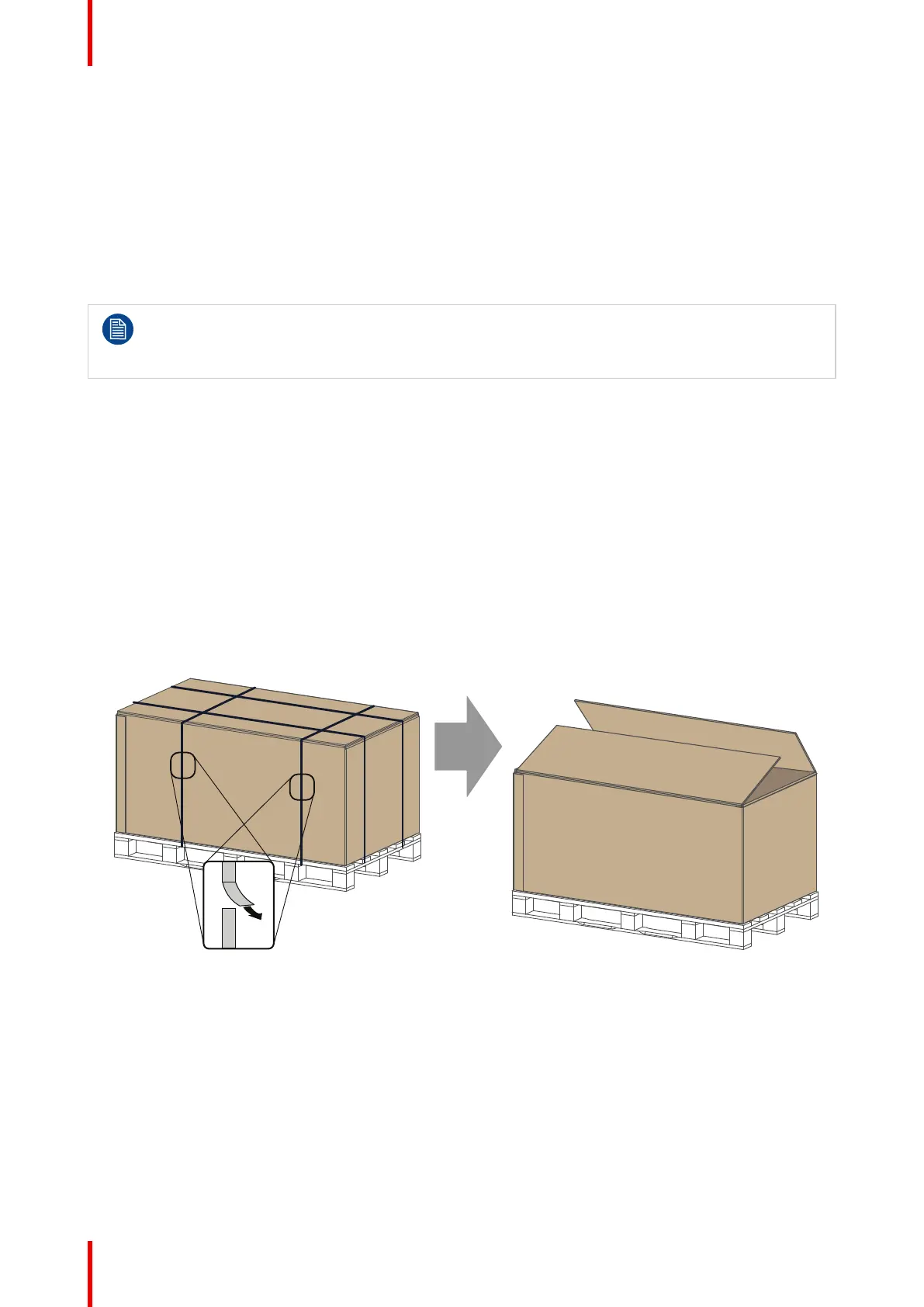
1. Remove the strapping bands from the packaging. Use a cutting tool (e.g. side cutter, knife, etc.) to
carefully cut the straps.
2. Carefully cut open the tape of the box and open it.
Image 2–1 Removing bands and opening the box
3. Remove the top plate.
4. Remove the safety manuals and the small box containing the HDD’s (if available).
5. Remove any foam piece present between the cardboard box and the projector.
Getting started



 To Next Page