R5912128 /03 SP4K-B42
4.1 Positioning the SP4K-B
WARNING: The installation of the projector requires at least 6 persons.
General guide lines
• Use a solid pedestal to put the SP4K-B projector on. Ensure that the pedestal can handle the weight of the
projector and that all feet of the projector are captured.
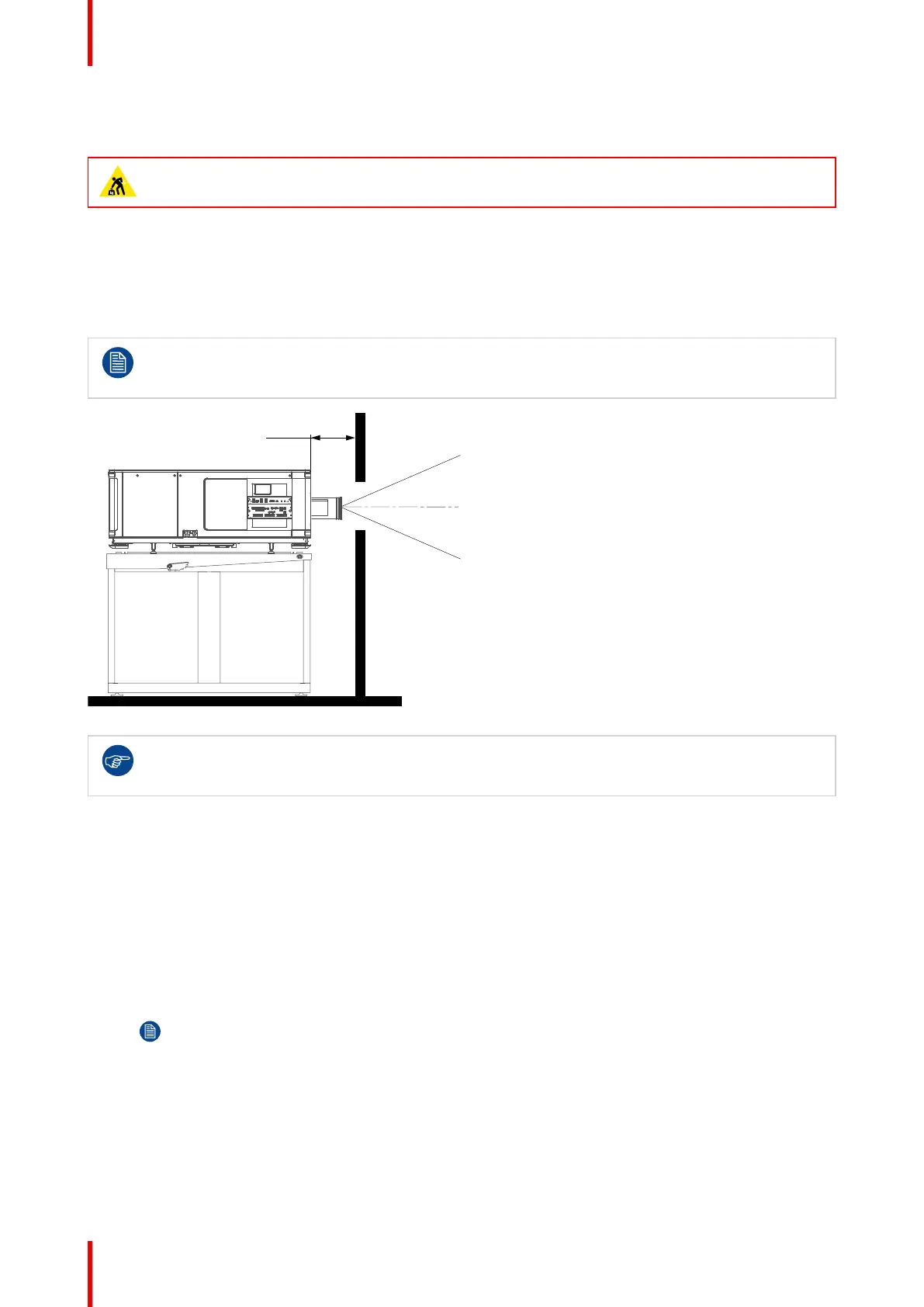
• The pedestal should be placed in front of the port window wall in a manner that the projector lens holder
cover is at a minimum distance of 20 centimeters from the port window.
Take into account that the dimensions of the SP4K-B projector with B-lens holder vary slightly from
the projector with C-lens holder. For correct measurement, take into account the specifications of
your projector variant.
Image 4–1 Positioning at port window
Barco offers a pedestal for the SP4K-B projector. This pedestal allows for a solid and easy setup of
the projector. The pedestal support 19” rack systems. (projector peripherals such as alternative
content switchers, ShowVault, etc.)
Required tools
• Open-end wrench 17 mm
• Open-end wrench 24 mm
Projector centering
1. If the projector is standalone in front of the port window, center the projector with the theatre screen
(reference A Image 4–2).
2. If a film projector is already present (projector will be off-center), try to optimize aim (reference B Image 4–
2).
Note: Unlike film projectors, it is best to keep the projector lens surface as parallel to the screen
as possible, even if it is significantly above the screen center.
The off-center position slightly increase side keystone, but will minimize horizontal lens offset required.
Physical installation projector



 To Next Page