93R5912128 /03 SP4K-B
7.11 Removing a HDD from the ICMP-X
In case the ICMP-X has to be returned to factory (e.g. for repair) the non defective HDDs should be
removed and kept.
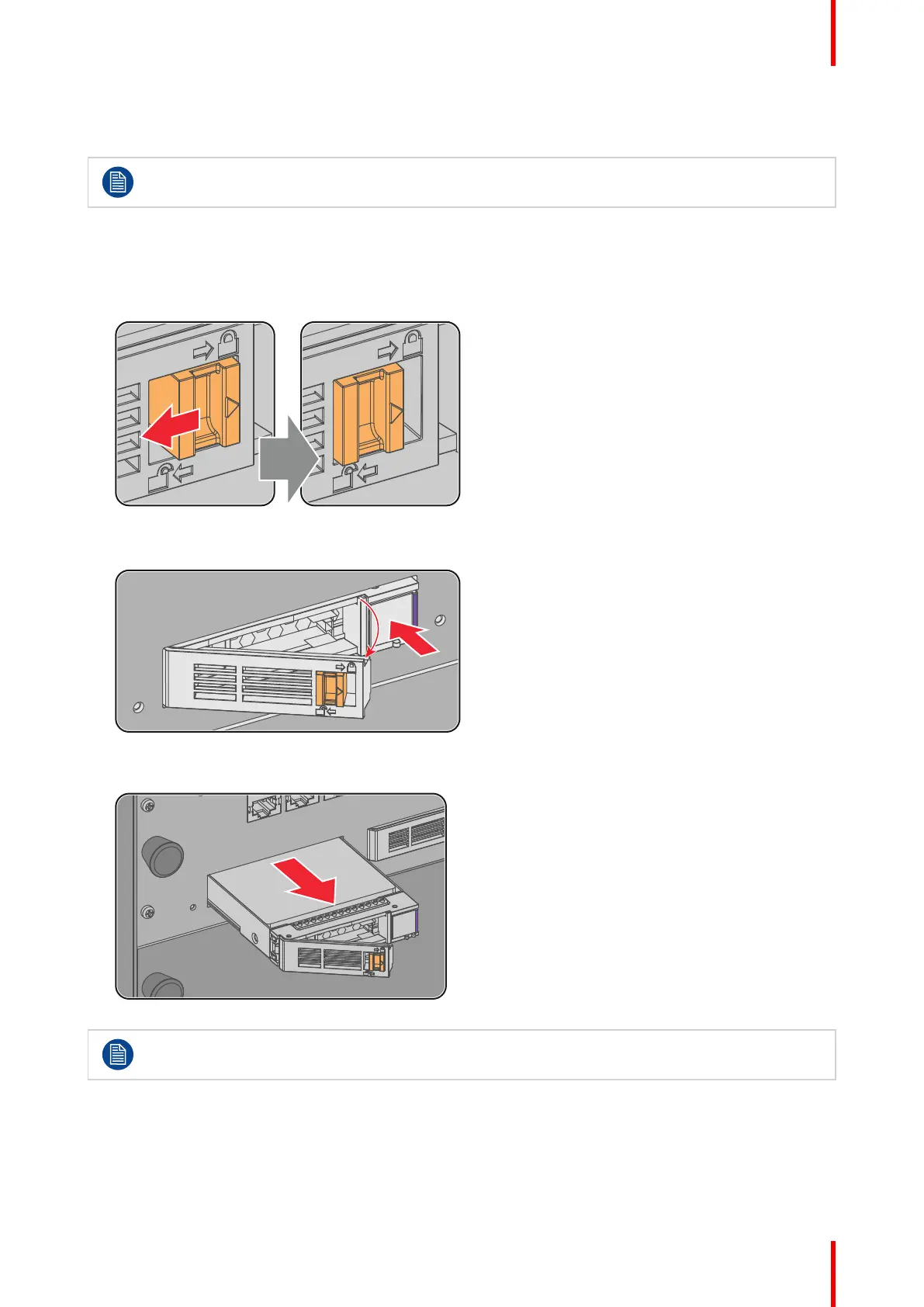
How to remove a HDD ?
1. Switch off the projector.
2. Moving the latch towards the left.
Image 7–13
3. Push the unlock button to open the handle.
Image 7–14
4. Pull the HDD out of its slot.
Image 7–15
To install an HDD, see the following procedure: “Installing a HDD into the ICMP-X”, page 94.
ICMP-X



 To Next Page