R5912128 /03 SP4K-B36
2.7 Web Communicator
Built-in web application
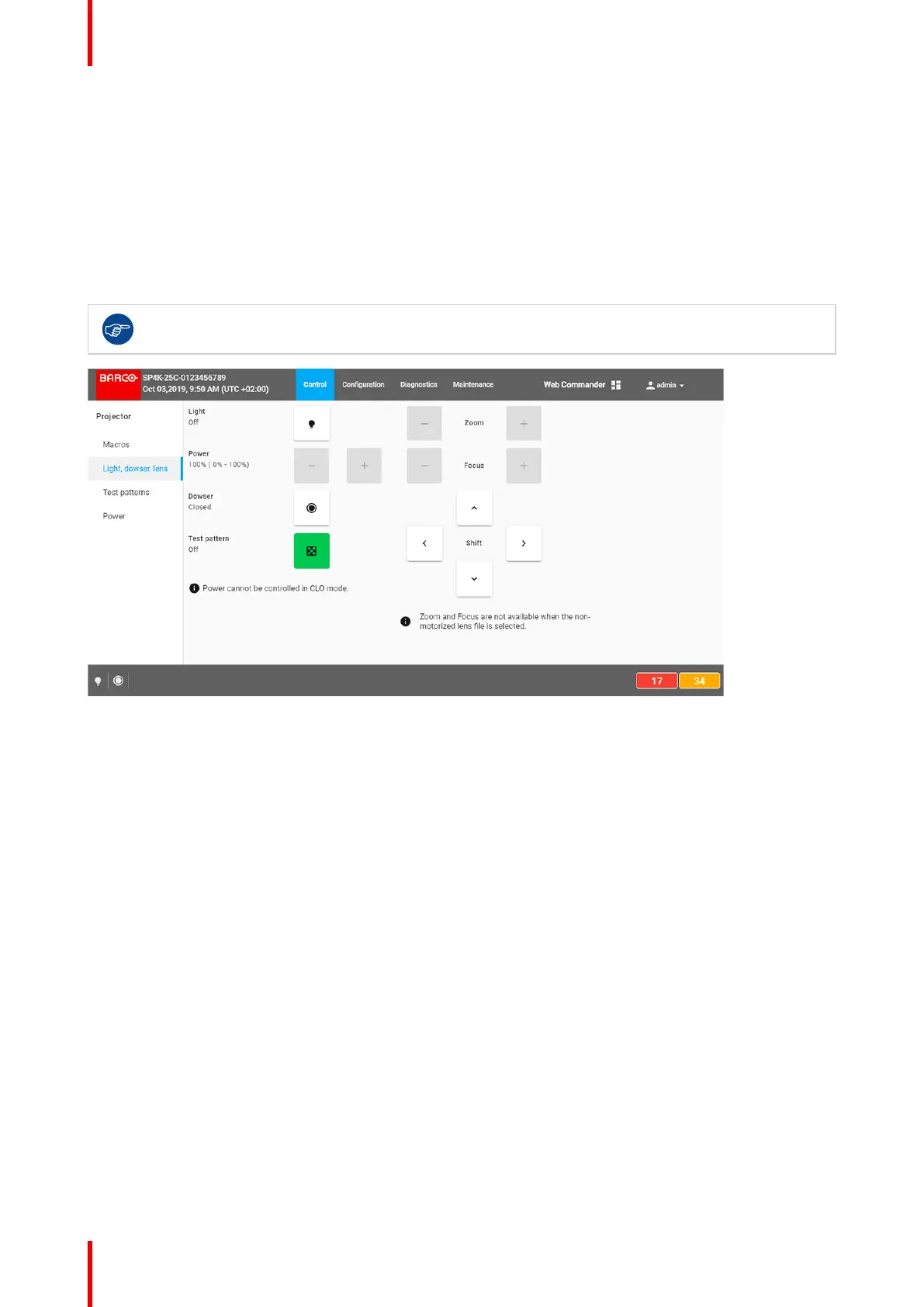
The Web Communicator application is a uniquely powerful and easy to use built-in web application for the
Barco projector. This application provides all the necessary tools necessary to setup and control the
connected projector. A comprehensive array of easy to access menu pages provide the projectors digital
input, output and screen display via a combination of simple buttons and displays.
The Web Communicator user interface is readily available on the projector without any additional software
installation. It is accessible via a web browser and is fully supported on iOS and Android devices.
While all web browsers are supported, the recommended browser is Chrome.
Image 2–13 Example of the Web Communicator tool
Quick and Easy configuration
Clearly indicated tab pages allow the control of Projector connection, configuration, test, color calibration and
configuration with an existing automation system. All actions can be activated by a simple click. Depending on
the user level, functions are enabled or disabled in the application. The enabled functions are only accessible
via a password entry and that prevents misalignment once everything is correctly aligned.
Getting started



 To Next Page