Site~Rite
®
8 Ultrasound System Page 47
11.4.1. WiFi Networks
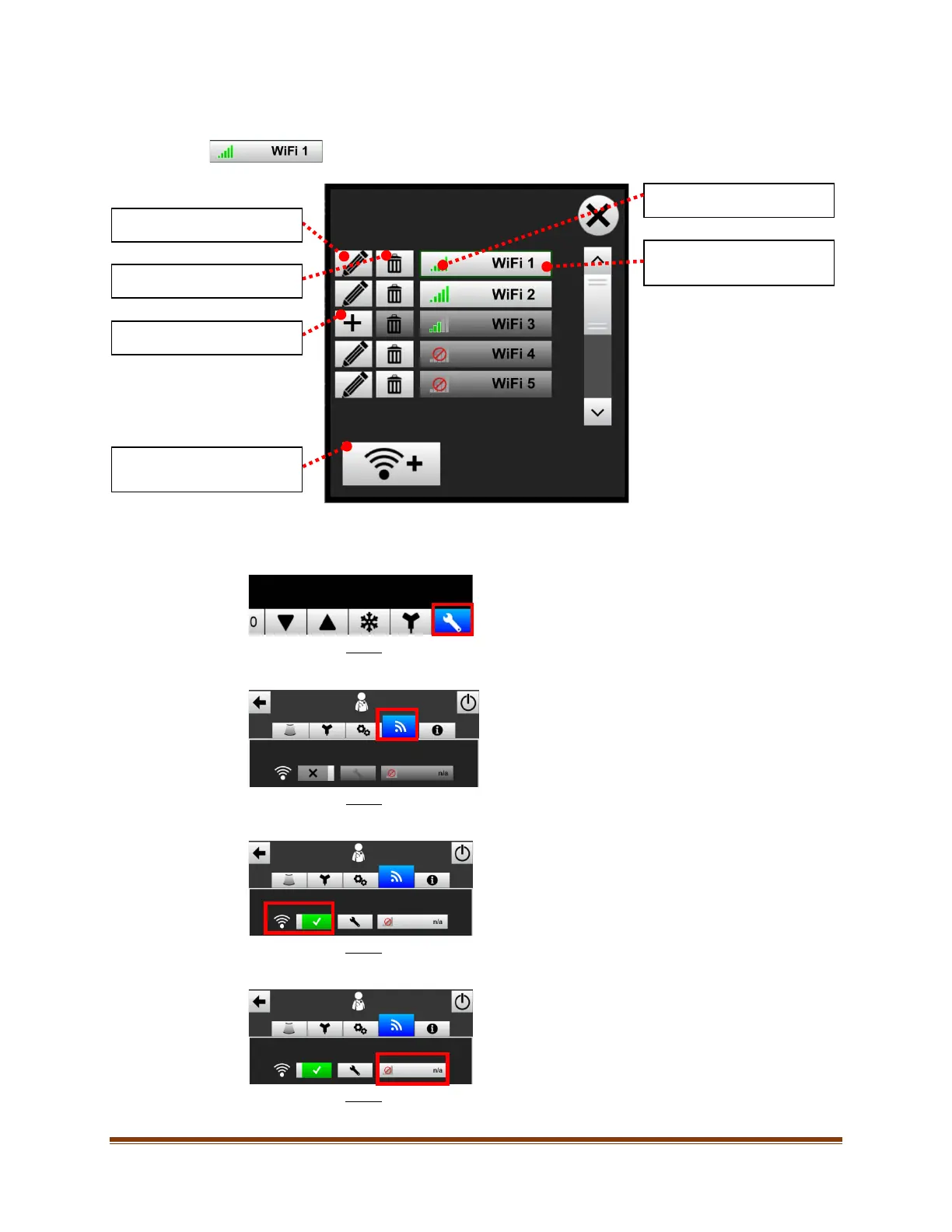
Select the ‘WiFi Network’ button to access and connect to WiFi networks. See Sections 24
and 25 for technical specifications.
To connect the Site~Rite® 8 Ultrasound System to WiFi, perform the following steps:
1. Select the ‘Settings’ button.
2. In the Settings window, select the ‘WiFi/Connectivity Settings’.
3. Enable WiFi (if not already enabled).
4. Select the ‘WiFi’ Profile button.
Edit WiFi network settings.
Delete WiFi network settings.
Add WiFi network.
Add a custom or hidden WiFi
network.
WiFi signal strength.
Select to connect to WiFi
network.








 To Next Page