Site~Rite
®
8 Ultrasound System Page 49
11.4.3. DICOM (if enabled)
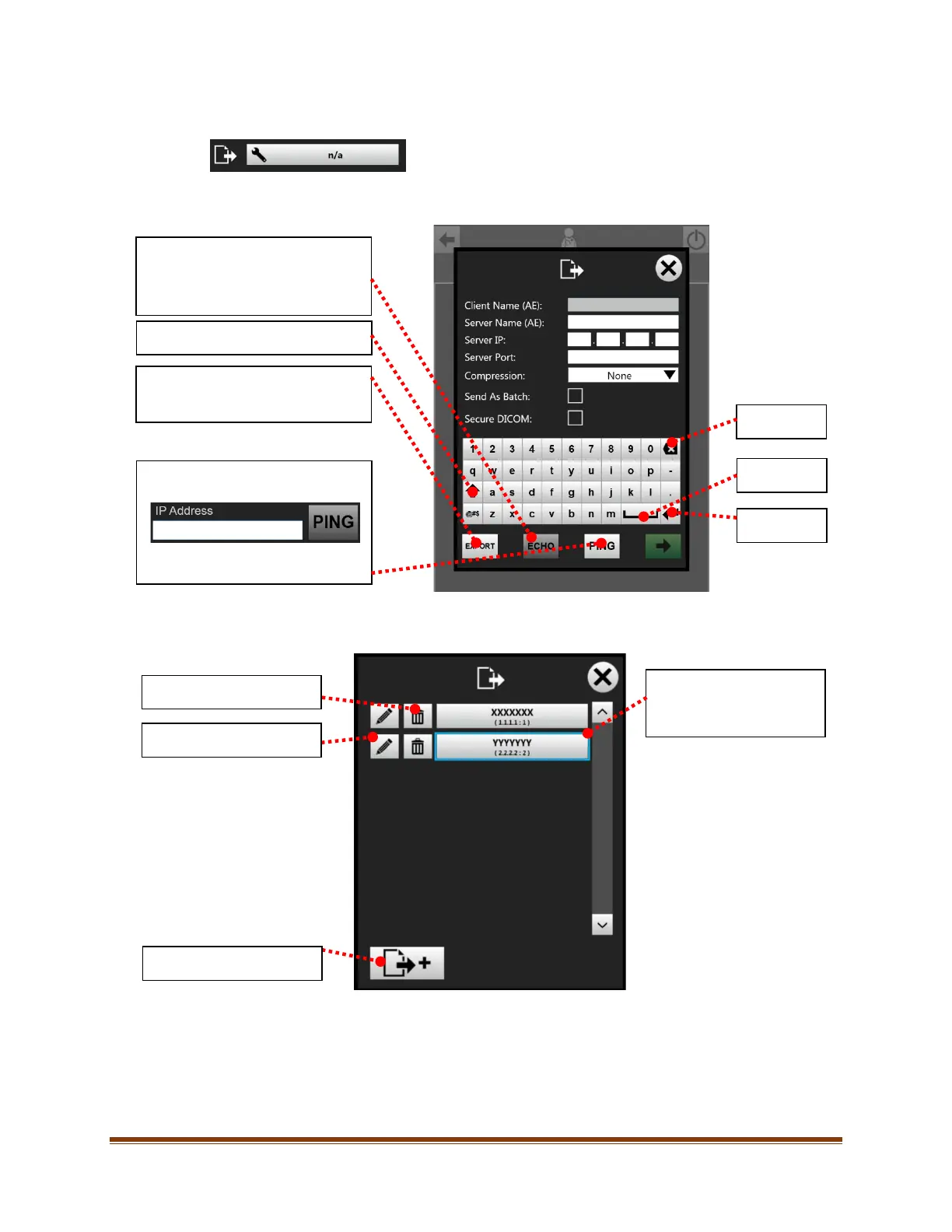
To configure DICOM settings, press the ‘DICOM Settings’ button.
Fill in the information to configure the PACS server:
Multiple PACS servers may be configured. To select from configured PACS servers or to add/modify a PACS
server, press the ‘DICOM Settings’ button.
Sends a standardized DICOM ECHO
request to the specified PACS
system. A green
indicates success
and a red ‘X’ indicates a failure.
Shift / Display additional Characters.
Exports a client certificate to USB for
Secure DICOM server-client
Opens a window to allow a PING to a
specified IP address.
Input the IP address and select the
Backspace
Space
Enter
Delete PACS server.
Edit PACS server settings.
Add new PACS server.
Select desired configured
PACS server. Highlight
indicates currently selected









 To Next Page