Site~Rite
®
8 Ultrasound System Page 48
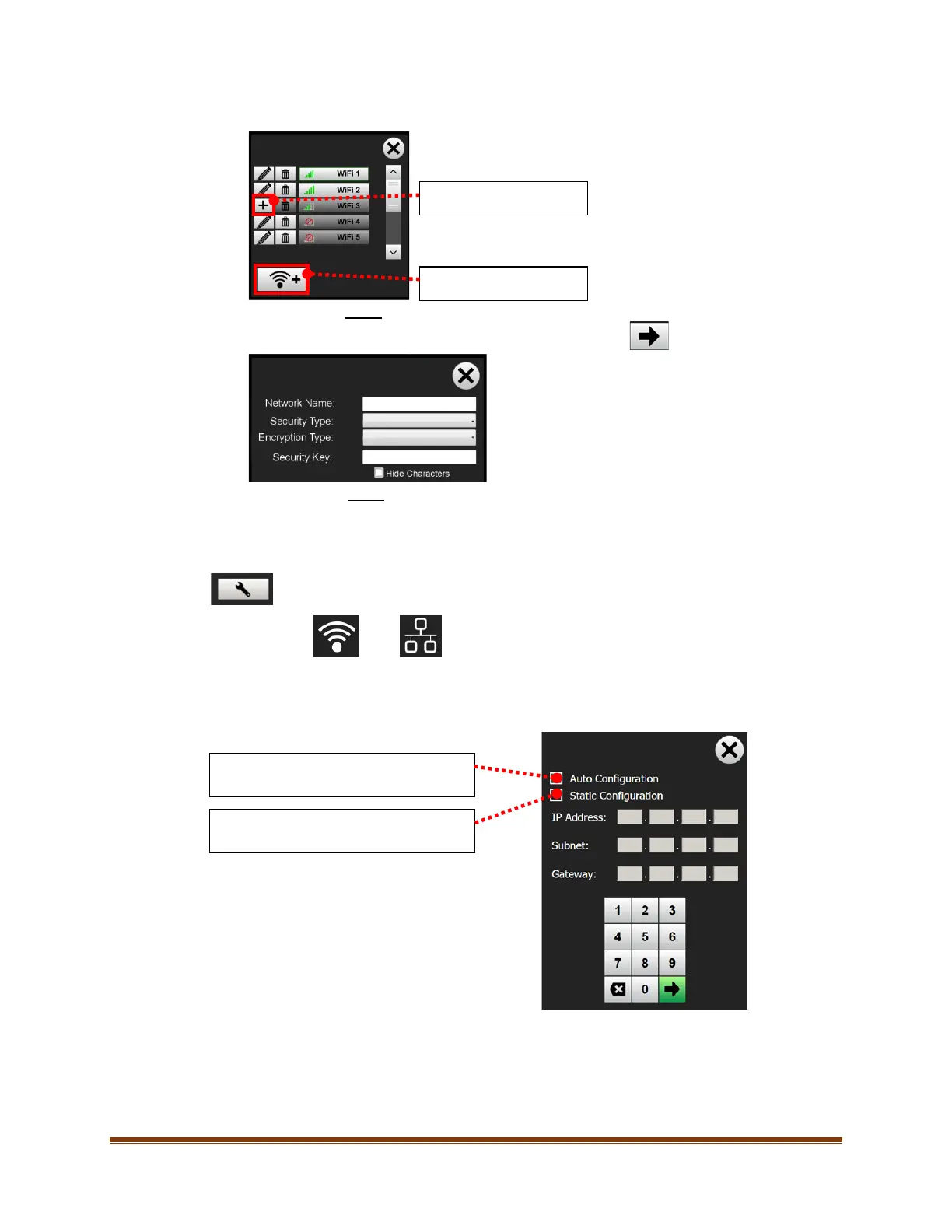
5. Add a visible WiFi network or select “Add WiFi Network” button to add a custom or hidden WiFi network.
6. Fill in the required information. After the information is filled in, select
7. The system should now be connected to the WiFi network.
11.4.2. Configure Network Settings
Press the ‘Settings’ button to configure network settings for either WiFi or Ethernet.
WiFi Ethernet
Add visible WiFi network.
Add WiFi network.
Select ‘Auto Configuration’ to automatically
configure the network settings.
Select ‘Static Configuration’ to manually
configure the network settings.








 To Next Page