Site~Rite
®
8 Ultrasound System Page 53
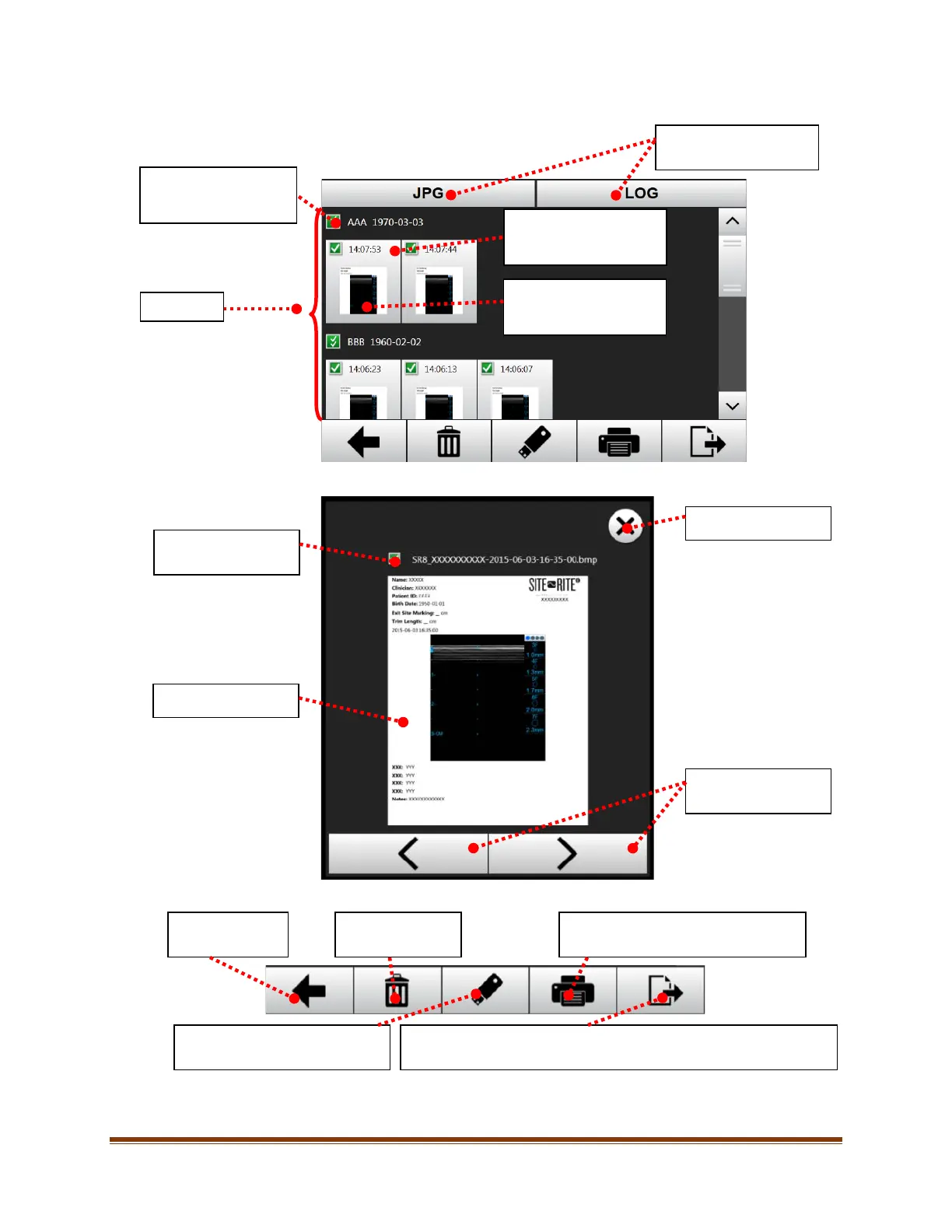
3. After selecting the patients, select all images to be managed.
4. To preview an image, touch the center of the image in the images list. The following image preview will appear:
5. Once the desired image(s) have been selected, choose an action to perform from the bottom toolbar.
Note: To delete all patient data from the system, select all the patients in the patient list (see Step 2) and press the
delete button.
Toggle between .jpg files
and .log files.
touch the center of the
image, touch the gray
Select all / deselect all
of the images for the
image under preview.
Image preview.
Exit image preview.
images in image list.
Return to the
previous screen.
Save the selected image(s) to an
attached USB storage device.
Send to PACS (if enabled)
Send the selected image(s) to the configured PACS (see Section 11.4.3).
Delete the
selected image(s).
Print the selected image(s) to a
connected printer.








 To Next Page