K5B - 15
Block Programming
5.0 Automatic Operation
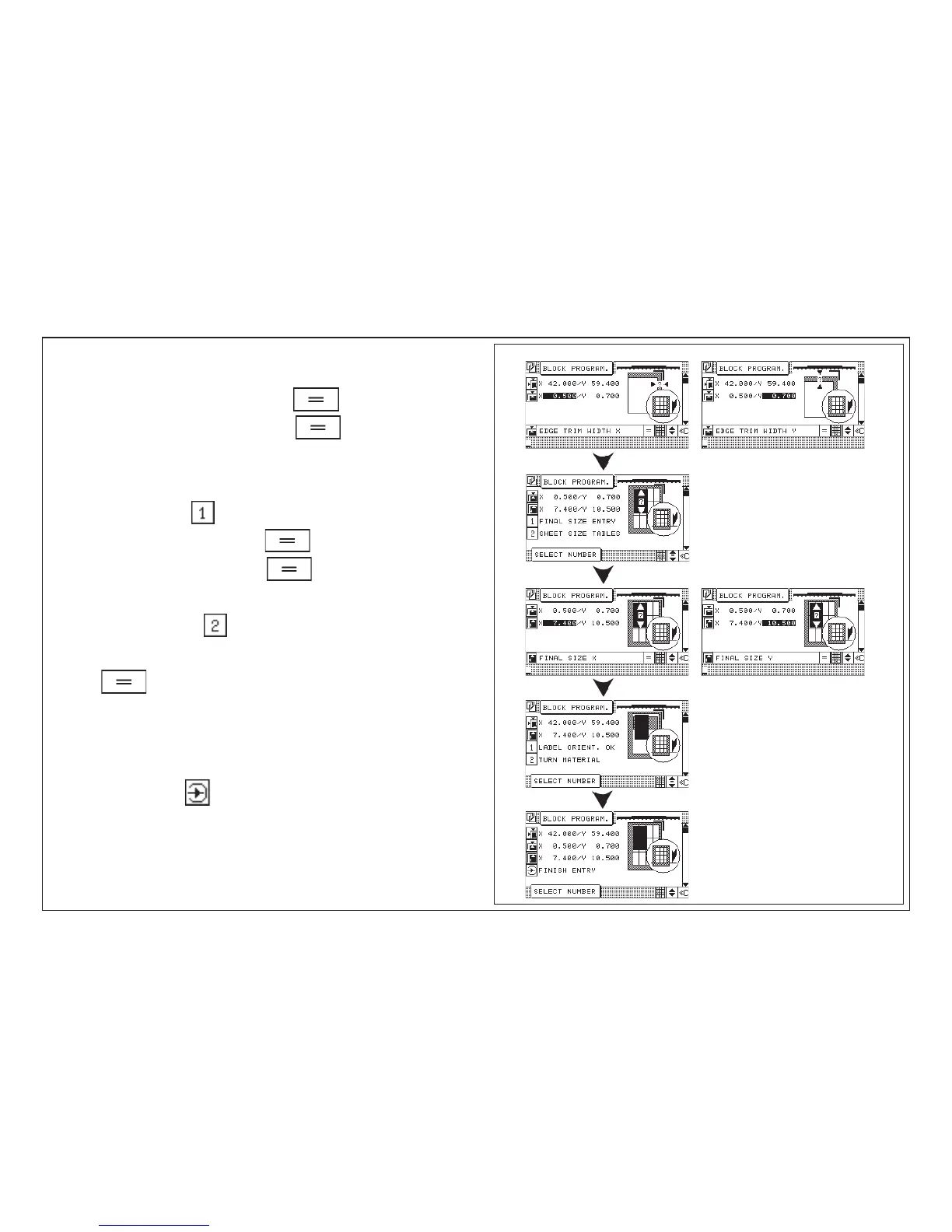
Enter Edge trim
10. Enter "Edge trim width X", confirm with key
11. Enter "Edge trim width Y", confirm with key
12. Menu 1 Final size entry
2 Sheet size tables
13. e.g.: "Enter final size"
14. Enter "Final size X", confirm with key
15. Enter "Final size Y", confirm with key
or
16. e.g.: "Sheet size tables"
17. Select desired sheet size by means of the cursor keys and confirm with
key
Menu 1 Label orient. OK
2 Turn material
18. Make selection
19. Finish entry with key "Enter"
< Program data display appears with a graphic window of the current
Block Programming variation (visible sheet orientation with order start),
see also page K5D - 3 "Graphics OFF"



 To Next Page