K5B - 18
Block Programming
5.0 Automatic Operation
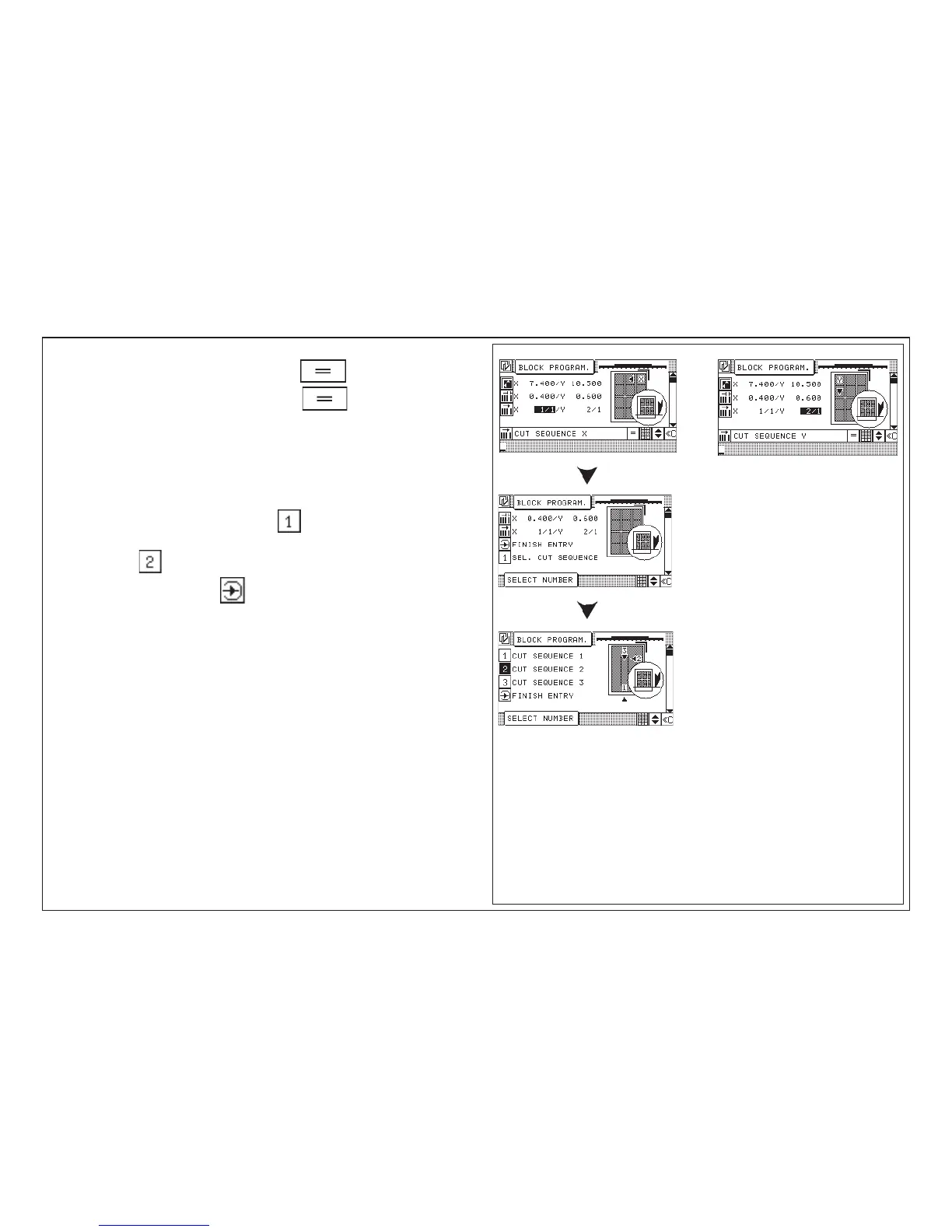
20. Enter label sequence "X" confirm with button
21. Enter label sequence "Y" confirm with button
Explanation: X: 1 / 1 = 1 Label + 1 trimout in X-direction
Y: 2 / 1 = 2 Labels + 1 trimout in Y-direction
22. Selection menu: 1 Finish input
2 Select cutting sequence
23. Example: "Sel (ect) cutting sequence":
24. Select desired cutting sequence, such as e. g. "cutting sequence
crosswise:
25. Close input with "Enter" key
< Program Data Image is displayed with graphic display of block
program variant 1, 2, or 3 (= visual position of sheet upon start of job),
please refer to page K5D - 3 "disconnect graphics" >



 To Next Page