K5B - 17
Block Programming
5.0 Automatic Operation
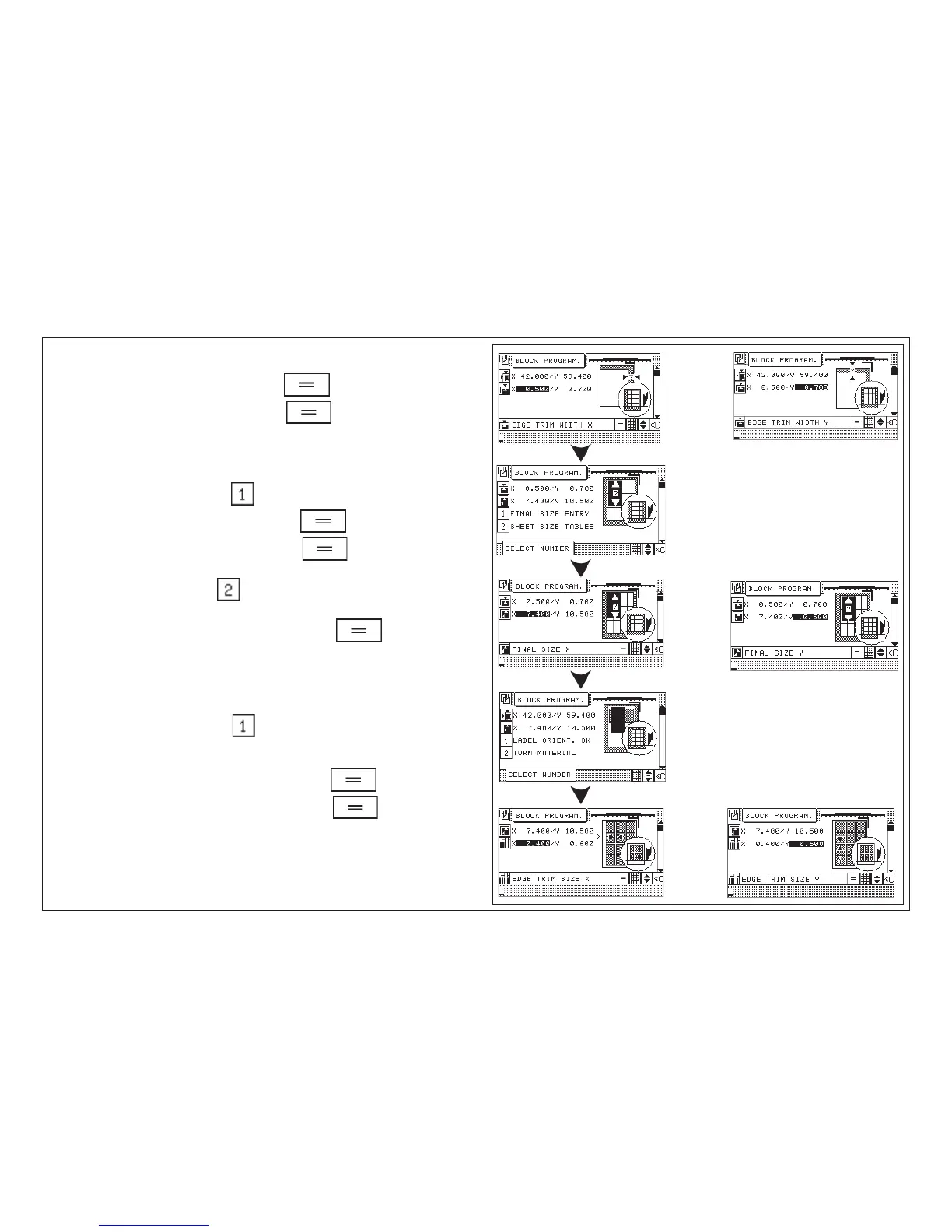
Enter outside trim
9. Enter outside trim "X" confirm with button
10. Enter outside trim "Y" confirm with button
11. Selection menu: 1 Input of final size
2 Format tables
12. Example: "Input of final size":
13. Enter final sheet size "X" confirm with button
14. Enter final sheet size "Y" confirm with button
or
15. Example: "Table of sizes":
16. Select desired format via cursor keys and press key (format
measurements are transferred into block program)
Selection menu: 1 label position OK
2 Turn label
17. Example: "Label position OK":
Enter trimout measurement
18. Enter trimout measurement "X" confirm with button
19. Enter trimout measurement "Y" confirm with button
To be continued with next page!



 To Next Page