110
Setting the limit positions via Autoinstall
E18 drives
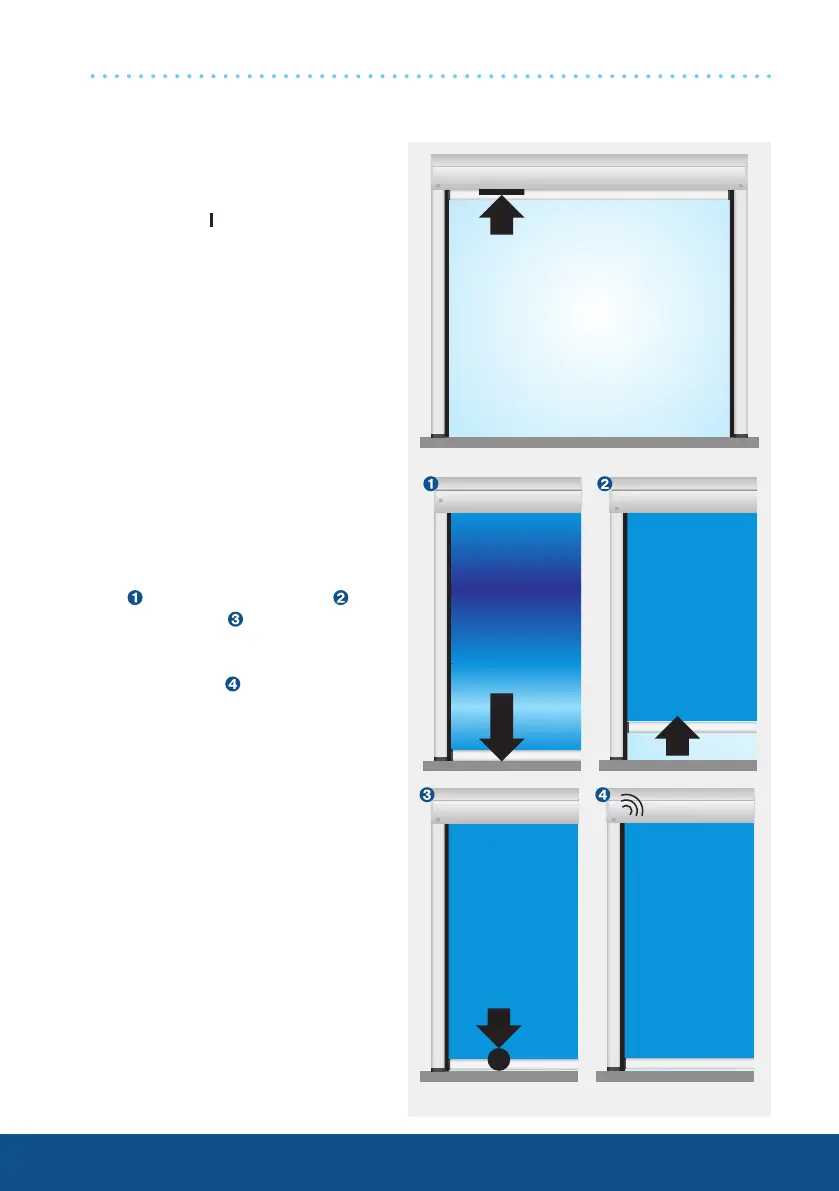
1. Programming the Retract
limit position
At least one switch on the drive head
must be in the
position.
Run the shading solution towards
the stop until the drive stops auto-
matically.
2. Programming the Extend
limit position
Travel downwards and keep the
travel button pressed, until the drive
moves past the Extend limit posi-
tion
, then moves upwards and
then downwards
, in order to finally
stop in the Extend limit position and
to confirm the programming proce-
dure with a click .
1x click




 To Next Page