86
Setting the limit positions with the switches
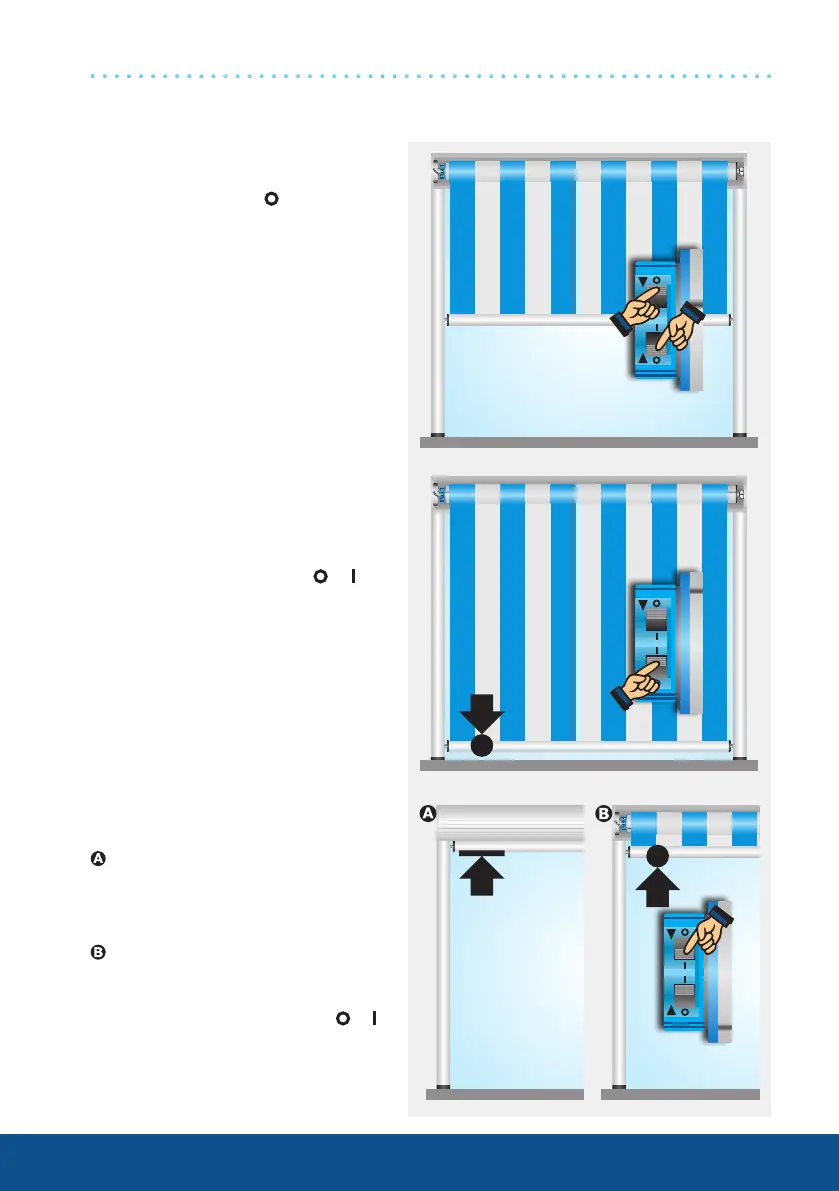
1. Deleting both limit positions
with the switches
Set both switches to and execute
a short drive command.
PS(+) drives
2. Programming the Extend
limit position
Run the shading solution to the
desired position and change the
corresponding switch from to .
3. Programming the Retract
limit position
Retract limit position stop
Run the shading solution to-
wards the stop until the drive
stops automatically.
To Retract limit position point
Run the shading solution to the
desired position and change the
corresponding switch from to .




 To Next Page