13
Setup and operations
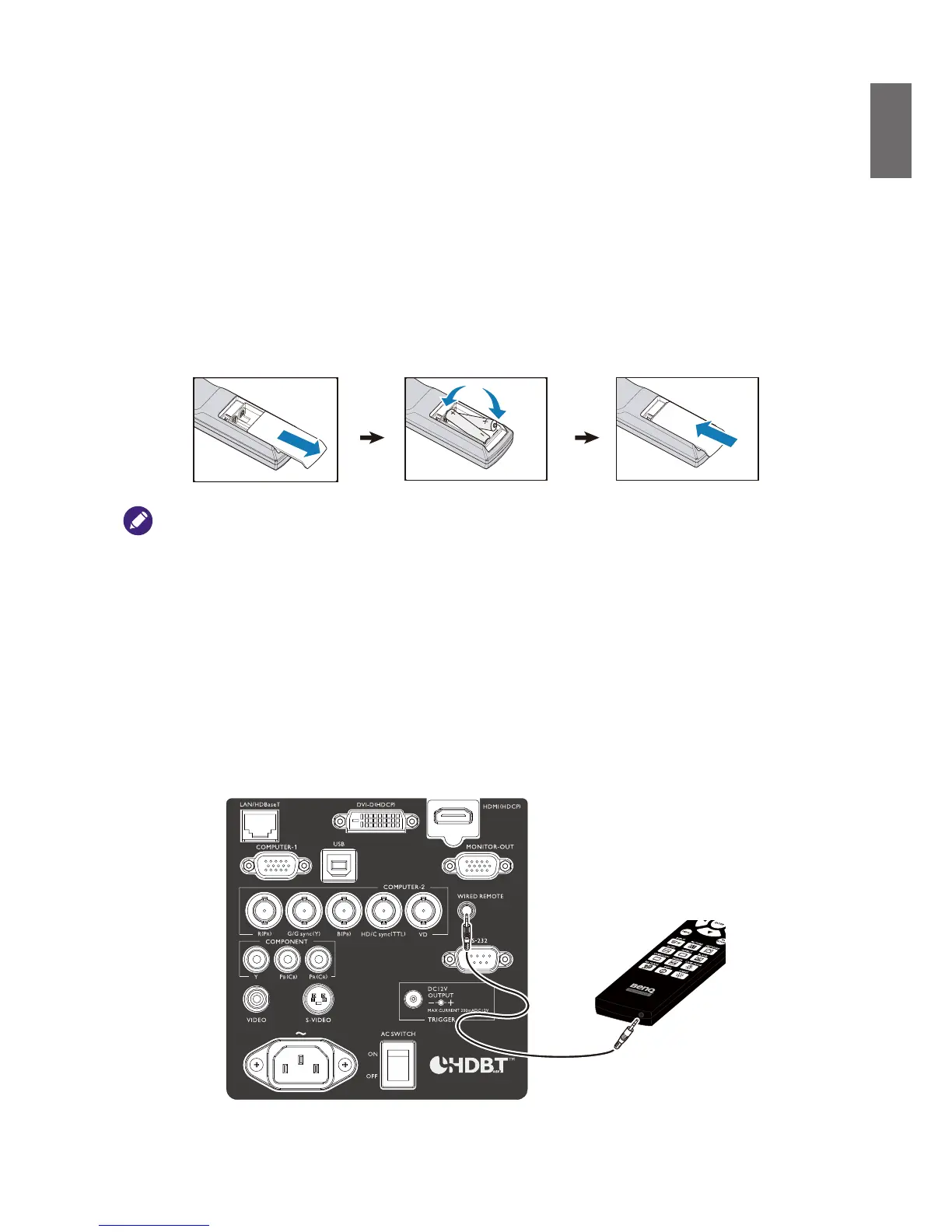
Setting the remote control batteries
1. To open the battery cover, turn the remote control over to view its back, push on the nger
grip on the cover and slide it up in the direction of the arrow as illustrated. The cover will slide
off.
2. Remove any existing batteries (if necessary) and install two new AA batteries observing the
battery polarities as indicated in the base of the battery compartment. Positive (+) goes to
positive and negative (-) goes to negative.
3. Ret the cover by aligning it with the case and sliding it back up into position. Stop when it
clicks into place.
• Do not mix old batteries with new ones, or mix different types of batteries.
• Avoid leaving the remote control and batteries in an excessive hot or humid environment like the kitchen,bathroom,
sauna, sunroom, or in a closed car.
• Dispose of used batteries according to the battery manufacturer’s instructions and local environment regulations
for your region.
• If the remote control will not be used for an extended period of time, remove the batteries to avoid damage to the
control from possible battery leakage.
Connecting to the projector
If the path between the remote control and the projector is obstructed or remote control
operation is disrupt by certain high-frequency uorescent lights, you can connect to the projector
with M3 stereo mini jack cable to operate the projector.



 To Next Page