20
Preventing the unauthorized use of the projector
The projector has a built-in security feature to lock the OSD control panels and deny remote
control operation. The security feature has no default keyword; in the rst instance of enabling the
security feature, the user must dene a keyword.
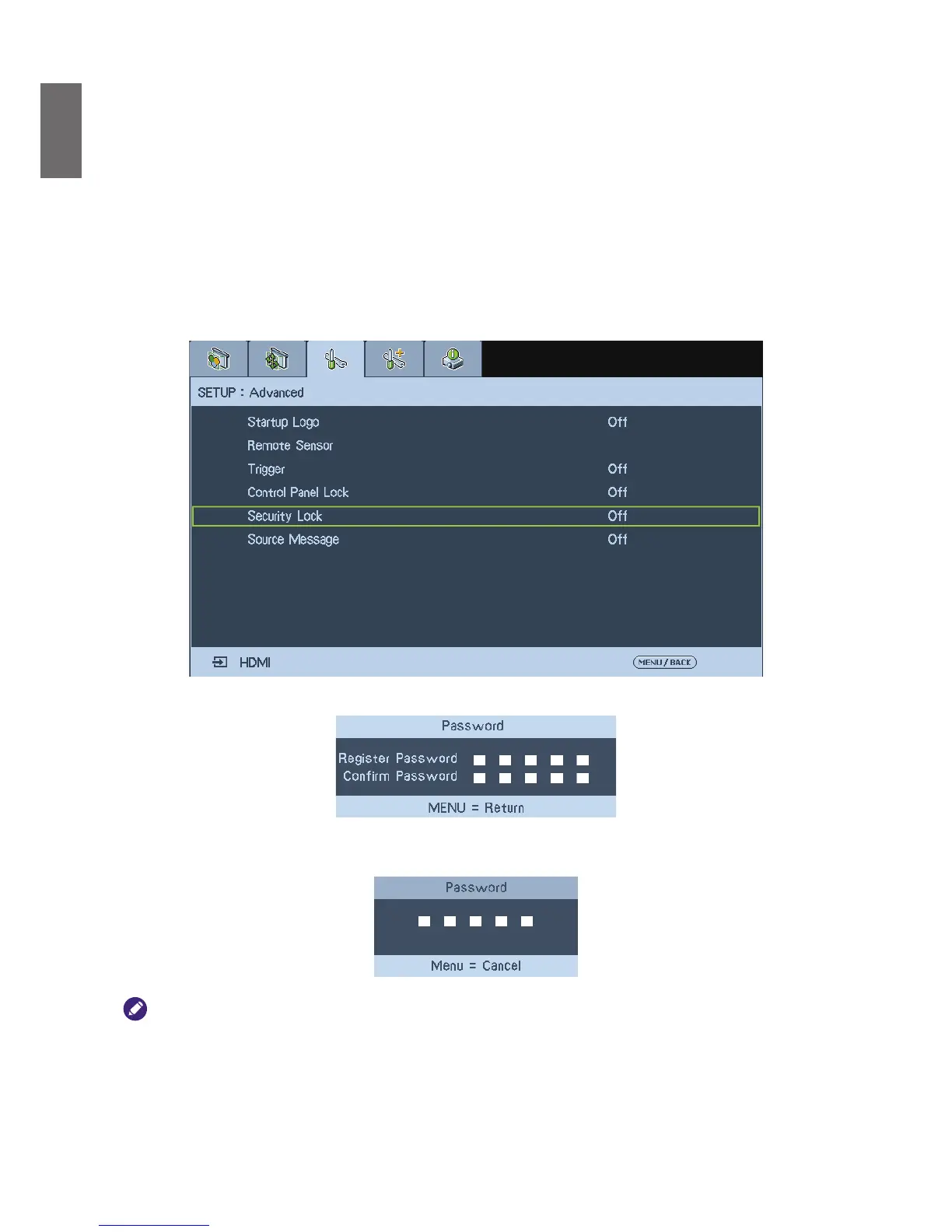
Locking the projector
To setup the security keyword, refer to the following guide.
1. Press
Menu
on the OSD control panel on the projector or remote control to display the Main
menu. Press arrow keys to select
Security Lock
under
Setup
>
Advanced
menu, then enable
the function.
2. Enter the password by arrow keys and conrm to perform
Security Lock
function.
3. If the
Security Lock
function is performed, the PIN code window will be displayed when any
control button is pressed.
When you have set or changed the password, take a memo and keep it securely. If you forget your PIN code, the
projector can no longer be stared. Contact your dealer or the service center.
Unlocking the projector
To unlock the projector, refer to the following guide.
1. When the projector is locked, either by request during operation or at start up, the locked
message is displayed.



 To Next Page